
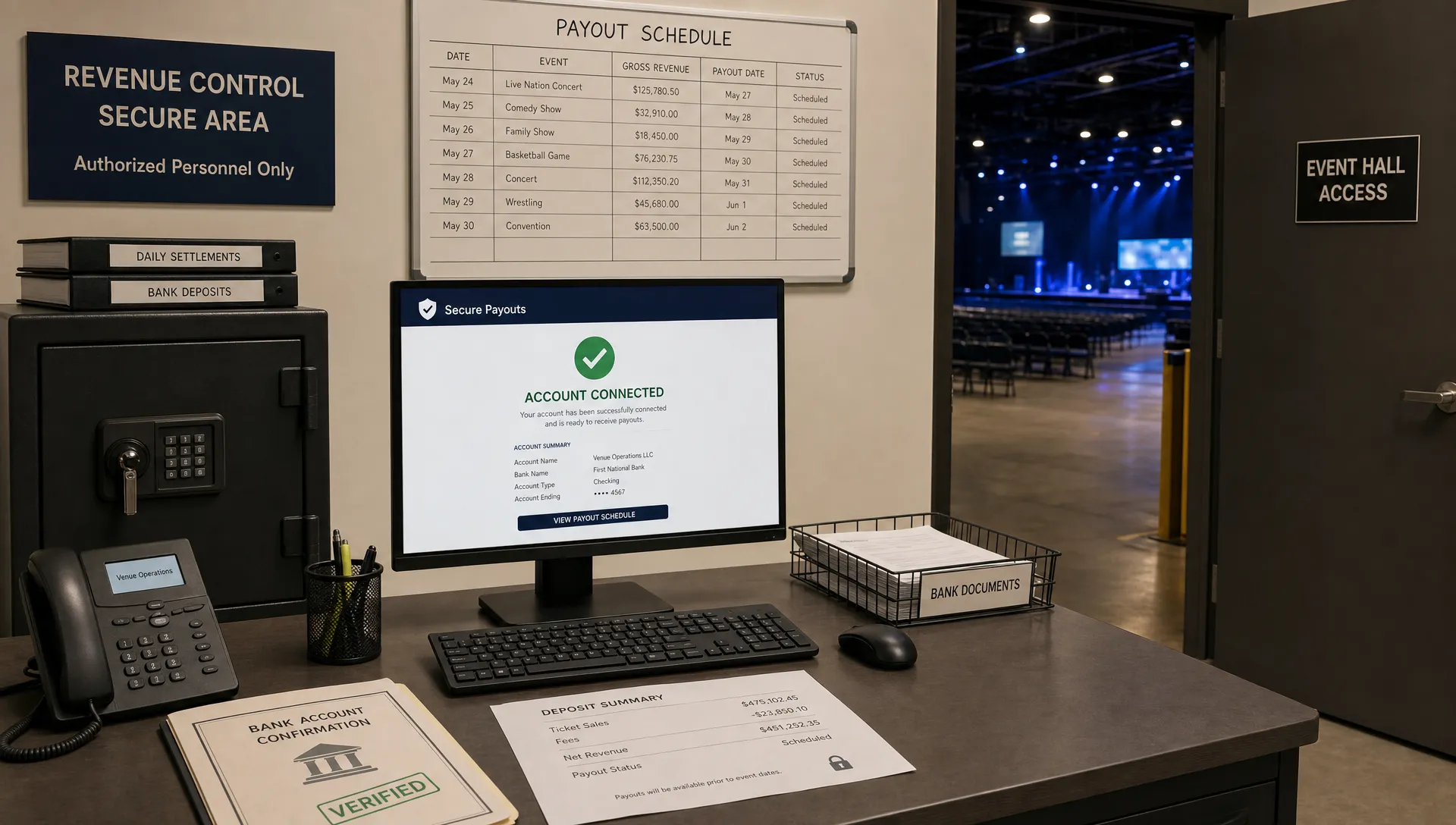
How to Use Ticket Stripe Setups for Instant Event Payouts
For event organizers, cash flow is not a back-office detail. It decides when you can pay deposits, book production, increase ad spend, confirm artists, and cover last-minute venue costs. A good ticket Stripe setup should do more than accept card payments. It should connect ticket sales, payout timing, fees, buyer checkout, and refund handling into one clean workflow.
The key idea is simple: the faster your ticket revenue moves from buyer payment to organizer access, the more control you have over the event. But instant event payouts do not happen by accident. They depend on how your ticketing platform connects to Stripe, how your account is verified, how payments are routed, and how clearly your sales rules are configured before the first ticket goes live.
Below is a practical guide to using ticket Stripe setups for faster, more reliable payouts without creating a messy payment operation.
What a Ticket Stripe Setup Actually Controls
When people say “connect Stripe to ticket sales,” they often think only about payment processing. In reality, the setup controls several moving parts that affect your revenue timeline.
A ticket Stripe setup usually includes:
- Who is connected to Stripe as the seller or payout recipient
- How attendee payments are collected at checkout
- How fees are applied and displayed
- When funds become available for payout
- How refunds, disputes, taxes, and verification requirements are handled
- How ticket orders sync with guest lists and event access
For organizers, the payout side is especially important. If your event depends on early revenue to fund production, a delayed payout schedule can force you to front more cash than expected. That is why setup matters before launch, not after sales start coming in.
Stripe offers tools such as Stripe Connect for platforms that need to route payments to connected accounts, and Instant Payouts for eligible accounts in supported situations. The important phrase is “eligible accounts.” Verification, country support, bank or card compatibility, risk reviews, and balance availability can all affect payout timing.
A modern ticketing platform should help reduce operational friction around these requirements. TixFlow, for example, is built for organizers who want instant payouts, low fees, easy setup, real-time sales control, and Stripe Connect integration without forcing buyers to create an account before purchasing.
Why Instant Payouts Start Before Ticket Sales
The biggest payout mistakes happen before any attendee enters a card number. Organizers often launch sales quickly, then discover later that the payout account needs more information, the wrong business entity was used, or the ticketing workflow separates payments from order management.
If payout speed is a priority, treat payment setup as part of event planning. The earlier you verify details, test checkout, and confirm payout routing, the less likely you are to hit delays when sales spike.
This is especially true for music producers, pop-up organizers, festival teams, promoters, workshops, and small venues. These events often depend on ticket revenue to cover costs before doors open. If funds are locked until after the event, the organizer carries unnecessary financial pressure.
| Setup element | Why it affects payouts | What to confirm before launch |
|---|---|---|
| Stripe account connection | Funds need a verified destination | Correct legal name, business type, and payout details |
| Identity and business verification | Processors may pause payouts until requirements are met | Submit required information early |
| Ticketing platform workflow | Manual exports and separate payment tools create delays | Use one system for sales, orders, guest lists, and payouts |
| Refund policy | High refund activity can affect available balance | Publish clear refund terms before selling |
| Fee structure | Hidden or variable fees reduce usable cash | Know your per-ticket cost and net revenue |
| Sales controls | Overselling or wrong tiers can create refunds and disputes | Configure tiers, limits, and sales phases correctly |
If you want a deeper look at the account side, TixFlow has a related guide on why your ticketing account setup affects payout speed. The short version is this: fast payouts are easier when your identity, payment routing, and event setup are clean from day one.

The Best Ticket Stripe Setup for Event Organizers
There are several ways to combine ticketing and Stripe. The right option depends on your technical resources, your event size, and how much control you need over the attendee experience.
| Setup type | Best for | Payout and operations impact |
|---|---|---|
| Custom Stripe integration | Teams with developers and complex requirements | High control, but you must build ticket delivery, guest lists, refunds, reporting, and support workflows |
| Ticketing platform with Stripe Connect | Organizers who want fast setup and payout-focused operations | Combines checkout, ticket management, payout routing, and event controls in one workflow |
| Traditional ticketing marketplace | Organizers who want basic sales infrastructure | May be simple to launch, but payout schedules and fees can be less flexible |
For most small and mid-size events, a ticketing platform with Stripe Connect is the practical middle ground. You avoid building your own payment stack, but you still get a streamlined payment path designed for event sales.
This is where TixFlow fits naturally. It gives organizers a ticketing workflow with flat per-ticket fees, instant payouts, customizable event pages, unlimited ticket tiers, automated sales phases, smart promo codes, digital guest lists, and no buyer registration. The goal is not just to process payments, but to reduce friction for buyers and simplify operations for event teams.
How to Set Up Ticketing With Stripe for Faster Payouts
A payout-friendly setup follows a clear sequence. Skipping steps can lead to avoidable delays, especially if your sales volume increases quickly.
1. Choose a ticketing platform that supports Stripe Connect
Start with the platform, not the payment processor alone. Stripe is powerful, but event ticketing requires more than payment capture. You also need ticket delivery, order records, tier limits, promo codes, guest lists, and sales reporting.
A platform with Stripe Connect can help connect organizer accounts to the payment flow while keeping ticketing operations in one place. That reduces the need to reconcile separate spreadsheets, payment dashboards, and check-in lists.
2. Complete verification before launching sales
Do not wait until the first big sales day to finish account verification. Payment processors may require details about the organizer, business entity, tax information, bank account, ownership, or identity documents. Requirements vary by country, account type, and risk profile.
If you are organizing under a business, use the correct business details. If you are organizing as an individual, make sure personal details match official records. Inconsistent information can slow down verification.
3. Connect the correct payout destination
Your payout destination should match how you manage event finances. For a venue-run event, that might be the venue’s business account. For a promoter, it may be the promoter’s operating account. For a production company, it might be a dedicated account used to manage event revenue and expenses.
Avoid connecting an account you do not control directly. If multiple partners are involved, decide in advance who receives payouts and how internal revenue sharing will be handled. A clean payout destination prevents confusion when sales start moving.
4. Build ticket tiers around your cash flow needs
Ticket tiers are not just a pricing tool. They are a cash flow tool.
Early-bird tickets can generate upfront revenue for deposits. General admission can drive the main sales volume. VIP or premium tiers can increase average order value. Last-call pricing can capture late demand without discounting the whole event.
With TixFlow, organizers can use unlimited ticket tiers and automated sales phases, which makes it easier to plan pricing around both demand and operational deadlines. For example, you can structure your event so the first phase helps pay venue costs, the second phase supports production, and the final phase protects your margin.
5. Keep checkout short and buyer-friendly
Fast payouts start with completed orders. If buyers abandon checkout, there is no revenue to pay out.
Requiring attendees to register before buying adds friction, especially for concerts, parties, workshops, and one-time events where people want to purchase quickly. A no-registration checkout can reduce hesitation and help more interested visitors become paid attendees.
This matters for Stripe-connected ticketing because the checkout is the moment where interest becomes cash flow. TixFlow is designed with no buyer registration, customizable checkout, and flexible event pages so organizers can keep the purchase path focused.
6. Test the full order path
Before promoting your event heavily, test the process like an attendee. Confirm that the event page looks right, the ticket tiers are correct, promo codes work as expected, confirmation emails are clear, and the order appears in your guest list.
Testing is also a good time to review payment and payout settings. Make sure the connected account is active, payout details are present, and there are no outstanding verification prompts.
7. Monitor sales and adjust in real time
After launch, watch your sales velocity, tier performance, promo code usage, and remaining capacity. Real-time sales control helps you make decisions before problems become expensive.
For example, if early-bird tickets sell faster than expected, you may move to the next tier sooner. If a promo code is being overused, you may limit or pause it. If a tier is underperforming, you can adjust your messaging instead of waiting until the week of the event.
TixFlow’s real-time sales control supports this kind of active management. For a broader analytics angle, you can also use ticket statistics to improve event sales throughout the campaign.
Cash Flow Practices That Make Instant Payouts More Useful
Instant event payouts are most valuable when you have a plan for the money. Otherwise, faster access can simply make spending less disciplined.
Start by mapping major expenses against your sales timeline. For many events, the first cash needs come early: venue deposit, artist deposit, production deposit, design assets, ad spend, staff scheduling, equipment rental, and insurance. Later expenses often include final vendor payments, settlement, security, door staff, hospitality, and refunds.
| Event cost | Typical timing | How faster payouts help |
|---|---|---|
| Venue deposit | Before public launch or early in sales | Reduces the need to use personal cash or credit |
| Artist or talent deposit | Before promotion begins | Lets early ticket revenue support booking commitments |
| Paid advertising | During the sales campaign | Allows winning campaigns to be scaled with current revenue |
| Production and equipment | Weeks before the event | Helps secure sound, lighting, staging, or rentals earlier |
| Staffing and operations | Near event date | Keeps door, check-in, and guest management costs funded |
| Refunds and disputes | Any time after sales begin | Requires maintaining a reasonable reserve |
A smart rule is to avoid spending every dollar as soon as it arrives. Even with instant payouts, keep a reserve for refunds, chargebacks, weather issues, artist changes, or capacity changes. Payment speed improves flexibility, but it does not remove responsibility.
If your main challenge is simplifying the entire payment operation, not just the Stripe connection, see TixFlow’s guide on ticketing payments for faster payouts.
Common Mistakes That Slow Down Event Payouts
Even a strong ticket Stripe setup can run into trouble if the event operation is messy. Most payout delays are preventable with a few practical checks.
One common mistake is using the wrong account type or incomplete organizer information. If your event is sold by a business, but the connected payment information looks personal or inconsistent, verification may take longer. Another issue is changing payout details during a high-volume sales period, which can trigger additional checks.
Refund confusion is another major problem. If attendees do not understand your refund policy, they are more likely to contact their bank instead of the organizer. That can create disputes, which may affect account health and available funds. Keep refund terms clear on your event page and in confirmation messaging.
Fee confusion can also hurt cash flow. If you do not calculate net revenue per ticket, you may think you have more usable money than you actually do. This is where flat per-ticket fees are helpful, because they make forecasting simpler.
Finally, avoid overselling or mislabeling ticket types. If a VIP ticket does not clearly explain what is included, or if a timed entry ticket is sold for the wrong slot, refunds and support requests can quickly pile up. Clear ticket tiers and digital guest lists reduce these risks.
Why TixFlow Works for Payout-Focused Organizers
TixFlow is built for organizers who want modern ticketing without unnecessary payment friction. Its core value is straightforward: instant for attendees, seamless for organizers.
For payout-focused teams, the most relevant features are instant payouts, Stripe Connect integration, flat per-ticket fees, real-time sales control, and easy setup. For revenue growth, TixFlow also supports flexible pricing, unlimited ticket tiers, automated sales phases, smart promo codes, and customizable event pages. For operations, digital guest lists help connect online sales to entry management.
The combination matters. Instant payouts are more useful when the sales system is clean, fees are predictable, and the buyer checkout does not create friction. If you are trying to protect revenue while scaling ticket sales, TixFlow’s approach also aligns with practical strategies to sell your tickets without cutting into revenue.
Frequently Asked Questions
Can Stripe provide instant payouts for ticket sales? Stripe supports Instant Payouts for eligible accounts in supported locations, but availability depends on account status, verification, balance availability, and other Stripe requirements. A ticketing platform with Stripe Connect can help organize the workflow, but it cannot bypass processor rules.
What is the best ticket Stripe setup for small events? For most small and mid-size events, a ticketing platform with Stripe Connect is more practical than building a custom integration. It combines checkout, ticket delivery, guest lists, sales controls, and payout routing in one system.
Do instant payouts mean every ticket sale is available immediately? Not always. “Instant” usually refers to the speed of moving eligible available funds to a supported payout destination. Payment processing rules, risk checks, first-payout timing, refunds, and disputes can affect access to funds.
How can I avoid payout delays before my event? Complete verification early, use accurate organizer details, connect the correct payout account, test checkout, publish clear refund terms, and monitor sales activity. Clean setup before launch is the best way to reduce payout problems later.
Why does buyer checkout affect organizer cash flow? Every extra checkout step can reduce completed orders. A fast checkout with no unnecessary registration helps more interested attendees finish the purchase, which improves sales volume and cash flow.
Turn Ticket Sales Into Usable Event Cash Flow
If your event depends on early revenue, do not treat payment setup as an afterthought. The right ticket Stripe setup can help you sell faster, reduce admin work, and access revenue sooner, as long as your account, payout destination, ticket tiers, and checkout flow are ready before launch.
TixFlow gives organizers a modern ticketing platform with instant payouts, Stripe Connect integration, flat per-ticket fees, no buyer registration, customizable event pages, real-time sales control, and digital guest lists. If you want ticketing that supports both attendee experience and organizer cash flow, it is built for exactly that workflow.