
How to Simplify Ticketing Payments for Faster Payouts
Slow payouts are rarely caused by one isolated problem with ticketing payments. More often, they come from a payment workflow with too many handoffs: a buyer pays in one place, a team tracks orders somewhere else, refunds are handled manually, and the organizer waits for a platform to release funds after the event.
For event organizers, that delay is more than an annoyance. Cash flow affects venue deposits, artist advances, production costs, marketing spend, staffing, and the confidence to plan the next event. Simplifying the payment process is not just about getting paid faster. It is about designing a sales process where money, tickets, fees, buyer data, and check-in records stay connected from the first sale to the final payout.
Below is a practical framework for making ticketing payments easier to manage while improving payout speed and reducing reconciliation headaches.
Why ticketing payments become complicated
A ticket sale looks simple from the outside: the attendee chooses a ticket, pays, and receives a confirmation. Behind the scenes, several steps need to happen correctly.
The payment must be authorized, captured, associated with the correct ticket tier, recorded for reporting, linked to a guest record, and eventually paid out to the organizer. If there are fees, discounts, refunds, taxes, or multiple sales phases, the process gets more complex.
The problem is that many event teams build this flow from disconnected tools. They may use a form builder for registrations, a payment link for money collection, a spreadsheet for tracking names, and manual bank checks for reconciliation. That setup can work for very small gatherings, but it starts to break down as soon as sales volume grows.
Common bottlenecks include:
Buyers being forced to create an account before paying.
Manual payment confirmation before tickets are issued.
Multiple sales channels with no single source of truth.
Unclear fee handling between the organizer and the buyer.
Refunds and promo codes tracked outside the ticketing system.
Payouts delayed because bank, identity, or processor requirements were not completed early.
A faster payout strategy starts by removing these bottlenecks before tickets go on sale.
Faster payouts start before the first ticket is sold
Many organizers think about payouts at the end of an event. In reality, payout speed is shaped during setup.
Payment processors and platforms usually need verified account information before funds can move. Stripe, for example, explains in its payout documentation that payout timing depends on factors such as country, account status, risk, and payout schedule. If required information is missing, payouts can be paused or delayed.
That means organizers should treat payment setup as part of launch readiness, not as an afterthought. Before publishing an event page, confirm the payment account, bank details, payout destination, refund policy, fee policy, and reporting structure.
A simple rule helps: if a payment decision will affect accounting later, make it visible and automated at checkout.
Map the payment journey from buyer to bank account
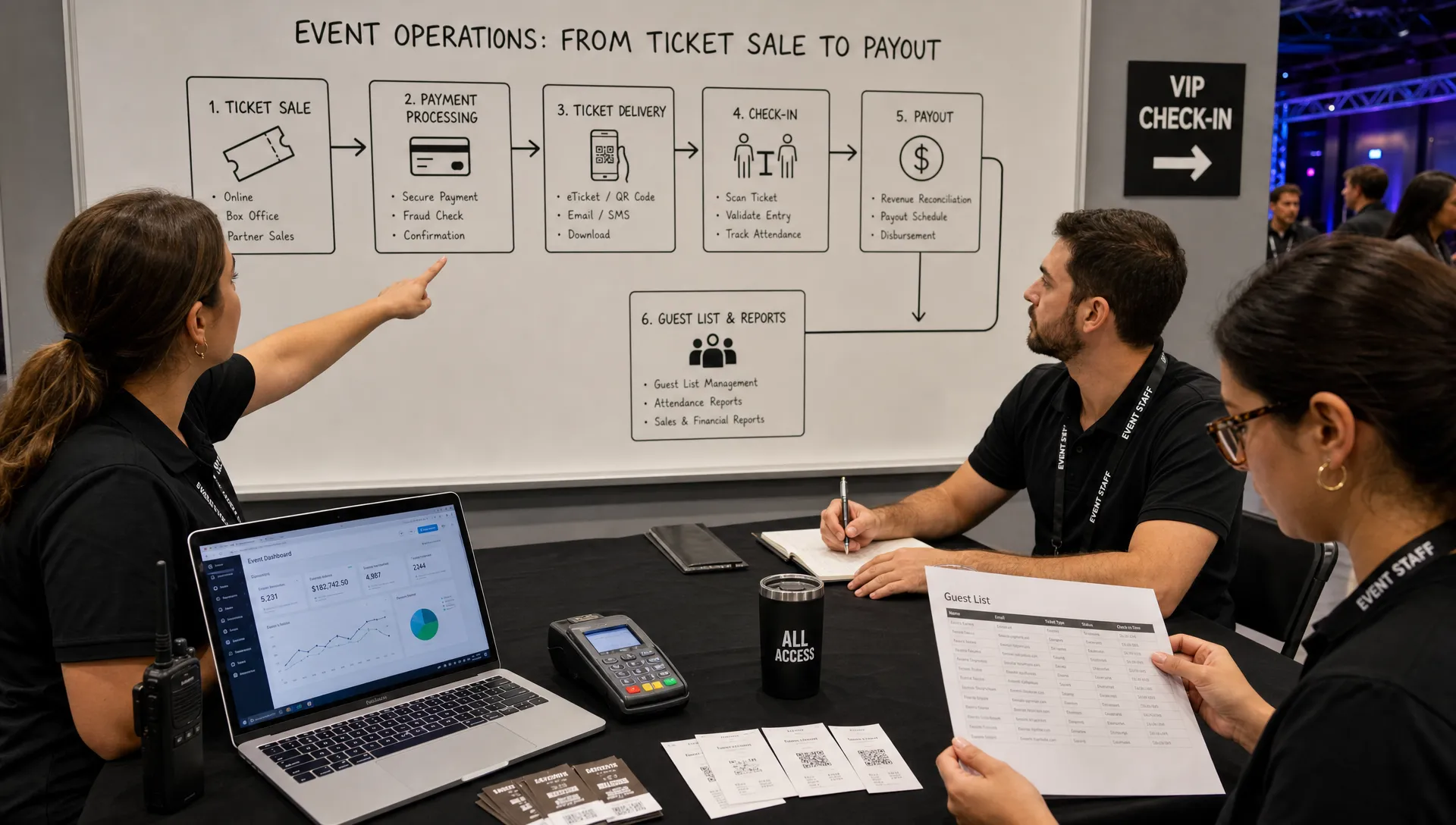
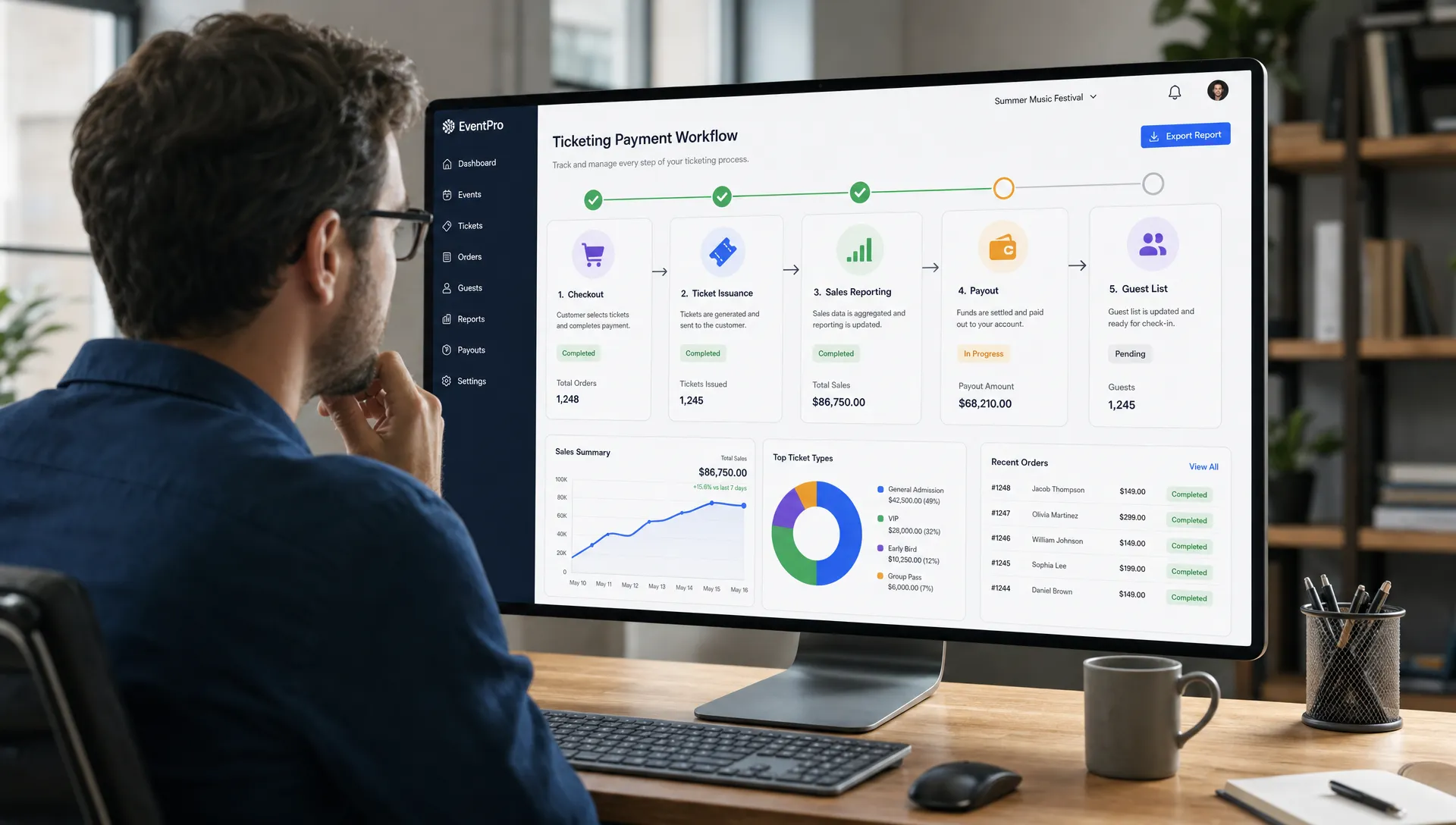
To simplify ticketing payments, first map the journey. You do not need a technical diagram. You need to know where money and data move.
A clean ticketing payment flow usually looks like this:
| Stage | What happens | What can slow it down |
|---|---|---|
| Checkout | Buyer selects ticket and pays | Forced registration, long forms, unclear fees |
| Confirmation | Ticket is issued and buyer receives proof | Manual approval or disconnected payment tools |
| Settlement | Processor makes funds available | Risk reviews, failed verification, refund spikes |
| Payout | Funds move to organizer account | Missing bank details or platform payout delays |
| Reconciliation | Team matches sales, fees, refunds, and attendance | Spreadsheets, mixed channels, unclear reports |
Once you see the full path, simplification becomes obvious. Every unnecessary step between checkout and payout adds friction. Every disconnected record creates reconciliation work. Every manual exception increases the risk of delay.
Remove buyer friction at checkout
Checkout friction does not just hurt conversion. It also complicates payment operations.
When buyers are asked to create accounts, confirm emails, remember passwords, or fill in unnecessary fields, more of them abandon checkout. Others contact support because they cannot access their ticket. That creates extra admin work before the event team even gets to payout.
A guest checkout flow is usually cleaner for event ticketing because most attendees want to complete a specific purchase quickly. TixFlow supports ticket sales without buyer registration, which helps reduce unnecessary steps between intent and payment. If you want a deeper look at the conversion impact, TixFlow has covered why guest checkout can increase ticket sales by removing account creation from the buying process.
For faster ticket purchases, the checkout should answer three questions instantly:
What am I buying?
What will I pay in total?
When and how will I receive my ticket?
If the buyer can answer those questions without hesitation, the payment flow is already simpler.
Use one integrated payment and ticketing system
The biggest operational improvement is keeping ticket sales, payments, guest lists, and event controls in one system.
When the ticketing platform is connected directly to the payment layer, each order can automatically create the right ticket, update inventory, apply the correct fee, record the buyer, and prepare the data needed for payout reporting. This is much easier than matching payment exports to ticket spreadsheets after the fact.
TixFlow is built around this kind of connected workflow, with Stripe Connect integration, digital guest lists, real-time sales control, and customizable event pages. Stripe Connect is commonly used by platforms and marketplaces to route payments and manage connected accounts, as described in Stripe's Connect documentation.
The operational benefit is straightforward: fewer systems means fewer mismatches. Fewer mismatches means cleaner reconciliation. Cleaner reconciliation supports faster, more confident payouts.
Make fees predictable and easy to reconcile
Ticketing fees are one of the most common sources of payment confusion. If the organizer absorbs fees, margins shrink. If buyers pay fees, the final price must be clear. If fees vary by ticket type, channel, or promotion, reporting gets harder.
Tixflow simplified payment setup uses a fee model that the team can understand at a glance.
The important decision is not only whether fees exist. It is who pays them, how they are shown, and how they appear in reports. Organizers who want to protect margins should also understand the tradeoffs of stopping the habit of absorbing ticket fees, especially when production costs are rising.
Here is the practical test: after 100 sales, your team should be able to calculate gross revenue, fees, refunds, and expected payout without rebuilding the event ledger manually.
Set ticket tiers and sales phases before launch
Manual ticket changes create payment complexity. For example, if early-bird tickets are supposed to end at midnight but someone forgets to switch pricing, the team may need to issue partial refunds, honor disputed prices, or explain inconsistent totals.
Automated ticket tiers and sales phases reduce this risk. When pricing rules are configured in advance, the checkout shows the right ticket at the right time. That keeps orders cleaner and makes payout reporting easier because each sale is tied to the correct phase.
For events with limited capacity or multiple waves of demand, this matters a lot. Early-bird, regular, last-minute, VIP, group, and door-price tiers should not require someone to manually edit the page during a busy launch window.
TixFlow supports unlimited ticket tiers and automated sales phases, which helps organizers keep pricing flexible without turning payment records into a mess.
Replace manual discounts with smart promo codes
Discounts are useful, but messy discounts slow teams down.
If a promoter sends a custom payment link, a sponsor gives buyers a private code, and the team manually adjusts orders after purchase, reconciliation becomes difficult. You may know that a campaign worked, but you will struggle to prove how much revenue it generated.
Smart promo codes make discounts easier to control. They can be tied to a campaign, limited by date or quantity, and tracked in sales reports. This reduces manual adjustments and helps organizers understand which partners, ambassadors, or marketing channels are actually moving tickets.
From a payout perspective, clean discounting matters because net revenue is easier to calculate. A $50 ticket with a 20 percent promo code should not look like an accounting exception. It should look like a normal order with a clear discount rule.
Connect refunds, chargebacks, and guest lists
Refunds are part of event operations. The goal is not to avoid them completely. The goal is to handle them in a way that does not break reporting or delay decision-making.
A refund policy should be visible before purchase and easy for the team to apply consistently. If refunds are approved manually through email and tracked separately from orders, your sales report may show revenue that is no longer real. That can lead to overestimating the cash available for payout.
Chargebacks also deserve attention. They can happen when buyers do not recognize a charge, cannot find their ticket, or dispute event terms. Clear checkout branding, confirmation emails, recognizable payment descriptors, and accurate guest lists can all reduce confusion.
Security is another reason to avoid improvised payment collection. The PCI Security Standards Council states that PCI DSS applies to organizations that store, process, or transmit cardholder data. Most event organizers should not be trying to handle card data directly. A secure, integrated checkout helps reduce operational and compliance complexity.
Digital guest lists support the same goal. When payment status, ticket validity, and check-in data are connected, the door team can verify attendees quickly, and the finance team can trust that orders and attendance records match.
Build a payout-ready launch checklist
The easiest time to fix payout issues is before sales begin. Use a checklist that combines payment setup, checkout quality, and reporting readiness.
| Setup item | What to confirm | Why it affects payouts |
|---|---|---|
| Payment account | Identity and business details are complete | Missing verification can delay fund movement |
| Bank destination | Correct account is connected and verified | Incorrect bank details can cause payout failures |
| Fee policy | Buyer-paid or organizer-paid fees are defined | Clear fees reduce margin surprises |
| Ticket tiers | Prices, quantities, and sales windows are configured | Clean order data improves reporting |
| Promo codes | Rules, limits, and campaign labels are set | Discounts remain trackable |
| Refund policy | Terms are visible and operationally realistic | Fewer disputes and cleaner net revenue |
| Test checkout | A real test purchase is completed before launch | Confirms the buyer and payment flow works |
This checklist is simple, but it prevents many of the problems that cause payout delays. It also gives the team confidence that once sales start, the system can run without constant manual intervention.
Keep real-time sales control in the hands of the event team
Payment simplification is not only about automation. It is also about control.
Event teams need to react quickly when demand changes. If a tier sells faster than expected, inventory may need to be adjusted. If a campaign underperforms, a promo code may need to be paused. If capacity changes, sales may need to stop immediately.
Real-time sales control helps organizers make those changes without waiting on a platform support queue or editing disconnected payment links. This protects revenue and keeps payment records aligned with the actual event plan.
The key is to avoid creating side channels. Once a team starts selling tickets through separate links, DMs, manual invoices, or cash lists, payout reporting becomes fragmented. Even if those sales are legitimate, they make the final financial picture harder to trust.
Do not confuse faster payouts with poor cash control
Faster access to funds is valuable, but it should not encourage careless spending.
Organizers still need to account for refunds, taxes, vendor obligations, chargebacks, and future event costs. A good payout strategy gives you earlier access to cash while keeping the numbers transparent.
In practice, that means monitoring:
Gross ticket sales.
Platform and payment fees.
Refunds and disputed payments.
Net revenue by ticket tier.
Payouts received and pending.
Attendance checked in against tickets sold.
A fast payout that cannot be reconciled is not truly simple. The best workflow gives you both speed and clarity.
What a simplified ticketing payment stack looks like
A modern event payment stack should feel lightweight for attendees and structured for organizers.
For attendees, it means a branded event page, quick checkout, clear pricing, and instant ticket delivery. They should not need to register for an account just to enter an event.
For organizers, it means instant payouts where available, flat per-ticket fees, connected payment processing, flexible ticket tiers, automated sales phases, smart promo codes, digital guest lists, and real-time control from one place.
That is the direction TixFlow is built for: reducing friction for buyers while giving event teams a cleaner way to sell, track, and get paid.
Frequently Asked Questions
What are ticketing payments? They are the systems and processes used to collect money for event tickets, issue confirmations, apply fees or discounts, process refunds, and pay funds out to the organizer.
Why do event payout delays happen? Delays can happen because of incomplete payment account verification, disconnected sales tools, manual reconciliation, refund or chargeback issues, platform payout schedules, or incorrect bank information.
Can instant payouts eliminate all waiting time? Instant payouts can significantly improve access to funds, but availability may depend on the payment setup, processor rules, account status, geography, and risk checks. Organizers should still configure payments early and keep reporting clean.
How does guest checkout help payment operations? Guest checkout reduces buyer friction, lowers support requests related to account access, and helps more attendees complete payment quickly. A simpler checkout creates cleaner order records and fewer abandoned purchases.
What should organizers check before launching ticket sales? Organizers should verify payment account details, bank destination, fee policy, ticket tiers, sales phases, promo codes, refund terms, and the full test checkout experience before publishing the event.
Simplify your next event payout workflow
If your team is still chasing payment confirmations, updating guest lists by hand, or waiting too long to access ticket revenue, it may be time to simplify the system behind your sales.
TixFlow helps organizers sell tickets with instant payouts, low per-ticket fees, no buyer registration, customizable event pages, flexible ticket tiers, automated sales phases, smart promo codes, digital guest lists, and Stripe Connect integration.
The result is a cleaner experience for attendees and a more reliable payment workflow for event teams, from first sale to final check-in.