
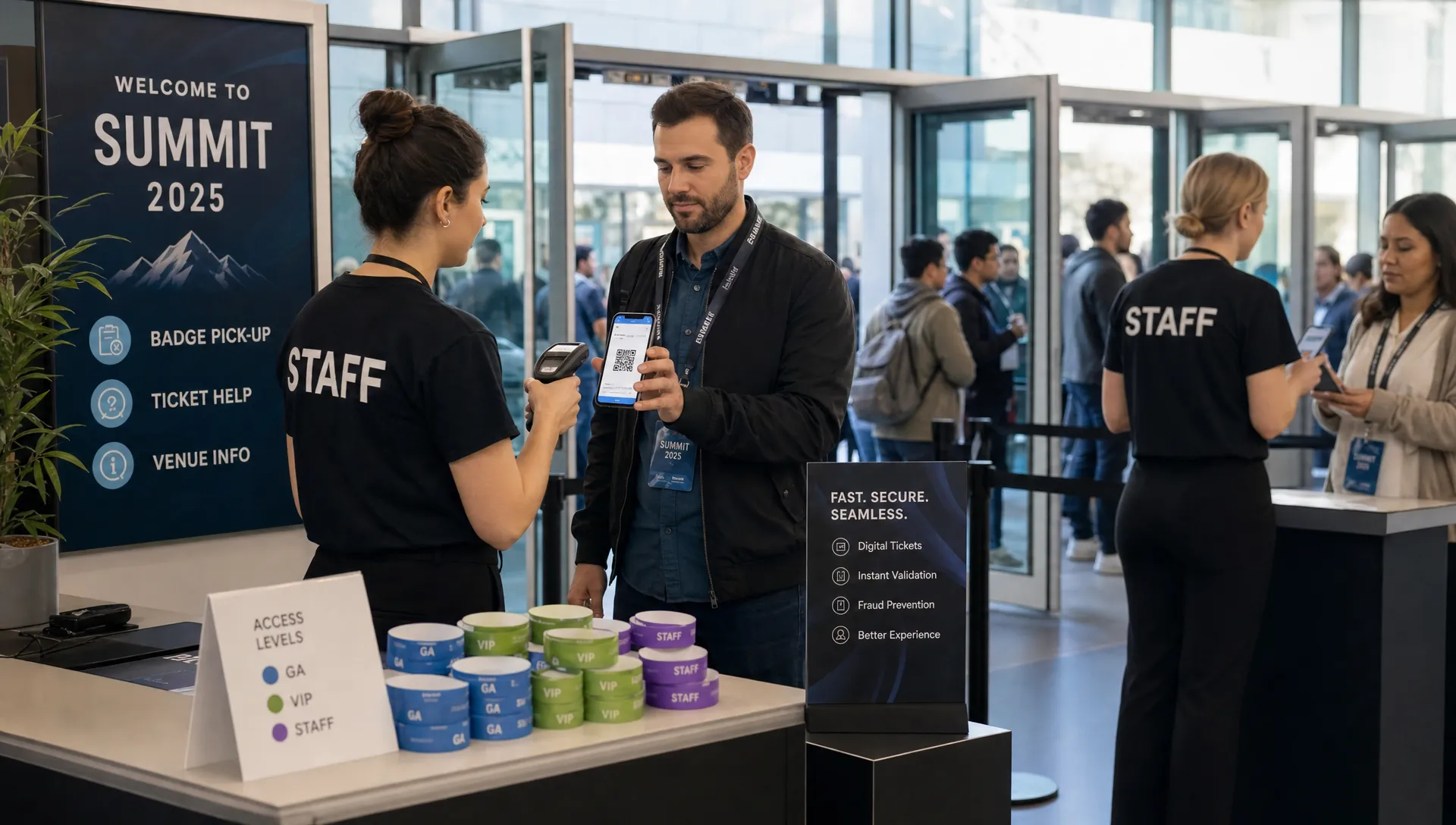
Why Tickets Digital Formats Improve Entry and Reduce Fraud
For event organizers, moving from paper tickets to digital formats is not just a convenience upgrade. It changes the way entry, fraud prevention, customer support, and cash flow work together.
A printed ticket is a physical object. If someone copies it, loses it, sells it twice, or shows up with a screenshot from a friend, your door team has to solve the problem under pressure. A digital ticket, handled through a modern ticketing workflow, can be validated, updated, tracked, and controlled in real time. That creates a better experience for attendees and a safer operating model for organizers.
This matters most when the stakes are high: club nights with a tight door window, concerts with multiple ticket tiers, festivals with phased pricing, or any event where a slow line hurts the energy before people even enter.
If you already think of ticketing as part of the attendee experience, you are on the right track. The next step is understanding why digital formats improve the moment of entry and reduce the fraud risks that paper systems leave exposed.
A digital ticket is a live record, not just a file
The biggest misconception about digital tickets is that they are simply paper tickets displayed on a phone. That is only the surface. The real advantage is that each ticket can be tied to a record in your ticketing system.
That record can show whether the ticket is valid, already used, refunded, voided, reissued, or assigned to a certain ticket type. At the door, this turns the entry process from a visual inspection into a verification step.
With paper, the door team asks: “Does this look real?”
With digital ticketing, the door team can ask: “Is this ticket valid right now?”
That difference is what improves entry and reduces fraud. It also gives organizers more control before, during, and after the event. If you want a broader view of how the checkout-to-entry flow affects attendees, TixFlow’s guide on how online tickets improve checkout and entry is a helpful companion to this topic.
How digital formats improve entry speed
Entry speed is not only about scanning faster. It is about removing uncertainty. Every unclear ticket, missing name, duplicated PDF, or manual guest-list lookup slows the line and increases stress for staff.
Digital ticket formats improve entry because they make the process more consistent. A staff member scans or checks the ticket, the system confirms the status, and the attendee moves forward. When the signal is clear, teams make fewer judgment calls.
For busy events, that consistency matters more than a few seconds saved per person. It reduces bottlenecks, keeps door staff focused, and helps attendees feel confident that the event is well run.
Faster validation at the door
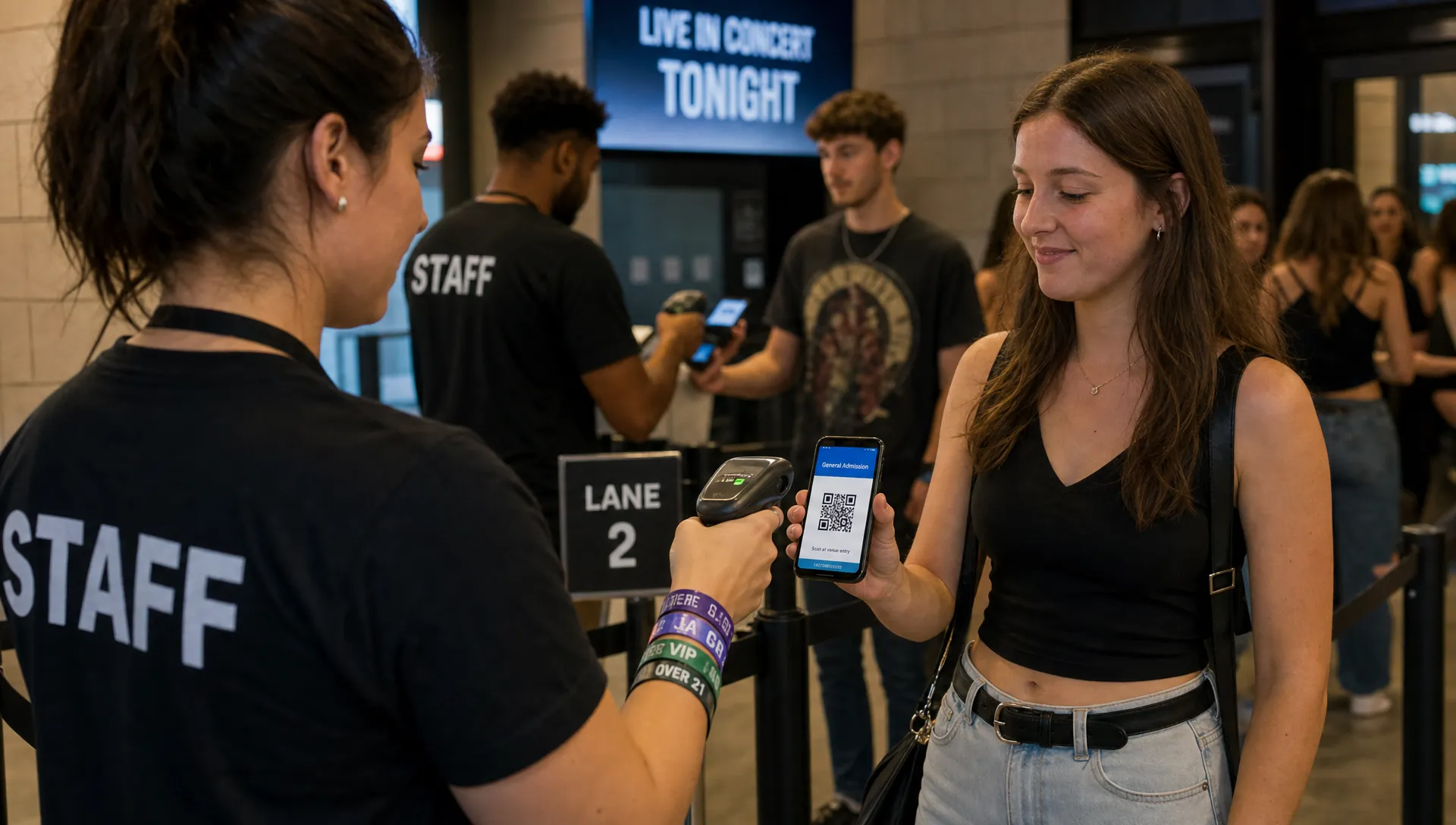
The main entry benefit is quick validation. A scannable digital ticket can be checked against the ticket record far faster than a paper list, email search, or manual receipt review.
For organizers, this reduces three common door problems:
- Attendees searching through inboxes for proof of purchase
- Staff manually matching names against spreadsheets
- Duplicate or suspicious tickets requiring manager approval
When tickets are digital, the entry decision can be simple: valid, already used, not found, or needs review. The clearer that decision is, the shorter the line becomes.
Better handling of different ticket tiers
Many events are not selling one simple admission type. You may have early bird tickets, general admission, VIP, backstage access, group tickets, guest list entries, or promo-code allocations.
Digital ticketing makes these categories easier to manage at the door because the ticket type can be attached to the ticket itself. Staff do not need to interpret pricing history or guess whether a buyer should receive a wristband, access to a certain area, or a separate check-in route.
This is especially useful for music producers and nightlife organizers, where entry categories often change over time. Early supporters, industry guests, artist allocations, and last-minute buyers may all arrive in the same 45-minute rush. Digital formats help the door team keep those flows organized.
Less dependence on paper lists
Paper lists have a place as emergency backups, but they are risky as the main entry system. They become outdated quickly, they are hard to search under pressure, and they do not always reflect refunds, transfers, cancellations, or duplicate entries.
Digital guest lists give teams a more current operational view. They also reduce the risk of multiple staff members making separate notes that later conflict. This is the same operational shift many service businesses make when they replace spreadsheets and paper checklists with specialized software. For example, pool service operations software helps field teams coordinate scheduling, logs, billing, and customer communication in one place. Event entry benefits from the same principle: one shared source of truth beats scattered paper.
Where fraud reduction actually comes from
Digital ticket formats do not eliminate fraud automatically. A poorly managed digital ticket can still be copied, shared, resold dishonestly, or used in a scam. The fraud reduction comes from control, traceability, and validation.
In other words, the format helps when the ticket is connected to rules.
A static image of a QR code is better than a printed ticket in some ways, but it can still be screenshotted and forwarded. A digital ticket tied to real-time validation is stronger because the first valid scan can mark the ticket as used. Any later attempt can be flagged immediately.
That is the core fraud advantage: the system can recognize ticket status instead of relying on human judgment.
| Ticket format | Entry impact | Fraud exposure | Best use case |
|---|---|---|---|
| Paper ticket | Slowest to verify if copied or damaged | Higher, because duplicates can look legitimate | Small, low-risk events with simple entry |
| Static PDF or image | Easier to distribute and scan | Medium, because screenshots can circulate | Lower-risk events with moderate attendance |
| Digital ticket with live validation | Fast and clear when scanning is set up well | Lower, because status can update after use | Concerts, nightlife, festivals, paid workshops, and high-demand events |
| Digital guest list | Useful for comps, VIPs, and manual exceptions | Depends on staff controls and update frequency | Events with invited guests or multiple access levels |
Common fraud scenarios digital tickets can reduce
Fraud at events is rarely one dramatic incident. More often, it appears as a collection of small problems that are hard to manage in the moment. Digital formats help because they create a record of what happened and give staff a way to verify tickets quickly.
Duplicate ticket use
Duplicate use happens when one ticket is copied and shared with multiple people. With paper or static files, the first person may enter and the second person may create a dispute at the door.
A digital validation workflow reduces this risk by marking a ticket as used after entry. If the same code appears again, the door team can see that it has already been scanned. This does not remove every possible dispute, but it gives staff a factual basis for the decision.
Fake resale claims
High-demand events attract resale activity. Some resale is legitimate, depending on your policy, but scams happen when someone sells a ticket they do not own, sells the same ticket repeatedly, or sends a fake confirmation.
Digital ticket formats help organizers respond because the ticket has a traceable status. The team can verify whether the ticket exists, whether it was refunded, whether it has already been used, or whether it belongs to a known order.
Promo-code misuse
Promo codes can be powerful, especially for music events where promoters, artists, sponsors, and partners each drive sales. But codes can also leak beyond the intended audience.
Digital ticketing tools with smart promo controls help reduce misuse by letting organizers define how and when codes apply. Combined with real-time sales visibility, this gives teams more control over discounting without relying on manual cleanup later.
Manual guest-list abuse
Guest lists are useful, but they can become a weak point if too many people can add names or if the list is not updated. Duplicate names, vague plus-ones, and last-minute changes create opportunities for confusion.
Digital guest lists reduce this by making access easier to track. For larger teams, it is worth setting clear roles: who can add guests, who can approve exceptions, and how door staff should handle names that are not found.
For more practical operations advice, see these ticket management tips that keep events running smoothly.
Why this matters for cash flow
Fraud and slow entry are operational problems, but they also affect cash flow.
If buyers do not trust the ticketing process, they hesitate. If checkout is slow, they abandon. If resale scams circulate around your event, legitimate buyers may wait too long or avoid the event entirely. If the door becomes chaotic, your team spends energy resolving disputes instead of managing the event experience.
Digital formats support cash flow in three ways.
First, they reduce buyer hesitation by making purchase confirmation and ticket delivery feel immediate. People are more comfortable buying when they know the ticket will arrive quickly and be easy to use.
Second, they help organizers maintain control over pricing and access. Unlimited ticket tiers, automated sales phases, and real-time sales control make it easier to move from early bird to general admission to final release without manual workarounds.
Third, they reduce the hidden costs of confusion. Every refund request, duplicate-ticket dispute, manual check-in issue, or staff escalation takes time. The fewer exceptions your team handles, the more attention they can put into production, hospitality, and sales.
For organizers who care about the timing of money as much as the amount, payment workflow matters too. TixFlow’s article on simplifying ticketing payments for faster payouts explains how fewer handoffs can support healthier event cash flow.
What to look for in a digital ticketing workflow
Not all digital ticketing setups provide the same level of control. A basic form that emails a PDF may be enough for a small private event, but it may not be enough for a high-demand show or paid festival.
When evaluating your workflow, focus on the operational details that affect entry and fraud.
- Fast buyer checkout: The fewer unnecessary steps buyers face, the more likely they are to complete the purchase.
- No forced buyer registration: Requiring accounts can add friction, especially for impulse purchases and mobile buyers.
- Clear ticket status: Door staff should be able to tell whether a ticket is valid, used, refunded, or invalid.
- Flexible ticket tiers: Your setup should support different access levels without confusing attendees or staff.
- Real-time sales control: Organizers should be able to adjust availability, phases, and pricing as demand changes.
- Digital guest lists: Comps, VIPs, and manual additions should be organized rather than scattered across messages and spreadsheets.
- Reliable payment infrastructure: Stripe Connect integration, for example, can help support a more direct and modern payment flow.
The goal is not to add complexity. The goal is to make the complex parts of event ticketing easier to control.
Entry mistakes that weaken digital ticketing
Digital formats are powerful, but the wrong process can still create problems. Many organizers invest in online tickets but keep old manual habits at the door, which reduces the benefit.
One common mistake is allowing too many unofficial exceptions. If a promoter can text a name to one door person, an artist can send a screenshot to another, and a manager has a separate paper list, your digital system stops being the source of truth.
Another mistake is failing to train staff on edge cases. Door teams should know what to do when a ticket is already scanned, when a buyer cannot find their email, when a name is missing, or when someone claims to have bought from a reseller.
A third mistake is creating too many ticket types without clear labels. If staff cannot tell the difference between VIP entry, backstage access, and priority entry, attendees will feel the confusion immediately.
The best digital ticketing systems are supported by simple rules. Decide how exceptions are handled before doors open, assign responsibility clearly, and keep your door team aligned around one process.
How to measure whether digital tickets are working
You do not need a complicated analytics setup to understand whether digital ticket formats are improving your event. Start with a few practical indicators.
| Metric | What it tells you | Why it matters |
|---|---|---|
| Average entry time | How quickly attendees move through the door | Shorter entry time improves the first impression |
| Duplicate scan attempts | How often the same ticket appears more than once | A useful signal for fraud, sharing, or confusion |
| Manual exceptions | How many attendees need staff intervention | High numbers may show unclear communication or weak processes |
| Refund and dispute volume | How often ticket issues continue after purchase | Lower volume saves staff time and protects revenue |
| Sales by phase | How demand changes across ticket tiers | Helps you plan pricing, capacity, and promotions |
Review these numbers after each event. If duplicate scans are common, tighten your resale and transfer communication. If manual exceptions are high, improve confirmation emails and door training. If entry is slow even with scanning, review lane setup, staffing, and signage.
Digital ticketing gives you the data, but the improvement comes from using that data to adjust your process.
Why TixFlow fits this shift
TixFlow is built for organizers who want modern ticketing without unnecessary friction. Its platform supports instant payouts, low fees, easy setup, customizable event pages, unlimited ticket tiers, automated sales phases, smart promo codes, digital guest lists, real-time sales control, and Stripe Connect integration.
For attendees, the experience is designed to be fast, including checkout without buyer registration. For organizers, the benefit is control: fewer manual workarounds, clearer sales operations, and a smoother path from purchase to entry.
That combination is what makes digital ticket formats valuable. They are not just better-looking tickets. They are part of a cleaner operating system for your event.
Frequently Asked Questions
Do digital tickets completely stop event ticket fraud? No. Digital tickets reduce fraud when they are connected to validation, status tracking, and clear entry rules. A simple screenshot can still be shared, so organizers should use a workflow that checks whether each ticket is valid and unused.
Are paper tickets always a bad idea? Not always. Paper tickets can work for small, low-risk events, especially when entry is simple. But for paid events with high demand, multiple ticket tiers, or resale risk, digital formats usually give organizers better control.
What is the biggest entry benefit of digital ticketing? The biggest benefit is clarity. Door staff can validate tickets quickly instead of interpreting receipts, searching paper lists, or making judgment calls about whether a ticket looks legitimate.
How do digital guest lists help with fraud prevention? Digital guest lists make it easier to track comps, VIPs, and exceptions in one place. This reduces duplicate names, unclear plus-ones, and last-minute messages that can create confusion at the door.
Should organizers allow screenshots of digital tickets? It depends on the event and the ticketing setup. Screenshots may be convenient, but they can also be forwarded. For higher-risk events, live validation and clear attendee instructions are safer.
Run a faster, safer event entry flow
Digital ticket formats help organizers shorten lines, reduce duplicate-ticket disputes, control ticket tiers, and protect revenue. The result is a better first impression for attendees and a calmer operating environment for your team.
If you want a ticketing setup built for fast checkout, real-time control, digital guest lists, flexible pricing, and instant payouts, explore TixFlow and build an event flow that works from the first sale to the final scan.