
Ticket Management Tips That Keep Events Running Smoothly
Ticket management is where the attendee experience, event operations, and cash flow meet. When it is handled well, buyers purchase quickly, your team knows what is happening in real time, and entry feels calm even when the line gets busy. When it is handled poorly, the same event can lose sales, create door confusion, and leave organizers waiting too long to access their own revenue.
For event organizers, music producers, club nights, workshops, festivals, and community events, smooth operations rarely come from luck. They come from clear decisions made before tickets go live, supported by tools that reduce friction for both buyers and staff.
Below are practical ticket management tips you can use before launch, during sales, at the door, and after the event.
Start with a ticket plan before you publish
Many ticketing problems begin before the first ticket is sold. If the event page goes live without clear ticket rules, your team is forced to make decisions under pressure later.
Before launch, define the basics: capacity, ticket types, sales phases, refund rules, guest list limits, and who has authority to make changes. This is especially important for events with multiple stakeholders, such as a promoter, venue, artist team, sponsors, and production crew.
A simple planning table can prevent a lot of confusion.
| Ticket decision | What to define before launch | Why it matters |
|---|---|---|
| Total capacity | Maximum paid, comp, VIP, and staff entries | Prevents overselling and protects venue limits |
| Ticket tiers | Early bird, general admission, VIP, group, door tickets | Helps buyers choose quickly and supports revenue goals |
| Sales phases | Start and end time for each tier | Creates urgency and reduces manual updates |
| Promo codes | Discount amount, usage limit, and eligible ticket types | Keeps promotions controlled and measurable |
| Guest list rules | Who can add names and when the list closes | Reduces door disputes and last-minute messages |
| Refund policy | Deadline, exceptions, and communication wording | Sets expectations and protects your cash flow |
The goal is not to make your ticket setup complicated. The goal is to remove ambiguity. If someone on your team asks, “Can we add 20 more discounted tickets?” or “Can this sponsor code still be used?”, the answer should already be clear.
Keep checkout as frictionless as possible
A buyer who is ready to attend should not have to fight through unnecessary steps. Every extra field, forced account creation, unclear fee, or slow page adds a small reason to abandon the purchase.
For most events, the best checkout is simple: choose a ticket, enter essential details, pay, receive confirmation. If your audience is buying from social media, a group chat, or a last-minute artist announcement, speed matters even more. Mobile buyers are often distracted, comparing plans, or purchasing for friends.
This is why guest checkout is so valuable. Requiring registration can make a casual buyer hesitate, especially for one-off events. If you want a deeper look at this issue, TixFlow’s guide on why guest checkout helps increase ticket sales explains how sign-up barriers can slow down purchase intent.
Good checkout design also supports trust. Display the final price clearly, make the event date and location easy to confirm, and avoid surprise steps after the buyer has already committed. A fast checkout is not just a convenience. It is a sales tool.
Use ticket tiers to guide behavior, not confuse buyers
Ticket tiers should make the buying decision easier, not harder. A strong ticket structure gives people a reason to buy now, while still keeping your revenue model flexible.
For a small concert or club night, this might mean early bird, general admission, and final release. For a conference or workshop, it might mean standard entry, student tickets, and group tickets. For a premium music event, you may add VIP or backstage access if the value is clear.
The mistake is creating too many similar choices. If buyers cannot quickly understand the difference between Tier 2, Tier 3, fan access, priority access, and standard plus, they may delay the decision. Keep labels simple and use short descriptions that explain what each ticket includes.
Your pricing should also match your timeline. Early buyers are taking a chance before momentum is visible, so they often expect a better price. Later buyers have more certainty, but they may pay more because availability is lower. If you are still building your pricing model, this guide on how to price tickets for small events offers a practical starting point.
Protect cash flow from the first sale
Ticket management is not only about admissions. It also affects when money becomes available, how much revenue you keep, and how confidently you can pay deposits, vendors, artists, and production costs.
For organizers who manage tight budgets, payout timing can be the difference between a smooth run-up and constant stress. If ticket revenue is locked away until after the event, you may need to front more costs than expected. If fees are unclear, your margin can shrink without warning.
Look for a setup that makes payment operations predictable. Flat per-ticket fees, instant payouts, and clean payment records help organizers understand their real position while sales are still happening. Stripe Connect integration can also support a more structured payment flow when used through platforms built around it.
Payment discipline matters outside events too. For example, travel-heavy event teams, artist tour planners, or organizers handling accommodation and transport can learn from specialist systems such as Elia Pay’s payment platform for travel agencies, where secure transactions, reconciliation, and cash flow visibility are treated as core operational workflows.
For event teams, the principle is the same: do not treat money movement as an afterthought. Build a payment workflow that reduces manual tracking, makes revenue visible, and helps you act before problems grow. TixFlow has a separate breakdown on simplifying ticketing payments for faster payouts if cash flow control is one of your priorities.
Monitor sales in real time and adjust early
Waiting until the day before your event to review ticket sales is too late. Real-time sales control lets you see whether your launch worked, which channels are converting, and whether a tier needs adjustment.
The key is to decide in advance which signals matter. Revenue is important, but it is not the only metric. A lower-priced tier may sell quickly but leave you short on margin. A promo code may drive volume but attract buyers who would have paid full price. A VIP ticket may sell slowly because the value is unclear, not because the price is wrong.
Use your sales data to make specific decisions.
| Signal to watch | What it may indicate | Possible action |
|---|---|---|
| Early bird sells out fast | Price may be too low or demand is strong | Move to the next tier and increase promotion |
| Traffic is high but sales are low | Checkout, pricing, or event details may be unclear | Review the event page and purchase flow |
| Promo code usage is low | Partner promotion may not be reaching the audience | Share clearer assets or adjust the offer |
| VIP sales are weak | Value may not be obvious | Improve the description or simplify the package |
| Sales stall after launch | Urgency may be missing | Announce a phase deadline or limited availability |
| Refund requests increase | Expectations may be unclear | Review event details and refund communication |
This is where ticket management becomes active rather than administrative. You are not just watching a number climb. You are learning how your audience responds and making decisions while there is still time to improve the outcome.
Make your event page do operational work
A customizable event page should do more than look good. It should answer the questions that would otherwise become DMs, emails, or door disputes.
Include the essentials clearly: date, start time, door time, location, age restrictions, accessibility notes, ticket inclusions, refund policy, and entry requirements. If the event has multiple rooms, stages, sessions, or time slots, explain how tickets map to the experience.
This is especially important for music events. Attendees may want to know whether the listed time is doors or first act, whether re-entry is allowed, whether the venue is cashless, or whether tickets can be transferred to a friend. If you do not answer these questions publicly, your team will answer them repeatedly in private.
A strong event page also reduces pressure on entry staff. When buyers understand what they purchased, the door team spends less time resolving misunderstandings and more time moving the line.
Prepare your guest list like a live operations tool
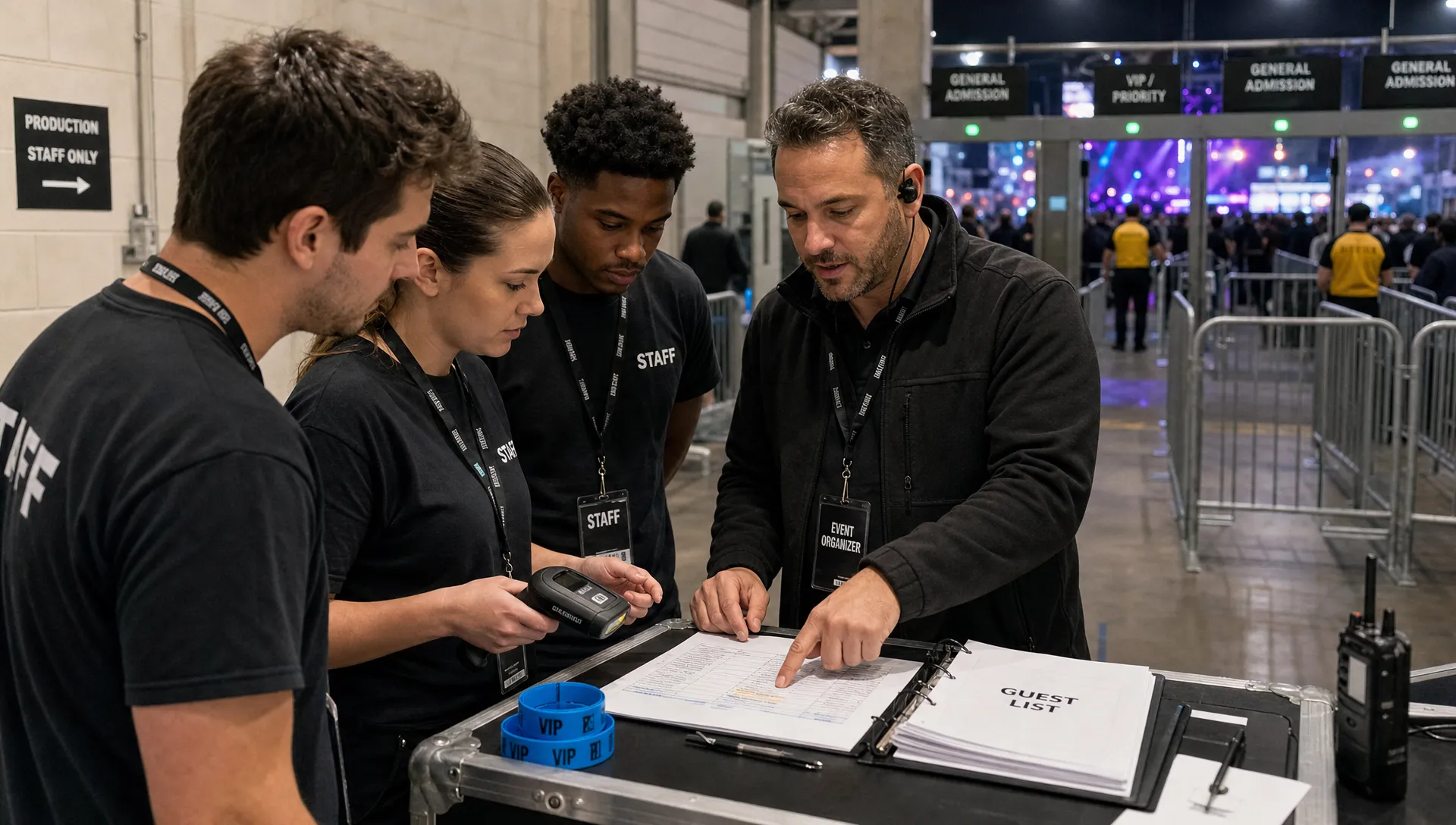
Guest lists are often treated casually until they cause a problem. A digital guest list should be accurate, searchable, and controlled. If names are being added through scattered text messages, spreadsheets, and social media DMs, mistakes are almost guaranteed.
Set a guest list cutoff time. Decide who can add names. Separate comps, press, artists, sponsors, staff, and VIPs if those groups need different treatment. Keep the list accessible to the people who actually work the door.
For music producers and promoters, guest list discipline can be sensitive because relationships matter. Artists, managers, friends, and partners may all ask for names late. A clear policy protects the organizer from being the “bad guy” in every conversation. You can still be flexible, but flexibility should happen inside a controlled process.
Digital guest lists also help after the event. You can compare expected attendance with actual check-ins, identify no-show patterns, and decide whether future comp allocations should change.
Design entry for speed before the crowd arrives
Entry is where ticket management becomes visible. Even if your sales process was perfect, a slow door can damage the attendee experience within minutes.
Plan entry based on your expected arrival pattern. A conference may have a morning rush. A club night may peak after the headliner’s set time approaches. A concert may see waves around support acts and main acts. Your staffing and lane setup should match the real behavior of your audience.
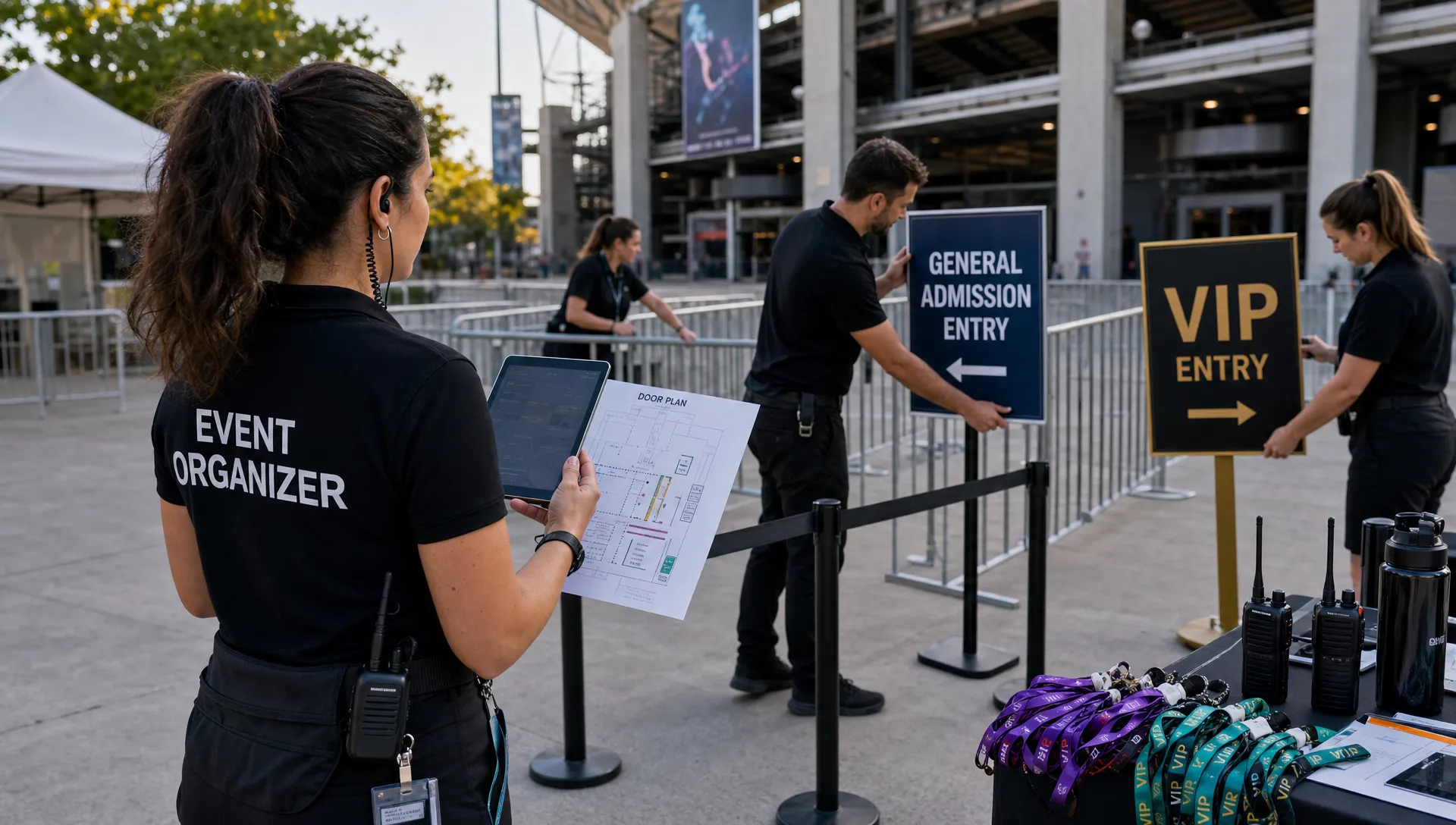
Good entry planning includes clear signage, charged devices, backup check-in access, a process for failed scans, and a dedicated person for exceptions. Do not make your fastest door staff handle every edge case. If someone has the wrong ticket, cannot find their confirmation, or is not on the guest list, move them out of the main line while another staff member helps.
Online tickets can make this process much smoother when the purchase, confirmation, and check-in experience are aligned. TixFlow’s article on how online tickets improve checkout and entry covers how digital tickets reduce friction from purchase to arrival.
Use promo codes with control and purpose
Promo codes are powerful when they are intentional. They are risky when they are unlimited, untracked, or used to fix weak demand without a plan.
Give each code a clear job. A partner code might measure a media collaboration. An artist code might show which performer drives sales. A limited code might reward early community members. A last-minute code might fill remaining capacity, but it should not train your audience to wait for discounts every time.
Smart promo code management includes limits, expiration dates, and ticket eligibility. If a discount is meant for general admission, it should not accidentally apply to VIP. If a partner has 50 discounted tickets, the code should stop at 50. If the campaign ends Friday, the code should not keep working on Saturday.
The best promo codes produce insight, not just lower prices. After the event, review which codes drove revenue, which drove attendance, and which created little value.
Build a simple event-day command rhythm
On event day, your team does not need a complex management system. It needs a shared rhythm for decisions.
Before doors open, confirm capacity, tickets sold, guest list totals, door ticket rules, staff roles, and escalation contacts. During the event, check the same core information at set intervals. After peak entry, confirm attendance, remaining capacity, and any unresolved payment or ticket issues.
A simple event-day checklist can look like this:
- Confirm final ticket counts and remaining capacity before doors open.
- Make sure door staff can access the guest list and scan tickets.
- Assign one person to handle ticket exceptions away from the main line.
- Keep promo, comp, and VIP rules visible to the team.
- Track no-shows, failed scans, refunds, and door sales for review.
- Reconcile ticket revenue and attendance after the event.
This rhythm keeps the team aligned. It also prevents the organizer from becoming the only person who knows every answer.
Review what happened after the event
The post-event review is where better ticket management compounds. If you move straight into the next event without analyzing the last one, you repeat avoidable mistakes.
Start with the basics: total sales, revenue by ticket tier, check-in rate, refund volume, promo code performance, and timing of purchases. Then look for patterns. Did most sales happen in the final 48 hours? Did early bird pricing sell too fast? Did a specific artist, partner, or channel outperform the rest? Did the guest list have too many no-shows?
You should also review operational feedback. Ask door staff where the line slowed down. Ask customer support which questions came up most. Ask your finance team whether payout and reconciliation were easy enough.
This turns every event into a better template for the next one. Over time, you can refine your pricing, improve your checkout, strengthen your entry process, and forecast cash flow more confidently.
Common ticket management mistakes to avoid
Even experienced organizers run into issues when sales start moving quickly. The most common mistakes are usually simple, but they can become expensive.
One mistake is changing ticket rules without telling the team. If pricing, access, or guest list rules change, the door team and support team need to know immediately. Another is leaving too many tickets in manual control. If every tier change requires someone to log in at the right moment, errors become more likely. Automated sales phases can reduce that risk.
It is also risky to hide fees or make final prices unclear. Buyers may abandon checkout if the total changes unexpectedly. Organizers should also be careful with unlimited discount codes, unclear refund policies, and overreliance on door sales when capacity is limited.
Strong ticket management is not about controlling every tiny detail. It is about designing a system where the important details are clear, visible, and easy to act on.
Frequently Asked Questions
What is ticket management for events? Ticket management is the process of planning, selling, tracking, validating, and reviewing event tickets. It includes ticket tiers, checkout, payments, promo codes, guest lists, capacity control, entry, and post-event reporting.
Why does ticket management matter for small events? Small events often have tighter margins and smaller teams, so mistakes are more painful. Clear ticket management helps protect revenue, reduce buyer friction, speed up entry, and give organizers better control over cash flow.
How many ticket tiers should an event have? Most small and mid-sized events work best with a simple structure, such as early bird, general admission, and final release. Add VIP, group, or special access tickets only when the value is easy for buyers to understand.
How can organizers avoid long lines at entry? Use digital tickets, prepare a searchable guest list, assign staff to handle exceptions, create separate lanes when needed, and make sure devices are charged and ready before doors open.
What should organizers review after an event? Review revenue by ticket type, check-in rate, promo code performance, refund volume, purchase timing, guest list no-shows, and door staff feedback. These insights help improve the next event.
Keep your next event moving with better ticket management
Smooth events are built before the doors open. When your ticket tiers, checkout, payments, guest lists, and entry process work together, your team spends less time fixing problems and more time delivering a great experience.
TixFlow is built for modern event organizers who want easy setup, low fees, instant payouts, real-time sales control, customizable event pages, smart promo codes, digital guest lists, and a checkout experience that reduces friction for buyers. If you want your next event to run with fewer bottlenecks and better cash flow control, start with a ticketing workflow designed for speed and clarity.