
What Event Ticket Sales Websites Should Offer Organizers
Most event organizers do not choose a ticketing platform because they want another software tool. They choose one because they need to sell more tickets, protect margins, manage cash flow, and avoid chaos on event day.
That is why the best event ticket sales websites are not just payment pages. They are revenue infrastructure for organizers. They shape how quickly buyers complete checkout, how much of each ticket sale the organizer keeps, how fast funds arrive, and how confidently the team can manage demand before doors open.
For music producers, venue teams, community organizers, club promoters, conference hosts, and anyone responsible for event revenue, the question is not simply which site can sell tickets online. The better question is: what should a ticket sales website offer so the organizer stays in control from launch to entry?
Organizer-first ticketing starts with two outcomes
A ticketing website has to serve two audiences at once. Attendees need a fast, trustworthy buying experience. Organizers need visibility, flexibility, and control.
If the buyer experience is weak, visitors hesitate or abandon checkout. If the organizer tools are weak, the event team wastes time fixing pricing, manually reconciling lists, chasing payouts, or answering preventable questions.
An organizer-first ticketing website should improve both sides of the equation. It should reduce friction for buyers while giving the team clear control over pricing, inventory, promotions, payout timing, and guest management.
That balance matters because ticketing decisions compound. A slow checkout can quietly reduce conversion. A confusing fee model can eat into net revenue. A limited pricing setup can prevent early bird, VIP, or last-minute strategies. A weak guest list workflow can slow down the door and damage the attendee experience.
A checkout that removes buyer hesitation
The checkout is where marketing effort becomes revenue. Every paid ad, social post, email campaign, artist announcement, and word-of-mouth referral eventually depends on whether the buyer can complete the purchase quickly.
Event ticket sales websites should make checkout feel obvious, especially on mobile. For many events, the buyer is not sitting at a desktop comparing options calmly. They may be buying from an Instagram link, a text message, a flyer QR code, or a last-minute group chat.
A strong checkout experience should include:
- No forced buyer registration before purchase
- Clear ticket names, prices, quantities, and fees
- Mobile-friendly forms with minimal required fields
- Secure payment processing that feels familiar
- Immediate confirmation after purchase
- Easy access to tickets after payment
Forced account creation is one of the biggest avoidable friction points. Buyers are more likely to complete a purchase when they can buy first and manage details later. For organizers, no buyer registration can mean fewer abandoned purchases and fewer support messages from people who just want their ticket.
A fast checkout also protects impulse demand. When a lineup drops, a promo window opens, or a friend sends a link, buyers should not have time to second-guess the purchase because the process feels slow or confusing.
Transparent fees and payout timing
Ticket sales are not just top-line revenue. Organizers care about what arrives in their account and when it arrives.
This is especially important for independent promoters and music producers who pay deposits, production teams, venues, artists, security, equipment providers, marketing costs, and hospitality expenses before the event happens. If ticket revenue is locked up too long or reduced by unclear fees, cash flow becomes harder to manage.
A serious ticketing website should make the economics clear before the event goes live. Organizers should be able to understand platform fees, payment processing costs, payout timing, refund rules, and how chargebacks are handled. If a platform cannot explain those details clearly, that is a risk.
| Organizer need | What the platform should provide | Why it matters |
|---|---|---|
| Fee clarity | A simple breakdown of ticketing and processing fees | Helps forecast net revenue before launching sales |
| Fast payouts | Clear payout timing, ideally as soon as possible | Supports deposits, production costs, and cash flow |
| Pricing visibility | Per-ticket economics by tier or sales phase | Shows whether discounts are still profitable |
| Refund handling | Clear rules and operational controls | Reduces confusion when plans change |
| Sales records | Exportable or accessible transaction data | Helps with reconciliation and reporting |
Flat per-ticket fees can be easier for organizers to model than vague percentage structures or layered charges. The key is not only whether the fee is low. It is whether the organizer can predict the real cost of selling before committing to a campaign.
If revenue protection is your main priority, this guide on how to sell tickets without cutting into revenue goes deeper into fee leaks, discount strategy, and net ticket income.
Flexible pricing controls that match real event strategy
Events rarely sell through one simple general admission ticket. A launch campaign might start with early bird pricing, move into standard admission, add VIP access, open group offers, release a final wave, and use promo codes for partners or artists.
Event ticket sales websites should support that reality without forcing organizers into workarounds.
At minimum, organizers should be able to create multiple ticket tiers and control how each one appears, sells, and expires. For example, an event might need separate tiers for early bird, general admission, backstage access, table packages, student pricing, and guest list allocations.
Automated sales phases are also valuable because they reduce manual work. If early bird pricing should end at midnight or when a quantity is sold, the organizer should not have to log in at the exact moment to make changes. Automation helps keep campaigns accurate, especially when teams are small or managing multiple events.
Promo codes should be flexible too. A code for a media partner is not the same as a code for an artist guest allocation or a loyalty audience. Smart promo codes let organizers control discount amount, usage limits, timing, and audience without losing track of performance.
The point is simple: pricing should be a strategy, not a spreadsheet workaround.
Event pages that strengthen brand trust
A ticket page is often the first official place where a buyer verifies that an event is real. It should look credible, answer key questions, and reflect the organizer's brand.
A customizable event page helps buyers understand what they are purchasing. It should clearly present the date, time, venue, lineup or agenda, age requirements, refund policy, accessibility details, ticket types, and any entry instructions. The more confident the buyer feels, the less likely they are to abandon checkout or contact support.
For organizers with a broader brand presence, the ticketing page should also fit into the overall marketing system. A club night, festival series, conference, or recurring producer brand may need landing pages, artist pages, email capture, SEO content, and automation around the ticketing flow. In those cases, working with a no-code website and automation partner can help connect the event brand experience with the conversion path.
The ticketing page itself still needs to convert. Clear hierarchy, mobile-first layout, trustworthy payment signals, and direct calls to action all matter. These principles overlap with what makes a high-converting ticketing website effective for both buyers and organizers.
Real-time sales control for campaigns in motion
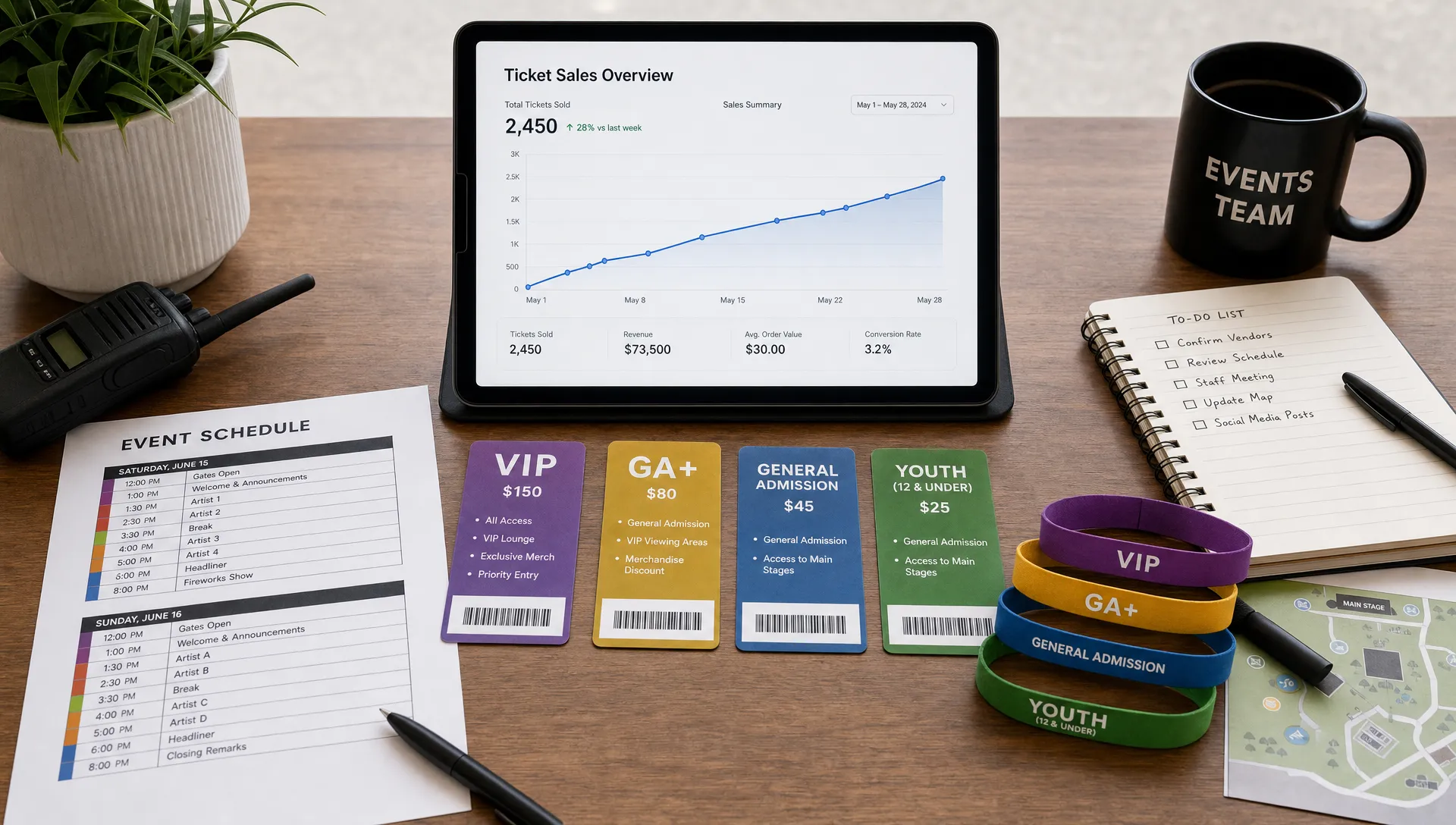
Event campaigns change quickly. A lineup announcement may sell faster than expected. A sponsor may request a private allocation. A venue capacity adjustment may require closing one tier and opening another. A promo code may perform too well and need to be capped.
Organizers should not have to wait on support tickets for basic sales control. A modern ticketing website should give teams real-time control over ticket availability, pricing phases, promo code usage, and event settings.
Real-time control is especially useful when demand is uneven. If early bird tickets sell out too quickly, the organizer can open the next tier without losing momentum. If a ticket type is confusing buyers, the description can be updated before more support requests arrive. If a partner code is being shared too widely, it can be limited or paused.
For small and mid-size teams, these controls save hours. For larger teams, they reduce operational risk because the marketing lead, producer, or event manager can respond while the campaign is live.
Good workflows matter as much as good features. If you are building a repeatable process across events, these organizer ticket management workflows can help structure tiers, promos, monitoring, and guest list handling.
Guest list and entry tools that prevent door problems
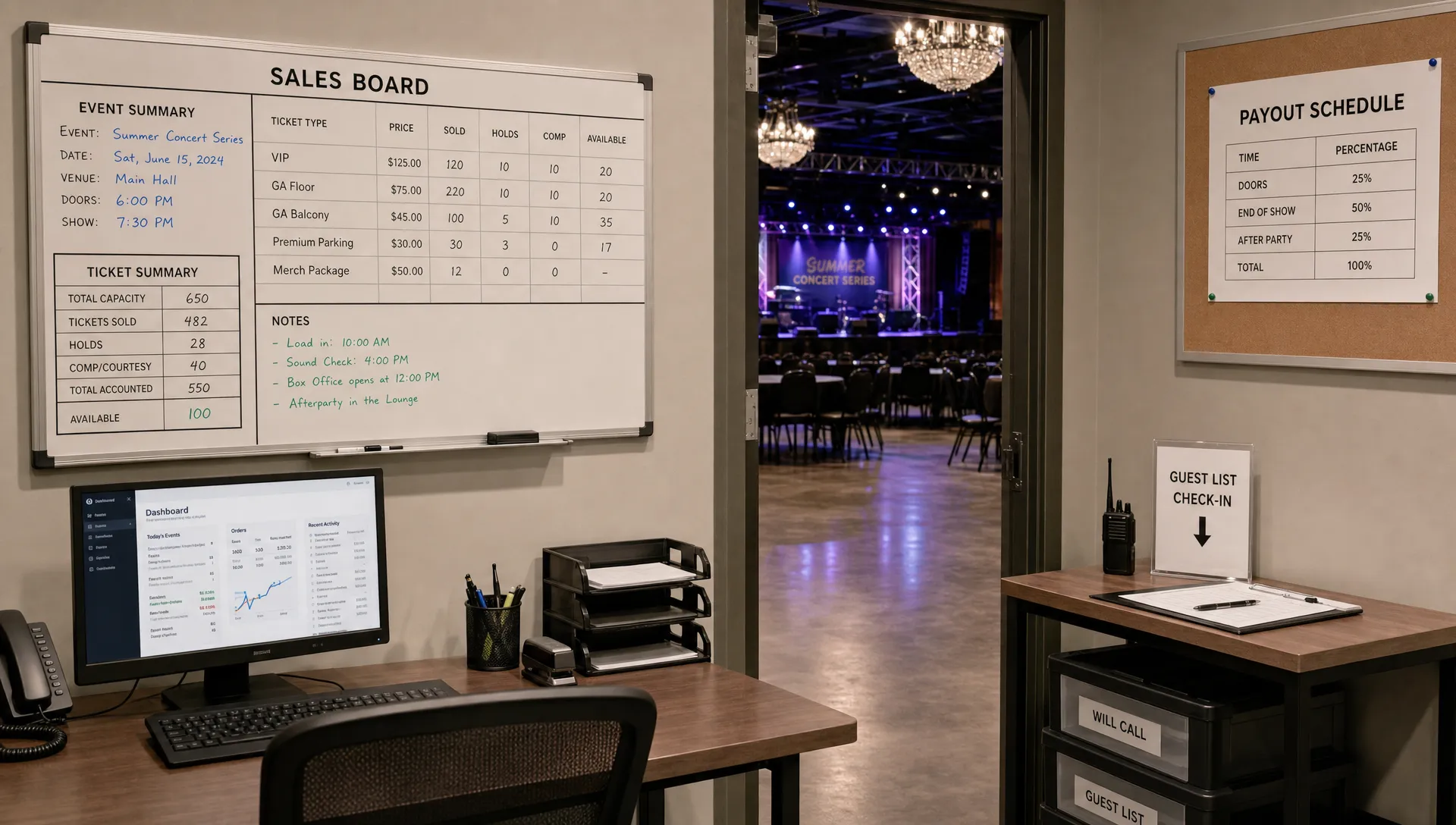
The ticket sale is not complete until the attendee gets in smoothly. A platform that performs well during checkout but creates confusion at the door is still creating risk for the organizer.
Digital guest lists are essential because they give the door team a current view of who should be admitted. They reduce dependence on manually updated spreadsheets, screenshots, email confirmations, or printed lists that become outdated as soon as sales continue.
A good guest list workflow should help staff verify attendees quickly, separate ticket types when needed, and understand special access categories such as VIP, artist guests, staff, press, or partner allocations.
Organizers should also think about the real environment at entry. Lighting may be poor. Wi-Fi may be unreliable. Staff may be temporary. Attendees may arrive in waves. The simpler the guest list process, the easier it is to keep the line moving and avoid frustration.
For music events, entry speed can directly affect the atmosphere. Long lines outside a venue reduce bar revenue, delay set times, and create a poor first impression. The right ticketing website helps avoid that by connecting online sales with practical door operations.
Data organizers can actually use
More data is not always better. Organizers need useful data that supports decisions before, during, and after the event.
A ticket sales website should make it easy to understand sales by ticket tier, sales over time, promo code performance, buyer volume, and remaining capacity. These insights help organizers decide when to push marketing, when to open another tier, whether a discount worked, and how much demand remains.
The most useful reporting answers operational questions:
- Are we on pace to break even?
- Which ticket tier is selling fastest?
- Did the partner promo code create profitable demand?
- Should we extend early bird pricing or move to the next phase?
- How many attendees are expected at the door?
Exportable data also matters. Organizers may need records for accounting, sponsor reporting, artist settlement, venue reconciliation, or future marketing analysis. A ticketing website should not trap the organizer's own event data behind a confusing interface.
Secure payments and buyer trust
Trust is a conversion factor. Buyers want to know their payment is secure, their ticket will arrive, and the event page is legitimate. Organizers need a platform that supports that trust without adding unnecessary friction.
Payment infrastructure should be reliable, modern, and clear. Stripe Connect integration, for example, is a strong signal that a platform is designed to support payment flows between buyers, platforms, and organizers. It can also help organizers operate with a more professional payment setup.
Security should not mean making the buyer experience painful. The goal is to prevent fraud, protect payment data, and deliver tickets reliably while keeping checkout simple. A platform can be secure and still avoid forced registration, excessive forms, or confusing account steps.
Organizers should also evaluate how the platform handles support moments. If a buyer mistypes an email, loses a confirmation, requests a refund, or disputes a transaction, the event team needs a clear process. Ticketing is not only about the happy path.
A practical checklist for comparing event ticket sales websites
When evaluating platforms, organizers should look beyond the homepage claims. The best test is whether the tool supports the specific way your team sells, markets, and operates events.
| Category | Basic expectation | Organizer-first standard |
|---|---|---|
| Checkout | Buyers can pay online | Buyers can purchase quickly without forced registration |
| Fees | Fees are listed somewhere | Fees are simple, predictable, and easy to model per ticket |
| Payouts | Funds arrive after processing | Payout timing supports real cash flow needs |
| Pricing | One or a few ticket types | Flexible tiers, phases, allocations, and ticket rules |
| Promo codes | Simple discount codes | Usage limits, timing controls, and performance visibility |
| Sales control | Event edits are possible | Real-time control during active campaigns |
| Event pages | Basic event information | Branded, clear, mobile-first pages that build trust |
| Guest list | Buyer list is available | Digital guest list supports fast entry operations |
| Data | Sales totals are visible | Actionable reporting by tier, time, and campaign activity |
| Payments | Card payments are accepted | Secure infrastructure with clear processor and payout setup |
This checklist helps separate platforms that merely process transactions from platforms that help organizers run better events.
Red flags organizers should avoid
Some ticketing websites look fine until the campaign is live. By then, switching platforms can be painful. Watch for warning signs before committing.
Be cautious if a platform requires every buyer to create an account before checkout, hides fees until late in setup, offers limited pricing flexibility, delays payouts without clear explanation, or makes it hard to edit ticket settings in real time.
Other red flags include event pages that are not mobile-friendly, poor control over promo codes, manual guest list exports as the only door solution, unclear refund and chargeback processes, and support teams that must approve routine changes.
A good platform should make organizers feel more in control, not more dependent.
How TixFlow aligns with what organizers need
TixFlow is built for organizers who want a faster, simpler way to sell tickets while keeping control over revenue and operations.
For buyers, TixFlow reduces friction with no buyer registration and a customizable checkout experience. For organizers, it supports instant payouts, flat per-ticket fees, real-time sales control, customizable event pages, unlimited ticket tiers, automated sales phases, smart promo codes, digital guest lists, and Stripe Connect integration.
That combination matters because organizers do not just need a checkout link. They need a system that helps them launch quickly, manage pricing intelligently, protect cash flow, and keep the door organized when the event starts.
Frequently Asked Questions
What should event ticket sales websites prioritize first? They should prioritize fast checkout, transparent fees, reliable payouts, flexible pricing, and easy guest list management. These are the features that most directly affect conversion, cash flow, and event operations.
Should buyers have to create an account before purchasing tickets? In most cases, no. Forced registration adds friction and can reduce conversion. A better approach is to let buyers complete the purchase quickly while still receiving secure confirmation and ticket access.
Why are instant payouts important for event organizers? Instant payouts help organizers manage deposits, production costs, marketing spend, and vendor payments. Faster access to ticket revenue can reduce cash flow pressure before the event takes place.
How many ticket tiers should an organizer use? Use as many tiers as your pricing strategy genuinely needs. Early bird, general admission, VIP, group, and partner allocations can all be useful, but each tier should be clear to buyers and easy for the team to manage.
What is the difference between a ticketing marketplace and an organizer-first ticketing website? A marketplace may help with discovery, while an organizer-first ticketing website focuses on conversion, revenue control, branding, payouts, pricing flexibility, and event operations. Many organizers need control more than marketplace exposure.
Turn ticketing into an operational advantage
The right ticketing website should make your event easier to sell and easier to run. It should help buyers move quickly, help organizers understand revenue clearly, and give the team practical controls before and during the event.
If you want ticketing built around speed, cash flow, and organizer control, explore TixFlow and see how a modern ticketing setup can support your next event from first sale to final check-in.