
Manage My Tickets Better With These Organizer Workflows
Managing tickets is not just a launch-day task. For organizers, it is a set of repeatable workflows that connect pricing, checkout, payments, guest lists, entry, and post-event reporting.
If your team has ever asked, “How do I manage my tickets without losing control of sales, cash flow, or the door?” the answer is not more spreadsheets. It is better operating structure. The goal is to make every ticket decision visible, every handoff clear, and every buyer interaction as frictionless as possible.
Below are practical organizer workflows you can adapt for concerts, club nights, conferences, workshops, fundraisers, pop-ups, and small to mid-size events.
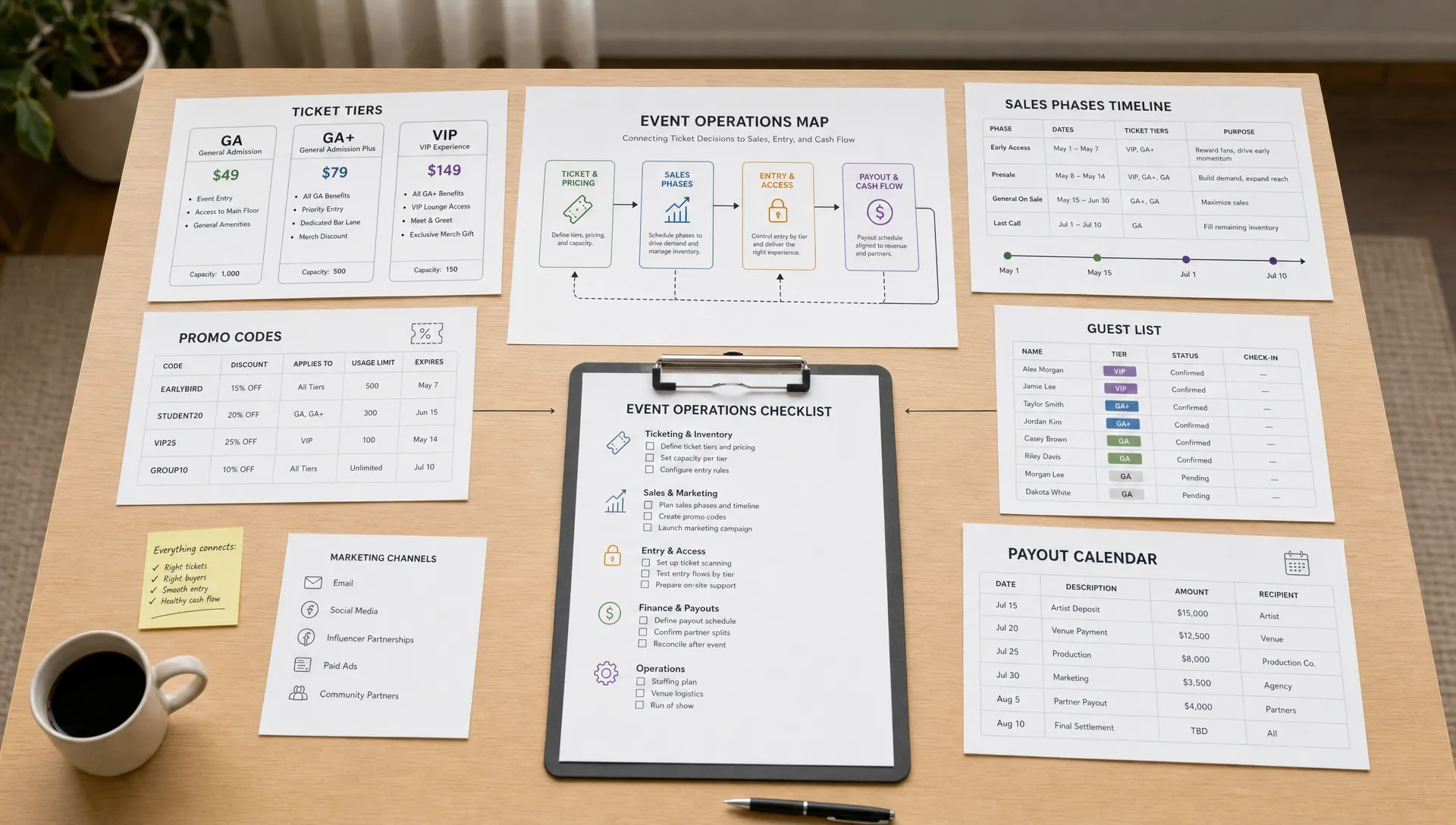
Start With a Ticket Operating Map
Before you create a ticket page, map how tickets will move through your event lifecycle. Many problems appear later because the team treats ticketing as a sales link, not as an operating system.
A simple ticket operating map answers five questions:
- Who owns ticket setup, pricing changes, promo codes, and guest list updates?
- Which ticket tiers are available at launch, and which ones open later?
- What buyer information is required at checkout?
- How will revenue be tracked before vendor, venue, or artist payments are due?
- What is the process for scanning, resolving issues, and reconciling attendance?
This map does not need to be complicated. In fact, the best version is usually a one-page workflow your whole team can understand. It prevents the common scenario where marketing promotes one offer, the door team sees another list, and finance is left waiting for a payout report.
| Workflow area | Main question | Best outcome |
|---|---|---|
| Ticket setup | What are we selling, and when? | Clear tiers, phases, limits, and pricing logic |
| Checkout | How fast can buyers complete purchase? | Fewer abandoned carts and support messages |
| Sales control | What should change when sales move fast or slow? | Timely pricing, promo, and capacity decisions |
| Payouts | When does cash become usable? | Better vendor, venue, and production planning |
| Entry | How do we validate tickets at the door? | Shorter lines and fewer disputes |
| Reconciliation | What happened after the event? | Cleaner reporting and better future planning |
Workflow 1: Build Ticket Tiers Around Buyer Decisions
Good ticket management starts with ticket architecture. A ticket tier is not just a price. It is a decision point that helps buyers understand why they should act now.
Instead of creating tiers randomly, connect each one to a clear reason. Early bird tickets reward quick buyers. General admission sets the standard price. VIP, backstage, table, or add-on tickets create premium options. Last-call pricing helps protect revenue when demand is strong.
For organizers, the key is to avoid too many overlapping offers. If buyers cannot understand the difference between Tier 1, Tier 2, Presale, Promo, and Friends List, they hesitate. Hesitation hurts conversion, especially on mobile.
A practical ticket tier workflow looks like this:
- Define your base ticket and target margin before you create discounts.
- Set early tiers by quantity or date, not by guesswork.
- Name each tier in plain language buyers recognize.
- Decide which tiers should be hidden, paused, or reopened if sales change.
- Document who is allowed to adjust pricing after launch.
Platforms like TixFlow support unlimited ticket tiers and automated sales phases, which can help organizers set this structure in advance instead of making every change manually during a busy campaign.
Workflow 2: Reduce Checkout Friction Before You Spend on Promotion
A ticket campaign can have great ads, strong artists, and a loyal audience, but still lose revenue if checkout creates friction. Every unnecessary field, forced account creation, confusing fee, or slow page adds another reason for a buyer to stop.
The best checkout workflow is designed from the buyer’s point of view. They should be able to land on the event page, understand the offer, select a ticket, pay securely, and receive confirmation without creating an account they do not want.
This matters especially for music events, nightlife, and social experiences where buyers often act quickly from a text, story, flyer QR code, or group chat. If the purchase feels like admin work, momentum disappears.
For a deeper look at why this matters, TixFlow explains how guest checkout can increase ticket sales by removing a common barrier between buyer intent and completed payment.
Your checkout workflow should include a pre-launch review:
- Test the event page on mobile, not just desktop.
- Confirm that pricing, fees, and ticket names are easy to understand.
- Remove any buyer fields your team does not truly need.
- Check that promo codes work before announcing them.
- Make sure confirmation emails and digital tickets are clear.
TixFlow is built around no buyer registration and a customizable checkout experience, both of which help organizers reduce friction without giving up control over the sales process.
Workflow 3: Monitor Sales Daily With Action Rules
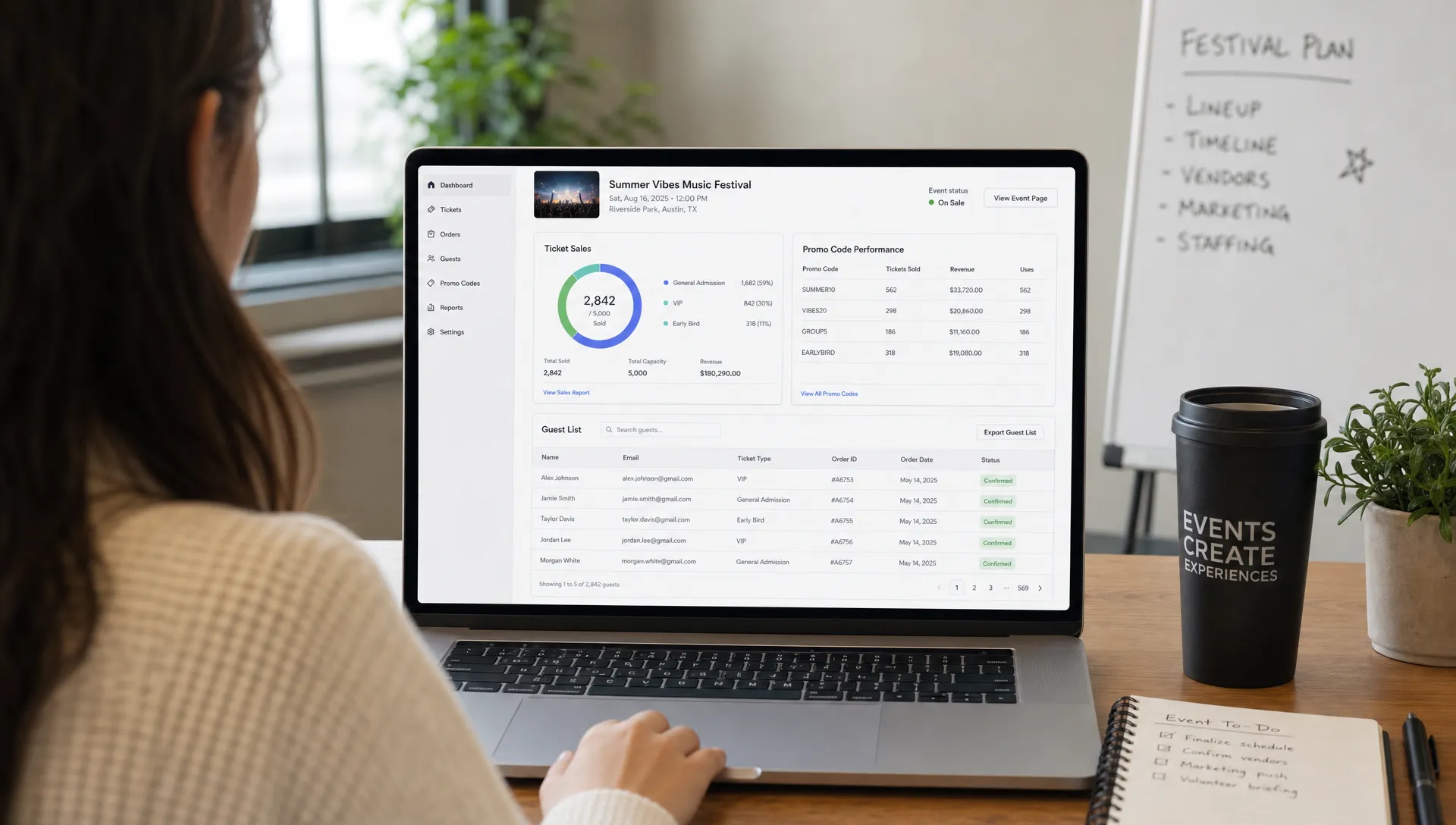
“Manage my tickets” should not mean refreshing a sales page and hoping for the best. Once tickets are live, organizers need action rules. These are simple if-then decisions that tell the team what to do when sales change.
For example, if early bird tickets sell out in 24 hours, you may want to open the next tier immediately and increase social proof messaging. If sales stall after a week, you may test a targeted promo code for a specific audience segment. If VIP sells faster than general admission, you may need to reassess capacity, staffing, or package value.
The important part is to decide your rules before emotions take over. Many organizers discount too early because they panic, or wait too long to raise prices because they do not want to upset buyers. A daily review rhythm keeps decisions grounded in data.
Useful sales signals include:
- Tickets sold by tier
- Sales by day and time
- Promo code usage
- Remaining capacity
- Checkout conversion trends
- Refund or support requests
- Guest list additions
If you want to turn sales data into better event decisions, this guide on using ticket statistics to improve event sales is a useful next step.
Workflow 4: Connect Ticket Sales to Cash Flow Planning
Ticket revenue is not fully useful if it arrives too late to support event expenses. Organizers often need cash before event day for deposits, production, security, artists, marketing, rentals, or venue balances. That makes payout timing part of ticket management, not a back-office detail.
A stronger cash flow workflow starts with separating gross sales from usable money. Gross sales may look healthy, but your real planning number depends on fees, refunds, taxes, vendor obligations, and payout timing.
Build a simple weekly cash view with four numbers:
| Cash flow item | Why it matters |
|---|---|
| Gross ticket sales | Shows market demand and campaign momentum |
| Estimated net revenue | Helps protect your real event margin |
| Upcoming obligations | Keeps vendor, venue, and artist payments visible |
| Available payout balance | Shows what cash can actually be used now |
TixFlow offers instant payouts, flat per-ticket fees, and Stripe Connect integration, which can help organizers reduce payout uncertainty and plan with more confidence. If your event business is growing, stronger financial literacy also helps. Resources like Greek Shares can be useful for learning basic investing, risk, and money management concepts that support better long-term cash decisions.
For more event-specific guidance, read TixFlow’s article on how to simplify ticketing payments for faster payouts.
Workflow 5: Treat Promo Codes Like Controlled Inventory
Promo codes are powerful, but unmanaged discounts can quietly damage revenue. A good promo workflow gives each code a purpose, owner, audience, and limit.
Avoid creating generic codes that circulate without context. Instead, assign codes to specific goals. A partner code can measure sponsor impact. A street team code can show which promoter is moving tickets. A loyalty code can reward past attendees without reducing public price perception.
Your promo code workflow should define:
- The code name and audience
- The discount type or value
- The maximum number of redemptions
- The expiration date or sales phase
- The person responsible for monitoring performance
Smart promo codes are most useful when they are tied to real-time control. If a code is underperforming, you can adjust messaging. If it is overperforming and cutting too deeply into margin, you can pause it or cap it. The point is not to discount more. The point is to discount with intention.
Workflow 6: Keep the Guest List Digital and Updated
Guest lists are often where ticket operations become messy. Artists, sponsors, venue contacts, press, friends, staff, and VIPs may all request access. If those requests live in text threads and spreadsheets, the door team is forced to make judgment calls under pressure.
A better guest list workflow includes one source of truth. Every comp, VIP, staff pass, or partner entry should be added before doors open, with clear labels. The door team should not have to interpret vague names or search multiple documents.
Set a guest list cutoff time, ideally several hours before doors. After that cutoff, only one person should approve changes. This protects your entry team from last-minute chaos and gives organizers a cleaner record of who actually attended.
Digital guest lists also make post-event review easier. You can compare paid attendance, comp attendance, no-shows, and VIP usage. Over time, that data helps you decide which guest list requests create real value and which ones simply reduce capacity.
Workflow 7: Prepare Entry Before the First Attendee Arrives
Entry problems are usually ticket management problems showing up in public. Long lines, duplicate names, unclear ticket types, and manual lookups all create stress at the worst possible moment.
Your entry workflow should be tested before doors open. Make sure scanners or check-in devices are ready, staff understand ticket categories, and escalation rules are clear. If someone has a payment confirmation but no ticket, who handles it? If a buyer arrives with the wrong ticket type, who decides whether to upgrade or deny entry?
A strong door workflow includes three roles: scanners who keep the line moving, a support person who handles exceptions, and a manager who can make final decisions. For smaller events, one person may cover more than one role, but the responsibilities should still be clear.
Real-time sales control also matters at the door. If you are selling last-minute tickets online while people arrive, your platform should help you keep capacity accurate and avoid overselling.
Workflow 8: Reconcile the Event Within 48 Hours
Post-event reconciliation is where better future events are built. Do not wait a week, when details are forgotten and the team has moved on. Within 48 hours, review sales, entry, payouts, support issues, and audience behavior.
The goal is not to create a perfect report. The goal is to learn what should change next time.
Key questions to answer:
- Which ticket tier sold fastest?
- Did any tier stay open too long?
- Which promo codes produced valuable sales?
- How many buyers purchased close to event time?
- How many people were on the guest list versus checked in?
- Were there entry issues caused by unclear ticket names or policies?
- Did payout timing match your operational needs?
Save these notes before launching the next event. Over time, your ticketing workflow becomes more accurate because it is based on your own audience, pricing, and operational history.
A Simple Weekly Organizer Rhythm
If you run recurring events, build a weekly rhythm so ticket management does not become reactive. This is especially useful for music producers, venue teams, and event brands managing multiple dates.
| Day | Organizer focus | Typical action |
|---|---|---|
| Monday | Review sales and cash position | Check tier performance, payouts, and upcoming expenses |
| Tuesday | Adjust campaign messaging | Update event page, ads, email, or social posts |
| Wednesday | Review promo codes | Pause weak codes, cap strong ones, brief partners |
| Thursday | Prepare entry operations | Confirm guest list, staff roles, and scanner setup |
| Friday or event day | Monitor live sales and check-in | Watch capacity, resolve issues, keep lines moving |
| After event | Reconcile and document learnings | Compare sales, attendance, revenue, and support notes |
This rhythm gives your team a repeatable structure. Instead of asking “What should we do now?” every week, you already know which part of the ticket workflow needs attention.
How TixFlow Fits These Workflows
TixFlow is designed for organizers who want fast setup, low friction for buyers, and more control over event revenue. Its features align with the workflows above: instant payouts for cash flow planning, flat per-ticket fees for clearer margins, no buyer registration for faster checkout, real-time sales control for active campaigns, customizable event pages, unlimited ticket tiers, automated sales phases, smart promo codes, digital guest lists, and Stripe Connect integration.
The value is not just having more features. It is having the right ticketing structure so your team can sell, monitor, adapt, and reconcile with less manual work.
If your current process depends on scattered spreadsheets, delayed payout visibility, or manual guest list updates, a more streamlined platform can make ticket management feel less like damage control and more like event growth.
Frequently Asked Questions
What is the best way to manage my tickets as an event organizer? The best approach is to create workflows for setup, checkout, sales monitoring, payouts, guest lists, entry, and reconciliation. This gives your team a repeatable process instead of reacting to problems as they appear.
How many ticket tiers should an event have? Use only as many tiers as buyers can easily understand. Most events need a base ticket, one or two time-based or quantity-based phases, and optional premium tickets if the experience supports them.
Why does checkout friction hurt ticket sales? Buyers often purchase tickets from mobile devices, social links, or group chats. Forced registration, unclear fees, or too many form fields can interrupt momentum and lead to abandoned purchases.
How should organizers use promo codes? Treat promo codes like controlled inventory. Give each code a purpose, audience, limit, expiration date, and owner so discounts support sales without unnecessarily reducing margin.
When should post-event ticket reconciliation happen? Reconcile within 48 hours while details are fresh. Review tier performance, promo code usage, attendance, guest list check-ins, support issues, and payout timing before planning the next event.
Manage Your Tickets With Less Friction
Better ticket management is not about doing more admin. It is about building workflows that help you sell faster, protect revenue, control cash flow, and run a smoother door.
If you want a ticketing platform built for modern organizers, explore TixFlow and see how instant payouts, flexible ticket tiers, no buyer registration, smart promo codes, and digital guest lists can simplify your next event.