
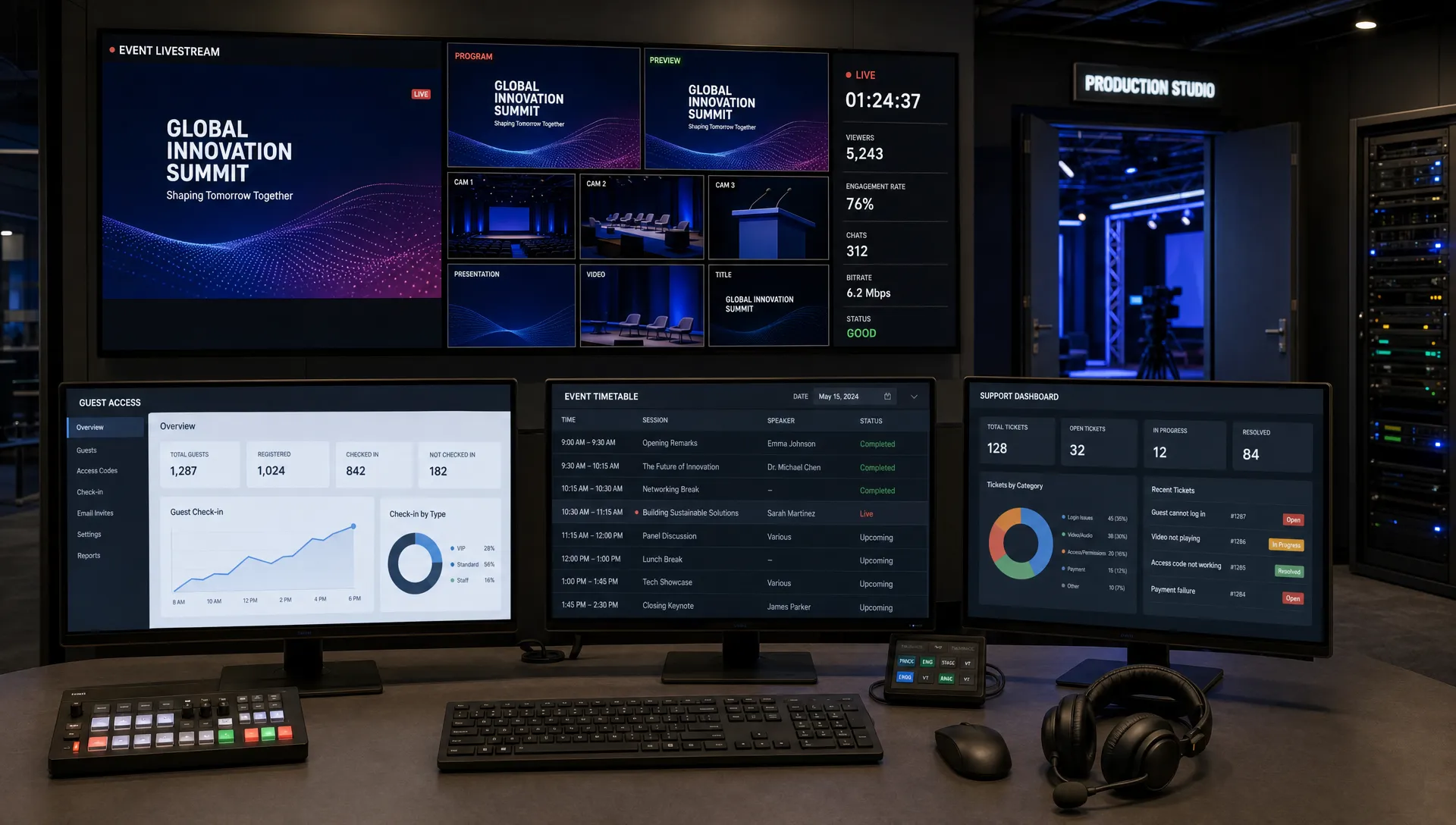
How Virtual Tickets Work for Online and Hybrid Events
For online and hybrid events, a ticket is no longer just proof that someone paid. It is the access layer between your sales page, your audience and the experience you are producing.
That matters because virtual tickets affect almost every part of the event workflow: how fast people buy, how you control capacity, how you validate entry, how you prevent duplicate access and how quickly revenue becomes usable cash. For a music producer selling access to a livestream, a conference team running both a venue and a remote track or an organizer testing a paid online workshop, the ticket is operational infrastructure.
Virtual tickets work best when they are planned as part of the event design, not treated as a digital version of a paper stub.
What a virtual ticket actually is
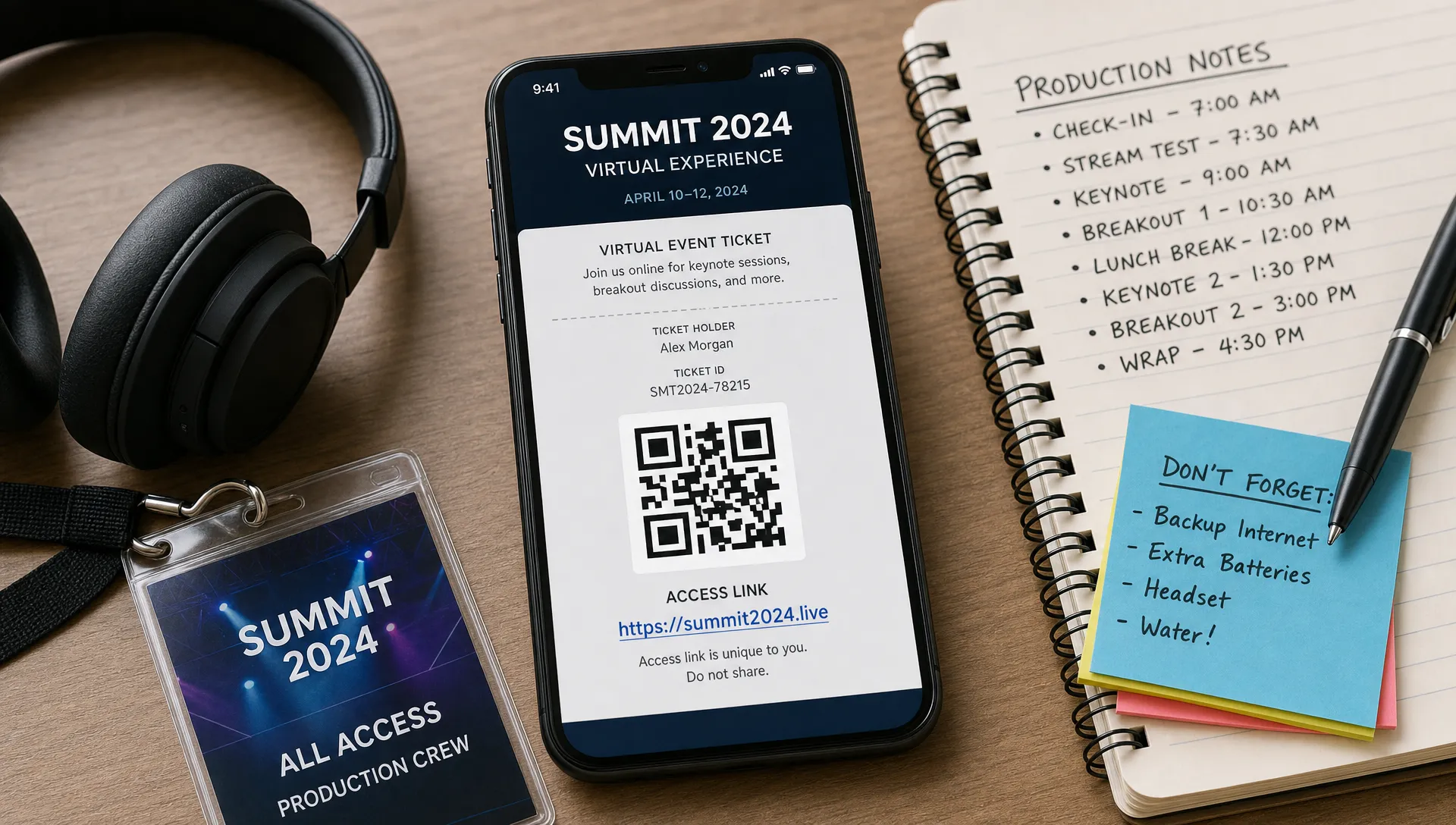
A virtual ticket is a digital record that gives an attendee permission to access an event. The attendee may see it as a QR code, confirmation email, mobile pass, PDF, access link or code. Behind that simple front end, the ticketing platform stores a structured record with rules attached to it.
A well built virtual ticket usually includes:
- A unique ticket ID or token that separates it from every other ticket
- The ticket type, such as online access, general admission, VIP or comp
- The order and payment status
- The access rules, including date, time, location or digital room
- The attendee details the organizer chose to collect
- The validation status, such as unused, checked in, refunded or voided
- Sales data, timestamps and promo code attribution
This is why virtual tickets are more flexible than paper tickets. If the event changes format, if a ticket is refunded or if a buyer upgrades from online access to in-person admission, the organizer can update the record instead of trying to reconcile a static paper credential.
The attendee does not need to understand any of that. Their experience should feel simple: choose a ticket, pay, receive confirmation and use the ticket to enter.
How virtual tickets move from checkout to access
The lifecycle starts when the organizer creates the event page and defines the ticket types. For a fully online event, the ticket may grant access to a livestream, webinar room, private community space or replay window. For a hybrid event, the same event may need different permissions for online viewers, in-person attendees, VIP guests, press and staff.
Once the event is live, the buyer selects a ticket and completes payment. A low friction checkout matters here because every unnecessary field gives the buyer another reason to pause. If the platform supports checkout without mandatory account creation, the purchase path is shorter and the attendee can get from intent to confirmation faster. This is especially useful for concerts, creator events and limited release drops where demand can move quickly.
After payment, the ticketing system issues the virtual ticket and updates the organizer's sales records. The attendee receives the ticket by email or another delivery channel set by the platform. The organizer sees the sale in the event dashboard or guest list, which allows the event team to track capacity, revenue and audience segments in real time.
At access time, the virtual ticket is validated. For an online event, validation might happen when the attendee clicks a unique access link, enters a code or signs into a protected event page. For an in-person entry point, staff scan the QR code or search the digital guest list. In both cases, the platform checks whether the ticket exists, whether it is valid and whether it has already been used.
That final step is what makes virtual tickets operationally valuable. A confirmation email alone says someone bought something. A validated virtual ticket tells the organizer whether the buyer actually entered.
If you want to go deeper into the attendee side of the flow, TixFlow has a separate guide on how online tickets improve checkout and entry, which explains why speed at purchase and speed at the door are connected.
How virtual tickets work for online events
For online events, the ticket is mainly an access permission. The buyer is not passing through a physical door, so the organizer has to control the digital doorway instead.
A common flow looks like this: the attendee buys an online ticket, receives confirmation, then gets access to the event at the correct time. Depending on the event setup, access might be immediate, released a few hours before the start or tied to a scheduled email. For paid livestreams, album listening parties, masterclasses or virtual conferences, timing matters. Sending access too early can increase sharing risk. Sending it too late can overload support right before showtime.
Online tickets should also be matched to the viewing model. A live only event may need a strict start time and single session access. A replay ticket may need access for a limited window. A multi-session event may need different permissions for different rooms. These rules should be clear on the event page before checkout, so attendees know exactly what they are buying.
For organizers, the most important backend question is simple: what does this ticket unlock? If the answer is vague, support issues follow. If the answer is specific, the event team can automate more of the buyer journey.
How virtual tickets work for hybrid events
Hybrid events are more complex because they combine two access environments. Online attendees need a smooth digital path. In-person attendees need fast validation at the venue. Some attendees may switch between the two, especially if travel plans change or if the event offers an upgrade path.
The mistake many organizers make is treating hybrid as one ticket with two delivery channels. It is better to treat hybrid as one event with multiple access rules. The buyer's ticket should clearly define whether they can attend online, in person or both.
| Hybrid event area | Online ticket behavior | In-person ticket behavior | Organizer risk if ignored |
|---|---|---|---|
| Capacity | Limited by stream, platform or package rules | Limited by venue, seating or fire code | Overselling the room or underpricing online demand |
| Validation | Access link, code or gated event page | QR scan or digital guest list check-in | Duplicate use or manual entry delays |
| Timing | May open before, during or after the live event | Usually valid at doors open and event start | Confusion about when access begins |
| Ticket changes | Can be upgraded, downgraded or reassigned if policy allows | May require capacity checks before changes | Selling an upgrade when no venue space remains |
| Support needs | Login, link delivery and timezone clarity | Door staff, line management and name lookup | Last minute support overload |
Hybrid ticketing works best when each ticket type has a defined purpose. An online only ticket should not accidentally grant venue entry. An in-person ticket might include replay access, but only if that is part of the offer. A VIP hybrid ticket may need both a physical credential and digital access.
The cleaner these rules are, the easier it is to train staff, answer buyer questions and protect your margins.
Pricing virtual tickets for demand and cash flow
Virtual tickets give organizers more control over pricing because ticket rules can change without reprinting anything. You can run early access, standard pricing, last call pricing, online only tickets, VIP access or group bundles from the same event setup.
For music producers, that flexibility can support several audience layers. A small number of high value VIP tickets might include a meet and greet or behind the scenes stream. A wider online ticket can serve fans who cannot travel. In-person tickets can be capped by the room. Each ticket should map to a real difference in access or value, not just a different label.
If you are still deciding which ticket categories make sense, this breakdown of event ticket types for organizers can help you match ticket structure to audience behavior.
Automated sales phases are especially useful for cash flow. Instead of manually changing prices during a campaign, the organizer can set a sequence: early bird until a date or quantity is reached, then standard admission, then final release. This helps create urgency without relying on constant discounting. It also gives the team a clearer revenue curve before event day.
Promo codes should be handled with the same discipline. A smart promo code is not just a discount. It can track partner sales, reward a fan club, support a sponsor allocation or measure which creator drove conversions. The goal is to use discounts as controlled signals, not as a panic button when sales feel slow.
How virtual tickets reduce fraud and access confusion
Virtual tickets do not eliminate fraud by themselves, but they give organizers better tools than static paper tickets or untracked PDFs. The key is that each ticket can have a unique identifier and a live status.
If a buyer forwards a screenshot to multiple people, only the first successful validation should be accepted if the system marks the ticket as checked in. If a ticket is refunded, the record can be voided. If a buyer contacts support, the team can search the order and confirm whether the ticket is active.
For online events, the main risk is uncontrolled link sharing. A public link is easy to forward. A ticketed access link or code is easier to manage because it can be tied to a purchase record. For hybrid events, the main risk is duplicate entry at the door. Real-time validation reduces that risk because the guest list updates as tickets are scanned.
Fraud prevention also depends on staff workflow. Door staff need a simple process for handling a failed scan, a dead phone or a name mismatch. Online support staff need a clear process for resending access and checking payment status. The technology creates the control point, but the event team still needs rules for exceptions.
TixFlow has a related article on why digital ticket formats reduce fraud, which is useful if your event has resale risk, high demand or multiple entry points.
Why virtual tickets matter for organizer cash flow
For organizers, virtual tickets are not only about attendee convenience. They affect when revenue becomes visible, when it becomes available and how confidently you can make spending decisions.
Real-time sales control helps you see which ticket types are moving, which promo codes are working and whether a sales phase should stay open or close. If in-person capacity is selling faster than online access, you can adjust marketing. If early bird tickets are gone in hours, you can move to the next phase without waiting for manual reconciliation.
Fee structure also matters. Flat per-ticket fees are easier to model than variable fees that change unpredictably across orders. When margins are tight, especially for independent concerts, workshops or creator events, small fee differences can affect what you can spend on production, venue deposits, crew and promotion.
Payout timing is another major factor. If a platform offers instant payouts, organizers can reduce the cash gap between ticket sales and event expenses. That does not remove the need for budgeting, refund planning or contingency reserves, but it can make operations less stressful for teams that fund production from ticket revenue.
This is where choosing the right ticketing setup becomes a financial decision as much as a software decision.
What to configure before virtual tickets go live
A virtual ticketing launch should not start with the publish button. Before the page goes live, the organizer should pressure test the buyer journey and the access rules.
Start with the ticket architecture. Make sure each ticket type has a clear name, price, capacity and access promise. Avoid clever labels that only make sense to your team. Attendees should be able to compare options quickly, especially on mobile.
Next, check the timing. Sales phases, promo codes, access emails and event start times should all match the real production schedule. For online and hybrid events, timezone clarity is essential. If your audience is national or international, list the event time in a way that reduces uncertainty.
Then test validation. For online access, confirm what the attendee receives after purchase and what happens when they try to join. For in-person access, scan test tickets and make sure staff understand what each status means. A virtual ticket is only useful if the team can act on the information it displays.
Finally, define exception policies before attendees ask. Decide how you will handle refunds, transfers, upgrades, wrong email addresses, late arrivals and duplicate purchases. A clear policy reduces support pressure and helps the event team make consistent decisions.
Choosing a platform for virtual tickets
The best virtual ticketing platform for your event is the one that matches your sales model, buyer behavior and operational needs. A small online workshop does not need the same setup as a 1,000 person hybrid music event. Still, a few platform traits matter across most formats.
Look for fast setup, flexible pricing, real-time sales control, reliable digital guest lists and a checkout that does not create unnecessary buyer friction. If your team is protecting margins, pay close attention to fee structure and payout timing. If you run several ticket categories, unlimited ticket tiers and automated sales phases can reduce manual work. If partners or creators drive sales, promo code control matters.
TixFlow is built around this kind of modern ticketing workflow, with instant payouts, flat per-ticket fees, no buyer registration, customizable event pages, digital guest lists, unlimited ticket tiers, automated sales phases, smart promo codes and Stripe Connect integration. For organizers who need to move quickly without losing control of revenue, those details can make a practical difference.
Frequently Asked Questions
Are virtual tickets the same as e-tickets? They overlap, but they are not always identical. An e-ticket can be a simple emailed PDF. A virtual ticket is better understood as a digital access record with rules, status and validation behind it.
Can virtual tickets work for both online and in-person attendance? Yes. Hybrid events can use virtual tickets for online access and venue entry, but each ticket type should clearly define what it unlocks. Online only, in-person only and hybrid access should not be mixed accidentally.
Do attendees need to create an account to use virtual tickets? Not necessarily. Some platforms require buyer accounts, but others allow ticket purchase without registration. Removing mandatory registration can reduce checkout friction and help buyers complete the purchase faster.
How do virtual tickets prevent duplicate entry? Each ticket can have a unique code or token. When it is validated, the system can mark it as used. If someone else tries to use the same ticket again, staff can see that it has already been checked in.
Should online tickets be cheaper than in-person tickets? Often they are, but not always. Price should reflect the value of access, production cost, audience demand and any extras included. A premium online ticket with replay access, community access or exclusive content may justify a higher price than a basic livestream ticket.
Run virtual ticketing with less friction
Virtual tickets work when the buyer experience, access rules and organizer controls all support the same event plan. For online and hybrid events, that means fast checkout, clear ticket types, reliable validation and revenue visibility before event day.
If you want a ticketing setup built for modern event teams, explore TixFlow. It gives organizers a simple way to sell tickets, control pricing, manage guest lists and keep cash flow moving without adding unnecessary friction for attendees.