
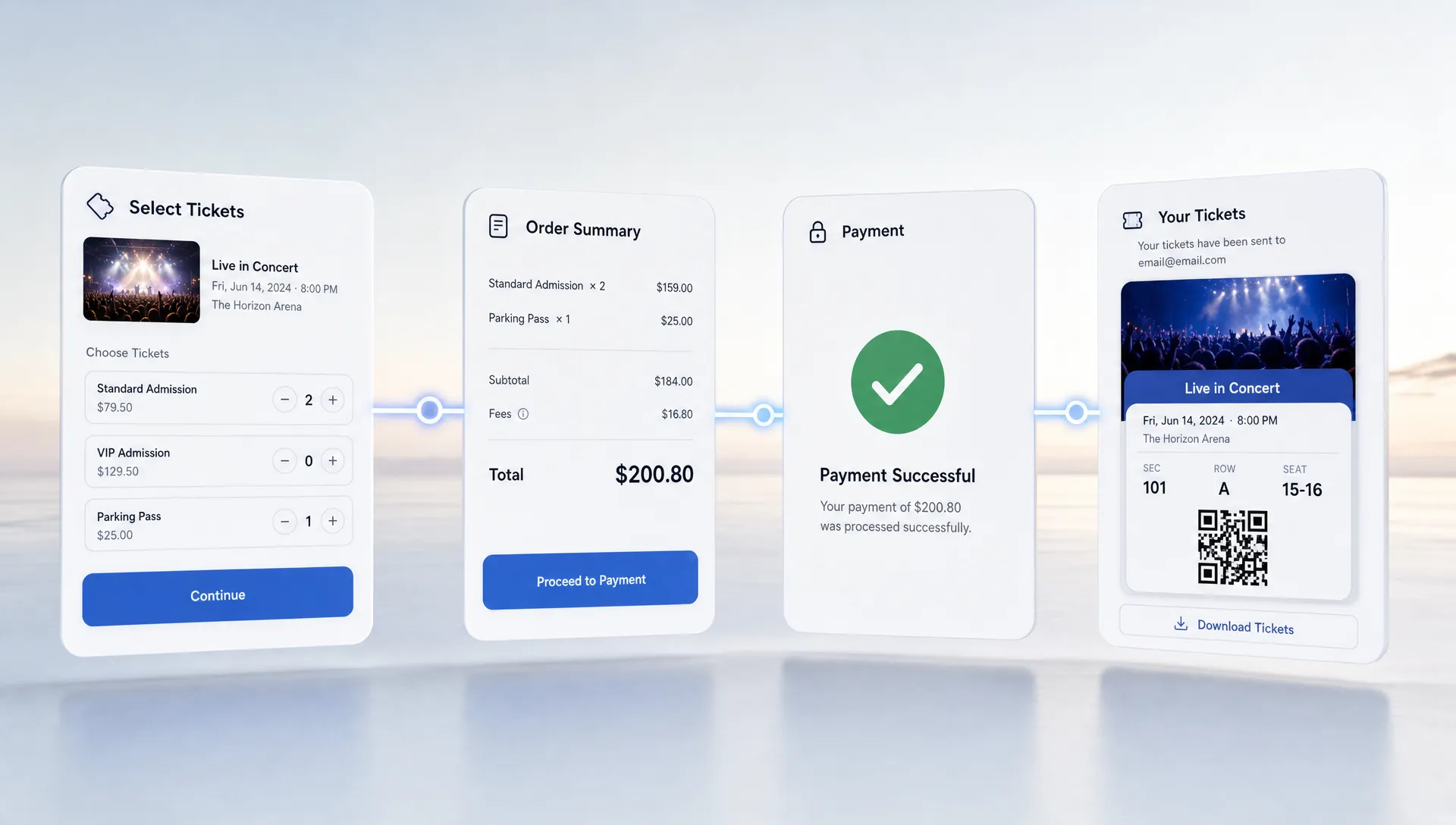
How to Simplify Event Payment Flows for Attendees
A smooth event payment flow is not just a checkout detail. For attendees, it is the moment they decide whether your event feels trustworthy, easy, and worth the money. For organizers, it affects conversion rates, support workload, cash flow, and the first impression your brand makes before anyone reaches the venue.
The challenge is that many ticketing payment journeys are built around the organizer’s internal process instead of the buyer’s experience. Attendees are asked to create accounts, re-enter information, accept surprise fees, wait through slow pages, or guess which ticket tier applies to them. Every extra step gives them a reason to abandon the purchase.
Simplifying event payment flows means reducing decisions, making costs clear, and connecting payment, ticket delivery, and attendee management into one clean experience. Here is how to do it without losing control over pricing, reporting, or revenue.
Start with the attendee’s goal, not your back-office workflow
Most attendees have a simple goal: choose the right ticket, pay quickly, and receive proof of entry. They are usually not thinking about your settlement process, guest list exports, promo tracking, or sales phases. Those details matter to your team, but they should not create friction at checkout.
A strong event payment flow should answer three questions almost instantly:
- Which ticket should I buy?
- What will I pay in total?
- How do I access my ticket after payment?
If a buyer has to pause and interpret too much information, the checkout feels risky. This is especially true for music events, nightlife, pop-ups, festivals, workshops, and community events where many purchases happen on mobile, often after seeing a social post or message from a friend.
The best payment experience feels short, predictable, and secure. That does not mean removing important organizer controls. It means moving complexity behind the scenes.
Remove forced registration from checkout
Forced account creation is one of the easiest ways to slow down a ticket purchase. Attendees may be willing to buy a ticket, but not willing to create yet another login, verify an email, remember a password, or hand over unnecessary information.
For many events, buyer registration adds little value at the point of sale. You can still collect the information you truly need, such as name, email, ticket type, and consent preferences, without turning the purchase into a full account setup.
A no-registration checkout is especially useful when traffic arrives from impulse-driven channels. Someone sees a DJ lineup on Instagram, opens the ticket link, and decides within seconds. If the payment flow is fast, you capture that intent. If it becomes a form-filling exercise, the buyer may leave and never return.
This is one reason modern organizers increasingly look for ticketing tools that support no buyer registration while still keeping digital guest lists, sales data, and ticket delivery organized.
Make the total price clear before the final payment step
Few things damage trust faster than a price that changes late in checkout. If attendees see one amount on the event page and a higher amount at payment, they may feel misled even when the added fee is legitimate.
Transparent pricing does not always mean absorbing every fee. It means showing attendees what they will pay, why they are paying it, and when the charge applies. If your platform uses a per-ticket fee, be clear about whether it is included in the displayed ticket price or added at checkout.
This matters for conversion, but it also matters for your brand. A buyer who feels surprised by fees starts the event relationship with suspicion. A buyer who sees the full cost upfront is more likely to complete the purchase and less likely to contact support.
If you are still deciding how to present costs, this guide to the ticket processing fee explained without the confusion is a useful companion because it breaks down how fee clarity affects both attendees and organizers.
Keep ticket choices simple, even when pricing is flexible
Flexible pricing is powerful, but it can become confusing if every option looks similar. Early bird, general admission, VIP, backstage, student, group, last call, and promo-only tickets all have a place, but they need a clear hierarchy.
A good ticket page helps attendees self-select quickly. The best structure usually presents ticket tiers in a logical order, with concise labels and short descriptions. Avoid internal terminology that only your team understands. For example, an attendee may not know what Phase 2 means unless the page clearly explains that it is the current general admission price before the next increase.
Unlimited ticket tiers and automated sales phases can help organizers run sophisticated campaigns, but the attendee should still feel like there are only a few relevant choices. If you have many ticket types, group them by audience or access level rather than listing them randomly.
Here is a simple way to think about ticket tier clarity:
| Ticket element | What attendees need to know | What to avoid |
|---|---|---|
| Ticket name | The access or timing benefit | Internal labels with no context |
| Price | The total or clearly explained amount | Late surprises at checkout |
| Availability | Whether the ticket is limited or time-based | Vague urgency with no real meaning |
| Benefits | What is included with entry | Long descriptions that bury key details |
| Restrictions | Age limits, entry time, transfer rules | Fine print that appears after payment |
Design for mobile-first payments
Many event purchases happen on phones. That is not just true for large concerts. It is often even more important for local shows, club nights, creator events, and last-minute ticket drops because discovery happens through mobile-first channels.
A mobile-friendly event payment flow should minimize typing, load quickly, and make buttons easy to tap. The buyer should not have to pinch, zoom, scroll through unnecessary sections, or re-enter details after an error.
Small design details can have a large impact. Use clear field labels, short forms, visible error messages, and a checkout layout that keeps the next step obvious. The payment button should confirm the action, not create uncertainty. For example, a button that says Pay and get ticket is clearer than a generic Submit.
Mobile checkout also affects door operations. If attendees receive tickets digitally and can access them easily, entry lines move faster. For a broader look at that connection, the article on how online tickets improve checkout and entry explains why the purchase experience and the check-in experience should be designed together.
Reduce form fields to what you actually use
Every field in your checkout should earn its place. Asking for too much information increases friction and can raise privacy concerns. It can also create messier data if attendees rush through required fields just to finish payment.
For most ticketed events, the essentials are limited: name, email, ticket quantity, payment details, and any required compliance information. Additional questions can be useful, but only when they support operations or attendee experience. Examples include dietary needs for a seated event, company name for a business meetup, or accessibility requirements when your team is prepared to act on them.
If your event business also uses CRM or business management tools, plan how ticket buyer data will move after purchase. Clean data handling reduces manual work and prevents duplicate records. For teams that manage customer records across systems, resources about customer data migration for small businesses can be useful when thinking through how attendee information should be imported, cleaned, and used responsibly.
The point is not to collect less data forever. It is to collect the right data at the right moment. If a question can wait until after the purchase, move it out of checkout.
Use promo codes without making buyers hunt for discounts
Promo codes are useful for partners, artists, sponsors, ambassadors, and early supporters. They can also create friction if the checkout experience makes every buyer wonder whether they are overpaying.
When attendees see a promo field, some will pause to search for a discount code. That pause can interrupt purchase intent. The fix is not always to remove promo codes. Instead, use them strategically.
Smart promo code workflows should support your marketing plan without confusing regular buyers. For private discounts, send links or clear instructions to the intended group. For public campaigns, make the offer obvious on the event page so attendees do not feel they need to search elsewhere.
For music producers and promoters, this is especially important when multiple partners are pushing the same event. Codes can help track which artist, newsletter, or community drove sales, but the checkout itself should still feel simple.
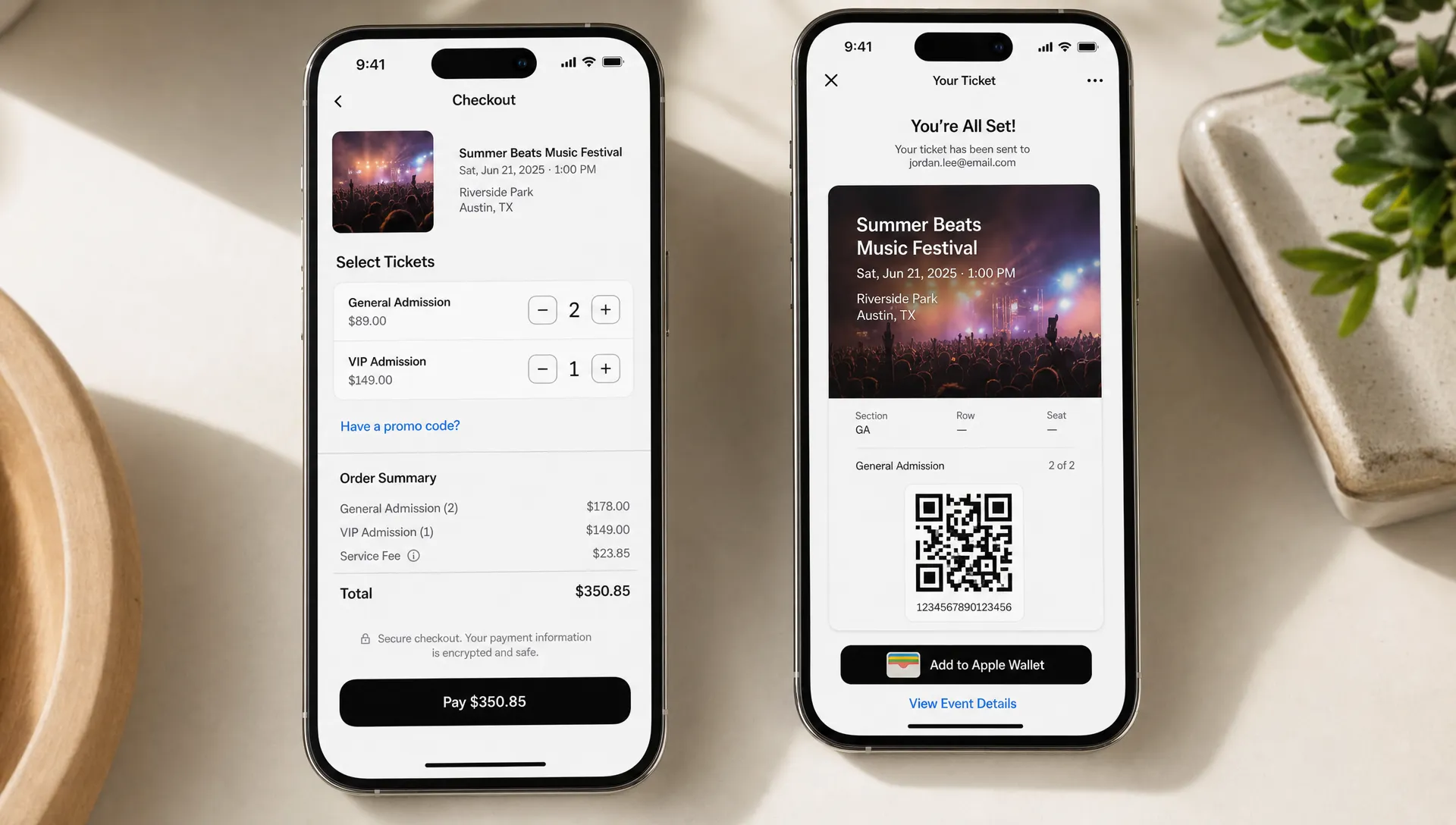
Connect payment completion to instant ticket confidence
The payment flow does not end when the card is charged. It ends when the attendee feels confident they can enter the event.
That means the confirmation page and email matter. After payment, attendees should immediately know that the transaction worked, which ticket they bought, how to access it, and what to do if they need help. If the confirmation is vague, buyers may contact support even though the purchase succeeded.
A strong post-payment experience includes a clear confirmation message, digital ticket delivery, event date and location, entry instructions, refund or transfer guidance if applicable, and organizer contact information. For high-volume events, clarity here can significantly reduce repetitive support questions.
This is also where digital guest lists become valuable. When payment, ticket issuance, and check-in records are connected, your team can resolve attendee questions faster and keep the door process organized.
Align attendee simplicity with organizer cash flow
A simplified event payment flow should help attendees pay faster, but it should also help organizers control money movement. Slow or fragmented payment operations can create pressure long before event day, especially when you need to pay deposits, production teams, artists, venues, or ad costs.
The attendee-facing checkout and the organizer-facing payout process are connected. If your ticketing stack separates payment collection from ticket management, your team may spend more time reconciling sales, chasing reports, or waiting for funds. If payment is integrated cleanly, the purchase becomes easier to track from checkout to payout.
For organizers focused on liquidity, it is worth understanding the operational side of simplifying ticketing payments for faster payouts. The attendee experience should be frictionless, but the back office should also give your team timely visibility and control.
TixFlow is built around this idea with instant payouts, flat per-ticket fees, Stripe Connect integration, real-time sales control, customizable event pages, unlimited ticket tiers, automated sales phases, smart promo codes, and digital guest lists. Those features are most valuable when they support one simple outcome: attendees buy easily, and organizers stay in control.
Common payment flow mistakes to fix before launch
Most checkout problems are easier to prevent than repair after tickets are live. Before launching your next event, review the payment flow like an attendee who has never heard of your organization.
Watch for these common issues:
- The event page lists one price, but checkout shows another without explanation.
- Ticket tiers have unclear names or too many similar options.
- Buyers must create an account before paying.
- The checkout asks for information your team never uses.
- Promo code instructions are unclear or scattered across channels.
- The confirmation email does not explain how to access the ticket.
- Mobile checkout requires too much scrolling or typing.
A short test purchase can reveal more than a long internal discussion. Ask someone outside your team to buy a test ticket on mobile and describe where they hesitate. Their confusion is likely where real attendees will drop off.
Measure the flow, then improve it over time
Simplifying event payment flows is not a one-time project. Each event gives you data you can use to improve the next one. The key is to measure both buyer behavior and operational impact.
Useful metrics include checkout conversion rate, abandoned checkout rate, support questions per ticket sold, promo code usage, refund requests caused by buyer confusion, time from payment to ticket delivery, and sales by ticket phase. If your platform gives real-time sales control, you can also respond while the campaign is still active rather than waiting until the event is over.
Qualitative feedback matters too. If attendees repeatedly ask whether fees are included, your pricing display needs work. If they ask where their ticket is, your confirmation flow needs work. If they choose the wrong tier, your ticket labels need work.
The goal is not perfection. The goal is a payment flow that gets easier, clearer, and more profitable with every event.
Frequently Asked Questions
What is an event payment flow? An event payment flow is the full process an attendee follows to select a ticket, review the price, pay, and receive confirmation or access to their ticket. It also includes the organizer systems that record the sale and support check-in.
How can I make event payments easier for attendees? Reduce required steps, avoid forced registration, show fees clearly, keep ticket tiers simple, optimize for mobile, and send immediate ticket confirmation after payment.
Should organizers absorb ticket fees or pass them to attendees? It depends on your pricing strategy and margin. The most important rule is transparency. Attendees should understand the total cost before they reach the final payment step.
Do promo codes make checkout more complicated? They can if they are not managed carefully. Promo codes work best when they are targeted, clearly explained, and easy to apply without making every buyer search for a discount.
Why does payment flow matter for event cash flow? Faster, cleaner payment flows can improve ticket conversion and reduce manual reconciliation. When paired with the right payout setup, they help organizers access funds sooner and plan event expenses with more confidence.
Make payment the easiest part of attending your event
Attendees should remember the lineup, the venue, the energy, and the experience, not a frustrating checkout. When your event payment flow is clear and fast, more buyers complete the purchase, fewer people need support, and your team gains better control over sales and cash flow.
If you want a ticketing setup built for modern event teams, TixFlow helps organizers sell tickets with low-friction checkout, instant payouts, flat per-ticket fees, flexible pricing tools, and real-time sales control. Simplify the payment journey now, and give attendees one more reason to say yes.