
How to Manage Tix Without Slowing Down Your Team
Managing tickets should help your event move faster, not turn your team into a support desk. Yet for many organizers, the moment sales go live is when the bottlenecks begin: someone asks which tier is active, another person is checking payout status, a promoter needs a code, and the door team is wondering which guest list version is final.
To manage tix without slowing everyone down, the goal is not to add more meetings or more spreadsheets. The goal is to create a lightweight operating system where ticket setup, pricing changes, promo codes, cash flow, and entry decisions are clear before pressure hits.
That matters whether you are running a club night, conference, album release party, food festival, workshop, or multi-act show. The faster your ticketing workflow is, the more time your team can spend on the work that actually sells the event and improves the attendee experience.
Why ticket management slows teams down
Ticket management usually becomes slow for one of three reasons: decisions are unclear, data is scattered, or too many tasks rely on one person. These issues are easy to miss during planning because everything feels manageable before sales volume increases.
The problem shows up when the event gains momentum. A tier sells out and no one knows whether to open the next one. A sponsor asks for 25 comps and the guest list owner is offline. A promoter wants a custom discount but finance is worried about margin. None of these are unusual requests, but they become delays when the workflow depends on informal approvals.
A faster approach is to identify the most common slowdowns before launch and decide how your team will handle them.
| Common slowdown | Why it hurts the team | Faster way to handle it |
|---|---|---|
| Ticket tiers change manually | Someone must be available at the exact moment inventory shifts | Use planned sales phases and clear activation rules |
| Promo codes are created ad hoc | Marketing, finance, and sales all need to approve small changes | Define promo limits, naming rules, and owners in advance |
| Payout status is unclear | Organizers waste time reconciling expected cash with actual cash | Use a payment workflow that gives faster visibility into funds |
| Guest lists live in spreadsheets | Door teams work from outdated files | Keep guest list ownership centralized and digital |
| Buyers need account help | Support requests increase before the event even starts | Reduce checkout steps and avoid unnecessary buyer registration |
If you are building the basics from scratch, this broader guide to ticket management tips that keep events running smoothly is a useful companion. The rest of this article focuses specifically on speed: how to manage tix in a way that keeps your team moving.
Start with a ticketing operating model, not a bigger spreadsheet
A bigger spreadsheet can store more information, but it rarely makes a team faster. What your team needs is a simple operating model that answers three questions: who owns the decision, where is the current information, and what happens when a condition changes.
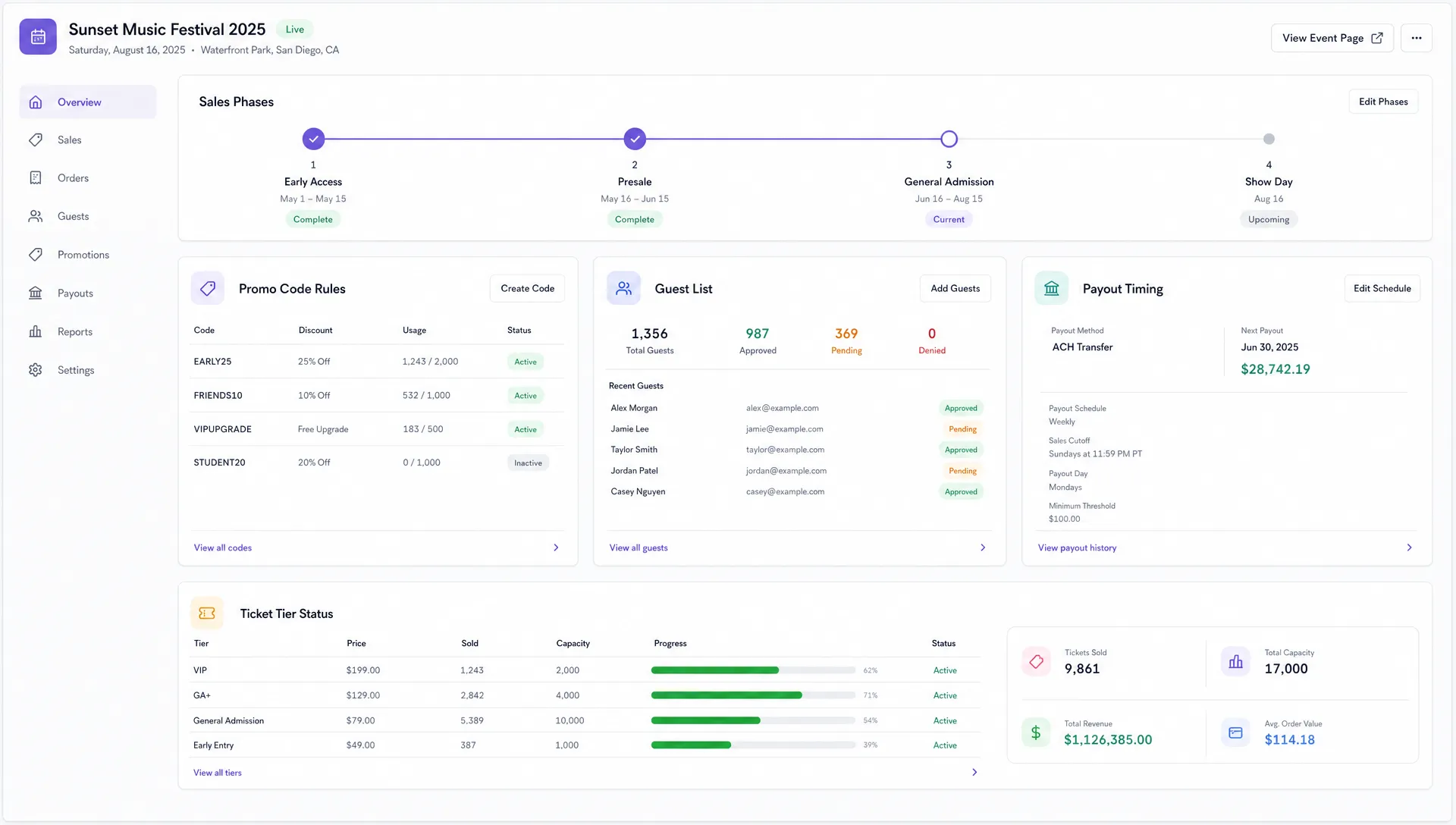
Start with one source of truth. This is where your team checks current ticket tiers, capacity, promo code rules, guest list status, and sales phase timing. If people are checking group chats, old exports, and separate spreadsheets, your process will slow down no matter how experienced the team is.
Next, assign one owner per decision type. The marketing lead might own promo code requests. The event producer might own comp approvals. The finance or operations lead might own payout and fee questions. The door lead might own check-in flow and guest list readiness. The point is not to create hierarchy for its own sake, but to stop every small ticketing question from becoming a team-wide discussion.
Finally, write down the triggers that require action. For example, when early bird inventory reaches zero, the general admission tier opens automatically or by a named owner. When a promo code reaches its cap, no one extends it without approval. When 90 percent of total capacity is sold, the team switches from general promotion to urgency messaging.
This kind of model helps music producers and event organizers protect their attention. Instead of reacting to every ticketing question in real time, the team follows a shared plan.
Design tix so fewer questions reach your team
The easiest ticket to manage is the one that was designed clearly from the start. Confusing ticket options create buyer questions, internal questions, and entry problems later.
Before launch, decide which ticket tiers are truly necessary. A small club night may only need early bird, general admission, and door release. A conference may need general admission, student pricing, VIP, and sponsor allocations. A music producer running a release show may need artist comps, guest list holds, and a limited fan presale. More tiers can help with pricing strategy, but only if each tier has a clear reason to exist.
For each tier, document the basics: price, quantity, sale start, sale end, eligibility, and what the attendee receives. If your platform supports unlimited ticket tiers and automated sales phases, use that flexibility to reduce manual work rather than create unnecessary complexity.
Promo codes deserve the same discipline. Smart promo codes are useful when they support a specific goal, such as tracking a promoter, rewarding a community, or filling an early sales gap. They become messy when every partner gets a custom discount with no limit or naming convention.
A practical promo code rule is to define the purpose before creating the code. If the purpose is tracking, the discount can be small or even zero depending on your setup. If the purpose is urgency, the code should have a cap or deadline. If the purpose is access, such as a private presale, the code should be limited to a defined audience.
Use real-time control instead of constant status meetings
Teams often slow down because they replace visibility with meetings. If no one knows what is happening with sales, everyone asks for updates. If sales data is visible and decisions are tied to thresholds, fewer people need to interrupt the workday.
Real-time sales control helps teams answer practical questions quickly: which tier is moving, which promotion is working, whether a phase should open, and whether the event is on pace. The goal is not to stare at numbers all day. The goal is to make the next move obvious.
For example, if sales spike after a producer posts a behind-the-scenes clip, your marketing lead can extend that content theme instead of guessing. If a promoter code drives traffic but few purchases, the issue may be audience fit, pricing, or checkout friction. If early bird tickets sell out faster than expected, your pricing plan may need to move into the next phase sooner.
The most useful metrics are the ones tied to action. Sales velocity can inform urgency. Tier performance can inform pricing. Promo code usage can inform channel investment. Conversion patterns can reveal where buyers are hesitating. For a deeper breakdown, this guide on using ticket statistics to improve event sales explains how organizers can turn ticket data into better decisions.
Protect cash flow while sales move fast
Ticket operations are not just about admission. They are also about cash timing. When organizers do not know when funds will arrive, they lose time chasing updates, delaying vendor payments, or making conservative decisions that hurt promotion.
Fast ticket management should make cash flow easier to understand. That means your team should know the fee structure, the payout process, and how ticket revenue connects to expenses before tickets go on sale.
Flat per-ticket fees can make planning easier because the team has a clearer view of net revenue per sale. Instant payouts can reduce the gap between sales activity and usable cash. Stripe Connect integration can also support a more modern payment workflow for platforms that need connected account infrastructure. The key operational point is simple: the fewer payment handoffs your team has to manage manually, the faster everyone can act.
If payout timing is already a pain point, it is worth reviewing how to simplify ticketing payments for faster payouts. Cash flow visibility is not just a finance concern. It affects marketing spend, production deposits, artist payments, staffing, and how confidently you can scale promotion as the event gains traction.
Remove buyer friction before it becomes support work
One of the fastest ways to slow your team is to make buyers work too hard. Every unnecessary checkout step can turn into abandoned carts, direct messages, email support, and last-minute confusion.
A smooth checkout should feel obvious. The buyer should understand what ticket they are purchasing, what it includes, how much it costs, and what happens after purchase. If they need to create an account before buying, some will stop. If fees appear too late, some will hesitate. If the event page does not answer basic questions, your team will answer them one by one instead.
No buyer registration can be especially valuable for event teams that depend on impulse purchases. Music events, pop-ups, nightlife, and community events often sell through social traffic, where the buyer is moving quickly from a post or message to checkout. Reducing friction protects that momentum.
Customizable event pages also matter because they reduce repetitive questions. Add the essentials buyers need to decide: date, time, location, entry requirements, age restrictions if applicable, lineup or schedule, refund policy if you have one, and what each ticket tier includes. Clear event pages are not just a branding asset. They are a support prevention tool.
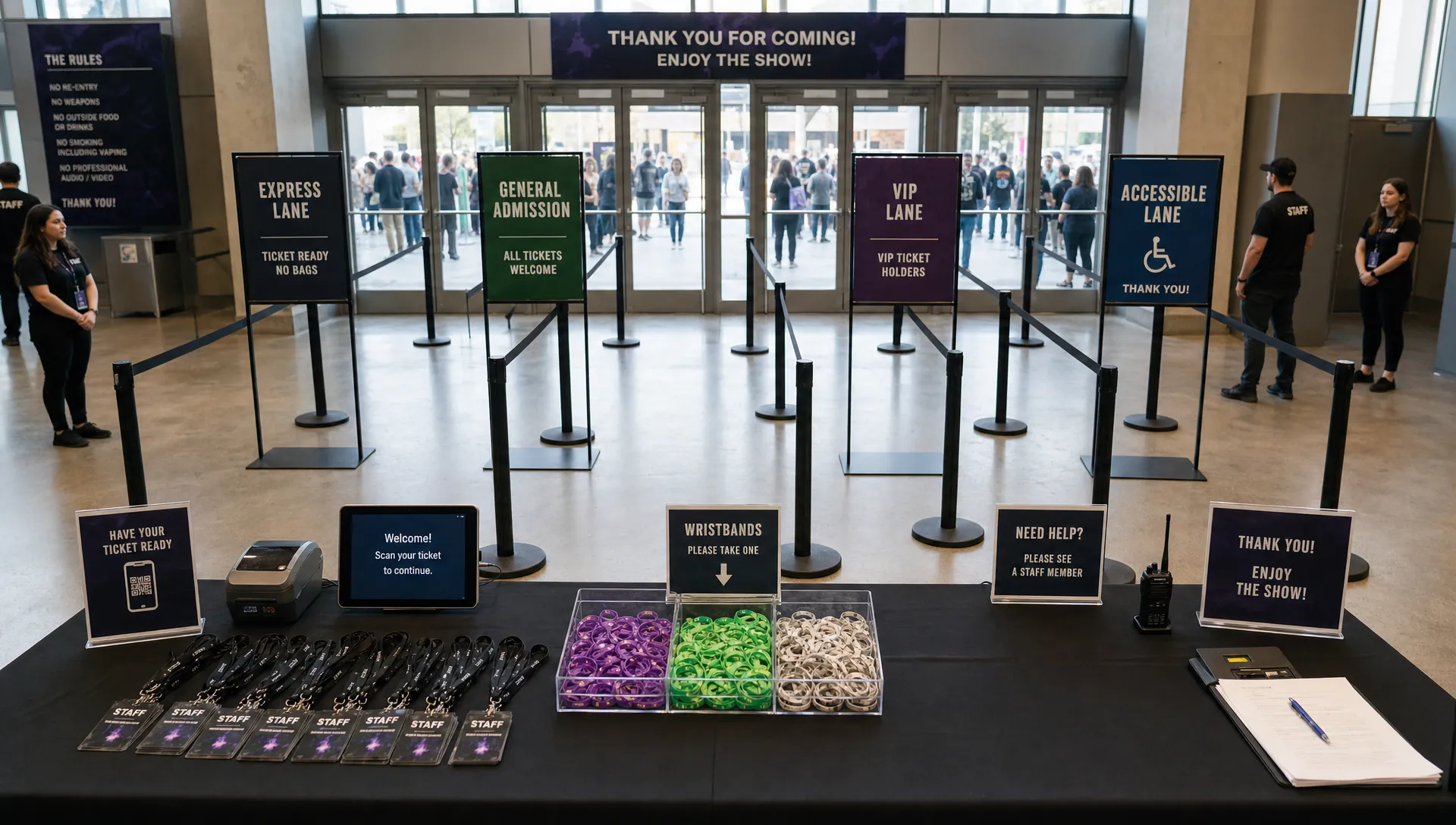
Give every person a lane on show day
Even a well-planned ticketing workflow can break down at the door if roles are unclear. Show day is when speed matters most because every delay is visible to attendees.
The team should know who handles online sales, who controls door inventory, who resolves buyer issues, who approves guest list changes, and who communicates with security or venue staff. Without that clarity, small problems travel through too many people.
| Team role | Owns | Should avoid |
|---|---|---|
| Ticketing lead | Active inventory, sales phases, ticket tier changes | Managing every buyer support question personally |
| Marketing lead | Promo code performance and urgency messaging | Changing prices without revenue context |
| Finance or operations lead | Fees, payouts, revenue checks, settlement expectations | Approving last-minute comps without capacity context |
| Door lead | Check-in flow, digital guest list, issue escalation | Working from unofficial spreadsheets |
| Producer or event owner | Final decisions on capacity, comps, and exceptions | Becoming the first stop for every routine question |
This structure helps the team move in parallel. The door lead does not need to ask marketing which code a buyer used. Finance does not need to interrupt the producer for every payout question. Marketing does not need to guess whether a discount is still valid. Everyone knows the lane they are responsible for.
Automate the predictable, keep judgment with humans
Automation works best when the rule is already clear. It should remove repetitive work, not hide important decisions. If your team is still debating the rule, keep the decision human. If the rule is stable, automate it.
| Automate when possible | Keep human judgment for |
|---|---|
| Sales phase start and end times | Major pricing changes after public launch |
| Ticket tier availability based on planned inventory | Exceptions for partners, artists, or sponsors |
| Promo code limits and expiration rules | Sensitive refund or access decisions |
| Digital guest list updates from approved sources | Final comp approvals when capacity is tight |
| Checkout fields and event page structure | Messaging changes during unexpected demand shifts |
For example, automated sales phases can prevent someone from manually switching tiers at midnight. Promo code caps can prevent a partner discount from eating into revenue longer than intended. Digital guest lists can reduce the risk of the door team using outdated names.
At the same time, humans should still own decisions with financial, relationship, or brand impact. If a major artist asks for additional comps, that is not just a ticketing task. If demand is far higher than expected, a pricing change may affect audience trust. If a sponsor needs a special allocation, someone should consider the full relationship, not just the ticket count.
A lightweight weekly workflow to manage tix
The best workflow is one your team can actually repeat. For most events, a short weekly rhythm is enough until the final push. As the event gets closer, the rhythm can become daily, but it should still stay focused on decisions rather than updates for their own sake.
Here is a simple cadence:
- Start of week: Review total sales, remaining capacity, active tiers, upcoming phase changes, and any payout or fee questions.
- Midweek: Check promo code usage, channel performance, and whether marketing needs new urgency based on real sales activity.
- Seventy-two hours before the event: Confirm event page details, checkout settings, guest list ownership, and door escalation rules.
- Event day: Assign one person to monitor online ticket availability and one person to own door check-in decisions.
- After the event: Compare expected revenue, actual sales, promo performance, and entry issues so the next event starts cleaner.
This rhythm keeps the team aligned without turning ticketing into a full-time meeting cycle. It also creates a feedback loop. Each event teaches you which tiers worked, which codes were useful, where buyers hesitated, and which door issues should be prevented next time.
Frequently Asked Questions
What does manage tix mean for event organizers? To manage tix means to control ticket setup, sales phases, pricing, promo codes, payments, guest lists, and entry operations in one organized workflow. It is not just selling tickets, it is making sure the whole ticketing process supports the event team.
How can I manage tix without adding more admin work? Start by removing avoidable decisions. Define ticket tiers, promo code rules, sales phases, and role ownership before launch. Then use real-time sales control and automated phases where possible so your team spends less time manually updating ticket settings.
Are more ticket tiers better for revenue? Not always. Multiple tiers can support urgency and better pricing, but too many options can confuse buyers and create more internal work. Use a tier only when it has a clear purpose, such as early demand, VIP access, private presale, or controlled door release.
Why does checkout friction slow down the whole team? Checkout friction creates abandoned purchases and support requests. If buyers have to register, search for basic event details, or ask about unclear pricing, your team spends more time answering questions and less time promoting the event.
How does payout speed affect ticket management? Faster payout visibility helps organizers make better decisions about marketing, vendors, staffing, and production costs. When cash flow is unclear, the team often slows down because it cannot confidently commit to the next move.
Keep ticketing fast from launch to door
If your team is managing tix through scattered spreadsheets, manual payment checks, and last-minute group chat approvals, the process will only get heavier as your event grows. A faster ticketing workflow gives every person a lane, reduces buyer friction, protects cash flow, and keeps sales decisions tied to real data.
TixFlow is built for organizers who want modern ticketing without unnecessary operational drag. With instant payouts, flat per-ticket fees, no buyer registration, real-time sales control, customizable event pages, unlimited ticket tiers, automated sales phases, smart promo codes, digital guest lists, and Stripe Connect integration, it helps teams sell tickets while staying focused on the event itself.