
How to List Your Event and Turn Views Into Ticket Sales
When you list your event, you are not just publishing a date, a venue and a checkout button. You are creating the path that turns a casual view into a paid order.
That distinction matters because attention is easy to misread. A post can get likes, a lineup announcement can get shares and a landing page can collect visits without producing enough revenue to cover the room, the artists, the staff or the production. Ticket sales happen when the listing answers buyer questions quickly, makes the value feel specific and removes enough friction for someone to act in the moment.
For organizers, music producers and event teams that care about cash flow, a strong event listing should do three jobs at once: attract qualified traffic, convert that traffic into paid orders and give you control over pricing, timing and operations as demand changes.
Start with the sale you want the listing to create
Before you list your event, decide what kind of sale you are trying to create first. A release party with limited capacity needs a different listing strategy than a festival, a workshop, a club night or a private community event.
The most useful starting question is simple: what should a visitor do after 30 seconds on the page?
That action might be buying the cheapest early ticket, choosing a VIP tier, joining friends through a group ticket or committing before the next price increase. Once you know the target action, every part of the listing can support it. Your headline, hero image, first ticket tier and promo messaging should all point toward the same decision.
A weak listing treats all visitors the same. A stronger one recognizes that buyers arrive from different places. Someone coming from an artist's Instagram story may already trust the event but need the time and price. Someone from a venue newsletter may need to understand the music style, crowd and reason to attend. Someone from a paid ad may need immediate proof that the event is real, relevant and worth the money.
Make the first screen answer the buyer's biggest questions
Most buyers do not read your event page from top to bottom. They scan, compare and decide whether to keep going. The top of the listing has to carry more weight than any other section.
At minimum, the first screen should make these details obvious:
- Event name and clear event promise
- Date, start time and venue or city
- Main attraction, lineup or experience type
- Starting ticket price or current tier
- Primary call to action to buy tickets
- Trust signals such as host name, venue name or partner brands
The event promise is where many listings lose buyers. A title like Summer Sessions may sound good to the organizer but say little to someone deciding how to spend Friday night. Add context that makes the outcome clear. Is it a rooftop house night? A warehouse techno lineup? A founder mixer with curated introductions? A film screening with director Q&A? The more specific the promise, the easier it is for the right audience to self-select.
If you need a deeper copywriting pass, TixFlow's guide on how to write a ticket listing that drives more sales breaks down how to make the offer clearer without making the page feel crowded.
Build the listing around conversion, not decoration
Good design helps, but decoration does not sell tickets on its own. A listing converts when the structure matches the buyer's decision process. Every section should reduce uncertainty or increase desire.
| Listing element | Buyer question it answers | Conversion tip |
|---|---|---|
| Hero section | Is this for me? | Lead with the clearest version of the event promise, not just the brand name. |
| Event details | Can I actually attend? | Make date, time, location and age rules easy to find. |
| Ticket tiers | Which ticket should I buy? | Show the best-value tier clearly and avoid unclear names. |
| Description | Why is this worth it? | Focus on the experience, lineup, access or outcome. |
| Checkout | Can I finish this quickly? | Remove unnecessary steps and keep the total cost clear. |
For music events, do not assume the lineup alone explains the night. Buyers also care about venue atmosphere, sound, set times, crowd expectations, genre and whether their friends will understand the vibe. For professional events, the listing should make the outcome tangible, such as connections, learning, access or lead generation.
Use images that confirm the promise rather than distract from it. If the event is intimate, show intimacy. If it is high-energy, show energy. If it is premium, make the page feel polished and credible. The visual should help buyers imagine themselves there.
Turn ticket tiers into a buying path
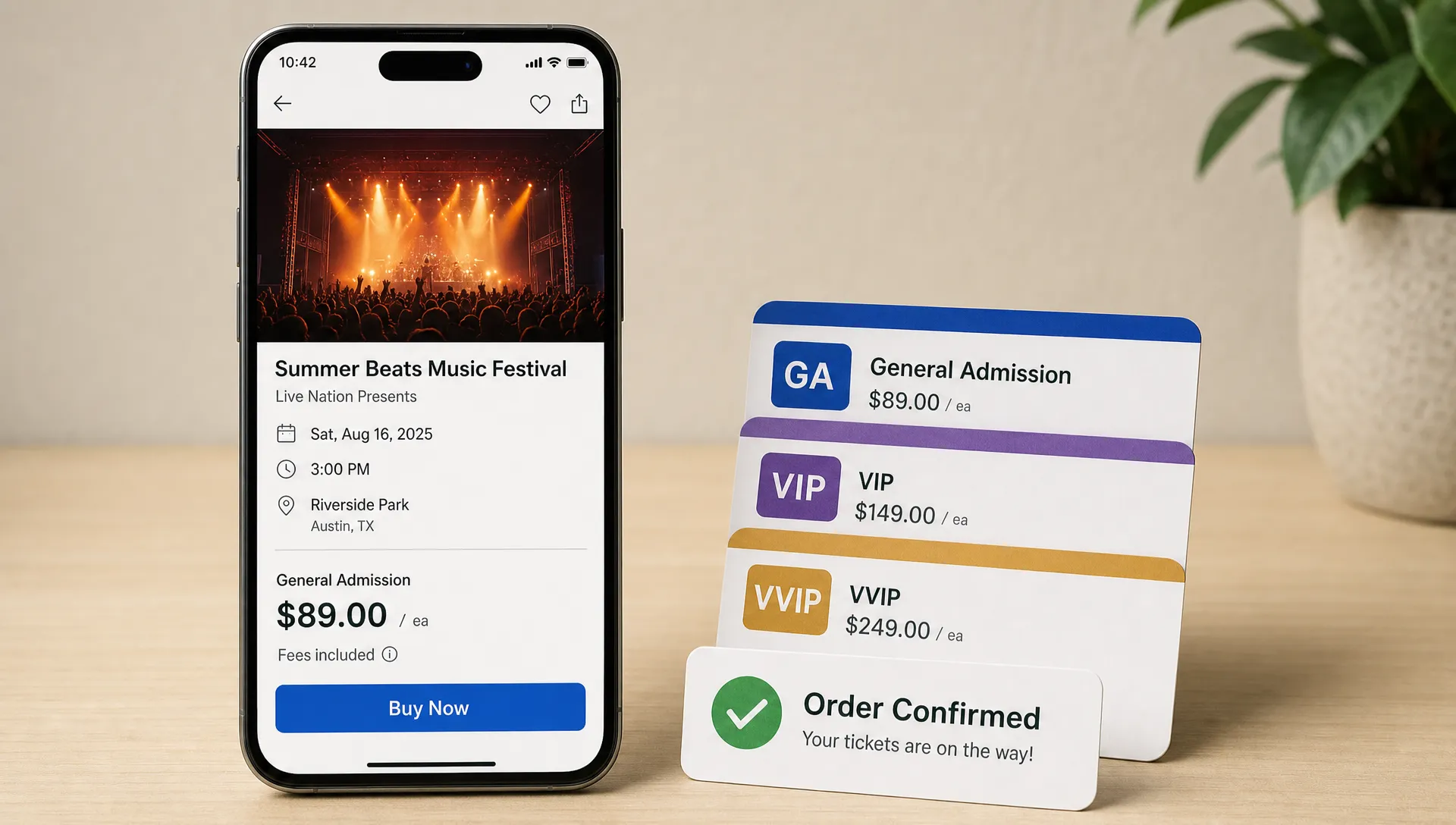
Ticket tiers should guide buyers toward action, not force them to decode your pricing model. Too many similar options can slow the purchase. Too few can limit your revenue.
A practical structure often includes an early tier, a standard tier and one premium or group option if it genuinely fits the event. Early pricing rewards commitment, standard pricing protects margin and premium tickets let your highest-intent buyers spend more without pressuring everyone else.
This is especially important for cash flow. Early paid orders can help cover deposits, production costs and marketing before the event happens. If your platform supports automated sales phases, you can plan increases in advance instead of manually changing prices during a busy campaign. TixFlow supports unlimited ticket tiers and automated sales phases, which gives organizers more room to test pricing without rebuilding the event from scratch.
The timing of those tiers matters as much as the prices themselves. If tickets sit at one price for too long, buyers learn that there is no reason to act now. If prices rise too quickly, late-discovering buyers may feel punished. For a more detailed timing framework, see this guide on how to set ticket sale dates around momentum.
Remove checkout friction before you spend on promotion
Paid ads, influencer posts and partner blasts are expensive if the checkout experience leaks buyers. Before you push traffic to a listing, test the buying flow on mobile with the same attention you give to the lineup announcement.
Look for small sources of hesitation. Does the buyer need to create an account before purchasing? Are fees unclear until the final step? Is the ticket tier description vague? Does the page load slowly on mobile? Can a buyer complete the purchase while standing outside a venue, riding in a car or switching between social apps?
TixFlow is designed around a low-friction purchase path, including no buyer registration, flat per-ticket fees and a customizable checkout experience. Those details matter because a buyer who has already decided to attend should not have to fight the platform to finish the order.
Send qualified traffic, not just more traffic
More views only help when the traffic matches the event. A thousand visits from the wrong audience can produce fewer sales than 100 visits from people who already know the artist, venue, community or topic.
Treat each channel as a different buyer context. Social posts create awareness and urgency. Email is stronger for warm audiences who already trust you. Venue and partner pages help borrow credibility. Artist pages work well when the talent has a loyal following. Paid ads can scale reach, but only after the listing has already proven that it converts.
For event teams with specialized production elements, the listing should also match operational reality. If you advertise aerial filming, drone coverage or drone-based activations, make sure the backend planning is credible before you promote it. Tools for drone operations management and flight planning can help teams handle requirements like checklists, risk assessments and logging, which supports a smoother event experience behind the scenes.
Promotion should not send everyone to the same message. A DJ's audience may care most about the set time and atmosphere. A sponsor's audience may care about networking. A local community page may need a more practical angle, such as easy access, nearby transit or limited capacity. The event listing can stay consistent, but the traffic source should frame the reason to buy.
Use urgency that is real, not forced
Urgency works when it reflects a real constraint. Limited capacity, rising price phases, deadline-based discounts and finite VIP access are all legitimate reasons to act. Fake scarcity damages trust, especially for organizers who depend on repeat attendance.
A good listing makes urgency visible without sounding desperate. Instead of repeating buy now everywhere, show the current tier, the next price change or the remaining sales window. If you are using promo codes, give each code a clear purpose. A partner code can track a promoter's impact. A loyalty code can reward past attendees. A flash code can create a short burst of sales during a slow period.
TixFlow's smart promo codes and real-time sales control help organizers adjust campaigns while the event is live. The goal is not to discount randomly. The goal is to understand which audience segments are responding and use that information to protect revenue.
Watch sales behavior after the listing goes live
Publishing the listing is not the finish line. The first wave of traffic tells you whether the page is working.
Pay attention to patterns like sales velocity, tier performance, promo code usage and the gap between page views and completed orders. If views are high but sales are low, the issue may be price, unclear value, weak trust signals or checkout friction. If one tier sells while another stalls, the stalled tier may need a better description or a clearer reason to exist.
Real-time visibility is particularly useful when you are managing artist announcements, content drops, partner promotions and price changes. The faster you can see what is happening, the faster you can adjust the campaign. For a deeper look at the numbers that matter, read TixFlow's guide on how to use ticket statistics to improve event sales.
Do not wait until the week of the event to diagnose problems. If conversion is weak early, test the event promise, tier order or promotional angle while there is still time to recover momentum.
Common reasons event views do not become ticket sales
When a listing gets traffic but not enough orders, the problem is usually not one big failure. It is often a series of small doubts that add up.
| Problem | What the buyer feels | How to improve it |
|---|---|---|
| Vague event promise | I do not know if this is my kind of event. | Add a specific description of the experience, audience or outcome. |
| Hidden practical details | I am not sure I can attend. | Move date, time, location and entry rules higher on the page. |
| Confusing ticket tiers | I do not know which one to choose. | Reduce overlap and label tiers by value, timing or access. |
| Account creation required | This is taking too long. | Use a checkout flow that does not require buyer registration. |
| Weak urgency | I can decide later. | Add real price phases, capacity limits or deadline-based offers. |
| Unclear fees | The final price surprised me. | Keep pricing transparent before the last step. |
| No post-purchase clarity | I am not sure what happens after I buy. | Confirm delivery, entry process and guest list handling. |
This is where the operational side of ticketing supports conversion. Digital guest lists, clean order records and real-time control are not just backend conveniences. They help the organizer deliver the confidence the listing promises.
A practical pre-launch checklist
Before you send traffic to your event page, review the listing as if you were a first-time buyer with no context.
- The top section explains the event in plain language.
- Date, time, location, age rules and entry details are easy to find.
- The first ticket tier has a clear reason to buy now.
- Pricing is transparent and aligned with your margin goals.
- The checkout works smoothly on mobile.
- Promo codes have a specific purpose and audience.
- The listing image matches the experience you are selling.
- The description answers practical questions without becoming too long.
- Partners, artists and promoters know which link to share.
- You have a plan to review sales data after launch.
This checklist is simple, but it prevents the most common mistake: promoting an event before the buying path is ready.
Frequently Asked Questions
Where should I list my event first? Start with a dedicated ticketing page that you control, then drive traffic from social media, email, venue pages, artist channels and partner promotions. Social platforms are useful for discovery, but the ticketing page should be the main place where buyers decide and pay.
How early should I list my event? The right timing depends on the event size, ticket price and audience behavior. Smaller local events may need a shorter sales window, while festivals, premium events and travel-based experiences usually need more lead time. The key is to launch early enough to create momentum and collect revenue before major costs arrive.
What makes an event listing convert better? A clear event promise, visible practical details, simple ticket tiers, transparent pricing and a fast checkout all improve conversion. The listing should help buyers understand why the event is worth attending and make it easy to complete the purchase.
Should I offer discounts to get more ticket sales? Discounts can work when they have a clear purpose, such as rewarding loyal buyers, tracking partners or creating a short promotional push. Avoid constant discounting because it can train buyers to wait and can reduce your margin.
How do I know if my listing is underperforming? Compare page views with completed orders, check which ticket tiers sell and review promo code performance. If traffic is healthy but sales are weak, improve the event promise, clarify ticket value or remove checkout friction before spending more on promotion.
List your event with less friction
The best event listing does more than look professional. It gives buyers a reason to act, gives organizers control and turns attention into usable cash flow.
TixFlow helps organizers list events with instant payouts, low fees, flat per-ticket pricing, customizable event pages, no buyer registration, real-time sales control, smart promo codes and digital guest lists. If you want to sell tickets without making buyers jump through extra steps, your listing is the right place to start.