

How to Generate Tickets That Are Ready for Fast Check-In
Generating a ticket is not just a publishing step. It decides how quickly a buyer gets through checkout, how clean your guest list looks, how easily your door team can validate entry and how much time you spend fixing mistakes on event day.
For organizers, promoters and music producers, the goal is simple: every ticket should be paid for, delivered instantly, easy to find and ready to validate at the door. If the ticket is missing key details, tied to the wrong tier or disconnected from your live guest list, the line slows down before the first guest even arrives.
Fast check-in starts long before your scanners, phones or tablets come out. It starts when you generate tickets with the right structure.
What makes a ticket ready for fast check-in?
A ticket is check-in ready when your team can answer one question in seconds: should this person be admitted right now?
That sounds basic, but many delays come from tickets that are valid in theory and confusing in practice. A buyer might have a confirmation email but no scannable ticket. A group might arrive with one order number for four people. A refunded ticket might still appear in an exported spreadsheet. A VIP ticket might not say which entrance to use.
A strong ticket setup prevents those problems by making each ticket:
- Unique: every attendee or admission has its own identifier, not just a shared order number.
- Readable: the ticket clearly shows the event, date, time, venue, ticket type and entry instructions.
- Verifiable: your team can confirm whether the ticket is valid, already used, refunded, comped or transferred.
- Synced: the ticket status matches your current guest list in real time.
- Easy to access: attendees can find the ticket quickly without account creation or unnecessary steps.
This is why the ticket generation process should be designed around both the buyer experience and the door experience. A smooth checkout brings people in. A clean ticket structure gets them through the line.
Start with a low-friction checkout
If your checkout creates messy data, your check-in process will inherit it. Long forms, forced account creation and unclear ticket options lead to abandoned purchases, duplicate orders and support requests from buyers who cannot find or access their tickets.
A fast check-in ticket does not need a long registration form. It needs the right fields at the right time. For most general admission events, that usually means collecting the buyer's name, email address, quantity and ticket type before payment. Anything else should earn its place.
| Ticket data | Why it matters at check-in | When to collect it |
|---|---|---|
| Buyer name | Helps with order lookup if the attendee cannot find the ticket | Before payment |
| Email address | Delivers the ticket and supports resend requests | Before payment |
| Ticket type | Tells staff what access level the attendee has | Before payment |
| Individual attendee name | Useful for conferences, workshops or named guest lists | Only when needed |
| Add-on or access note | Helps route guests to VIP, backstage, merch pickup or seating areas | When it affects entry |
The less you ask for upfront, the faster buyers complete the order. The cleaner the data, the easier it is for your team to search the guest list at the door. This is also where no-registration checkout matters: if attendees can buy without creating an account, they get the ticket faster and your team avoids password reset problems at entry.
For a deeper look at the full buyer journey, TixFlow has a useful breakdown of how online tickets improve both checkout and entry.
Build ticket tiers around access, not just price
Ticket tiers are often treated as a revenue tool only: early bird, general admission, final release, VIP or group pass. Pricing matters, but every tier also creates an operational rule at the door.
If your event has only one entrance and one access level, simple tiers are easy to manage. If your event has different arrival times, age restrictions, VIP areas or artist guest lists, your tiers need to be clear enough for entry staff to understand instantly.
A good test is to imagine a new staff member reading the ticket for the first time. Would they know where the attendee should go? Would they know whether the ticket includes entry for one person or several? Would they know whether a ticket tier is still valid if the sales phase has ended?
When you generate tickets, make the public tier names simple and the internal rules precise. For example, a buyer-facing name like “VIP Entry” is better than “Tier 4.” Behind the scenes, your system should still know whether that ticket includes early access, separate entry, a complimentary drink or a backstage credential.
This is especially important for music events. A producer or promoter might sell early bird tickets to build momentum, artist allocation tickets for teams, guest list spots for industry partners and final release tickets for late buyers. If those categories are not separated cleanly, your door team ends up making judgment calls in front of a crowd.
Platforms that support unlimited ticket tiers and automated sales phases make this easier because you can separate pricing strategy from check-in logic. The tier can expire, change price or close automatically, but the generated ticket still carries the correct access information.
Generate each ticket with unique validation data
One order can contain multiple tickets, but each admission should be individually trackable. This matters because groups do not always arrive together. One person might come early, another might forward their ticket to a friend and another might need support at the entrance.
If all attendees share one confirmation number, the first check-in can create confusion for everyone else in the order. If each ticket has a unique identifier, your team can validate one person at a time without guessing.
Unique validation also helps reduce duplicate use. Once a ticket is checked in, its status should change immediately so the same ticket cannot be reused by someone else in the line. For digital tickets, that status change is what separates a real entry workflow from a static PDF that can be copied without context.
At minimum, your generated tickets should support clear status changes such as:
- Paid
- Pending
- Refunded
- Comped
- Transferred
- Checked in
- Invalid or canceled
The exact labels can vary by platform, but the principle is the same. A check-in ready ticket is not just a file. It is a live record with a current status.
This is also where smart ticketing becomes more than a convenience. If you want to understand the connection between validation, event data and misuse prevention, read TixFlow's guide on how smart tickets help with entry data and fraud prevention.
Keep the guest list live until doors close
A ticket can only be ready for fast check-in if the guest list behind it is current. Static exports create risk because sales, refunds, promo codes and comps can change after the file is downloaded.
A live digital guest list gives the door team a better source of truth. If someone buys a ticket five minutes before arrival, they should appear without manual imports. If someone is refunded, their ticket should not remain valid in an old spreadsheet. If a promo code unlocks a specific tier, that access should be visible without a private Slack message to the door manager.
For organizers who care about cash flow, live ticket status is not only an entry feature. It connects sales operations with front-of-house reality. The moment buyers can purchase, receive their tickets and appear on the guest list without manual steps, your team spends less time reconciling orders and more time managing the event.
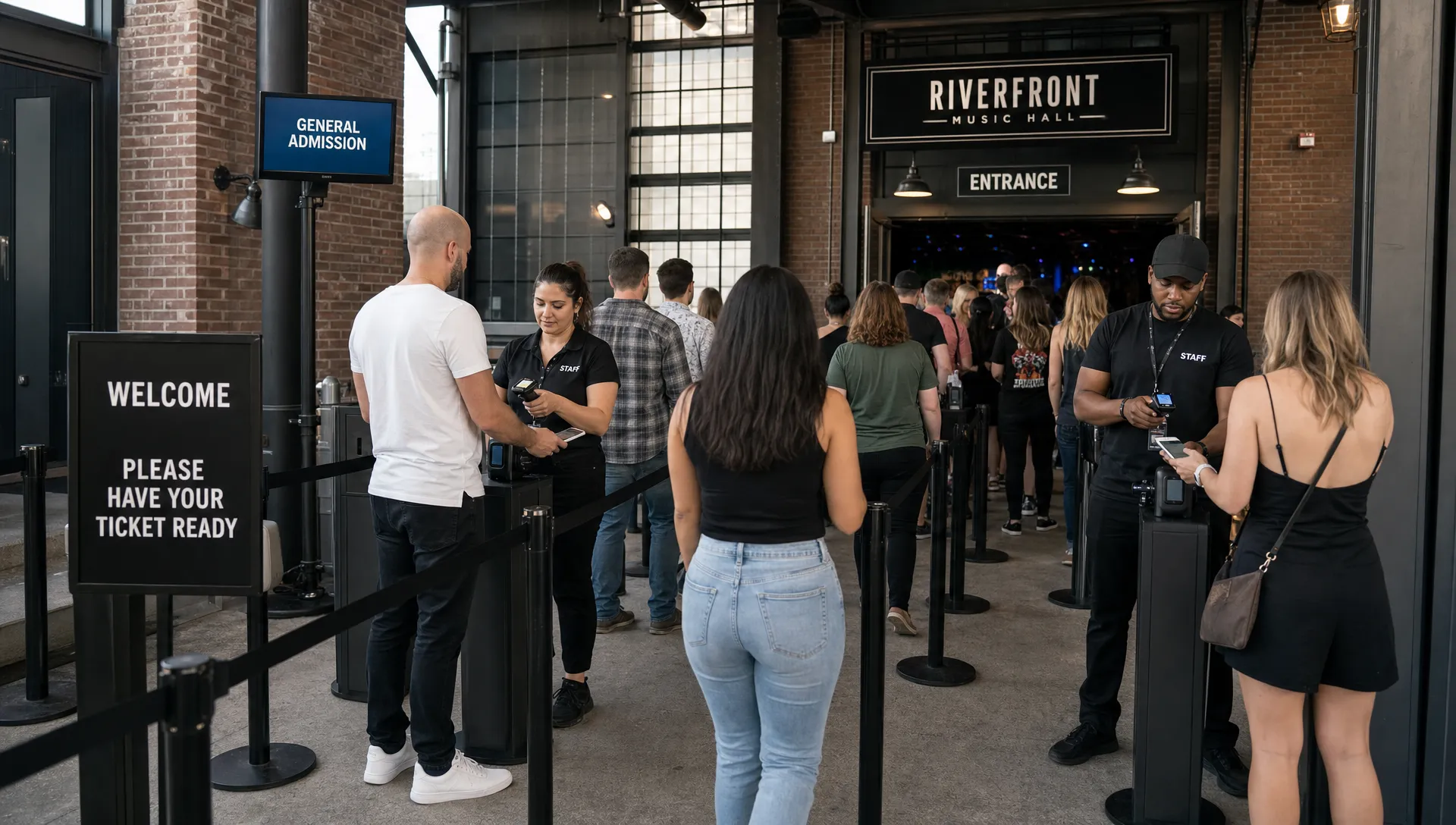
Make the ticket easy for attendees to use
Even the best internal setup can fail if attendees cannot find the ticket when they reach the door. Fast check-in depends on the attendee experience too.
Your confirmation and ticket delivery should make the next action obvious. The buyer should know where the ticket is, whether they need one ticket per person, what time doors open and which entrance to use. If the event is mobile-first, the ticket should be easy to open from an email on a phone. If your audience includes people who print tickets, the same ticket details should still be readable on paper.
Avoid sending attendees through extra steps right before entry. Mandatory account login, app downloads, hidden ticket links and vague confirmation emails all create line delays. Buyers start searching their inboxes, staff members become support agents and the entrance slows down.
A practical ticket layout should include:
- Event name, date and venue
- Ticket type and quantity
- Unique ticket code or validation method
- Entry instructions and door time
- Buyer support contact or resend path
- Any restrictions that affect admission
For multi-room venues, festivals or high-volume club nights, do not assume attendees know where to go. Put the entry rule directly on the ticket or confirmation. “Use main entrance” or “VIP entrance on 2nd Street” can save hundreds of micro-delays across the night.
Prepare your door workflow before sales peak
Ticket generation and check-in should be tested together before your biggest sales window. Waiting until event day to inspect tickets is how small setup issues become public bottlenecks.
Run a simple door simulation with your team. Generate test tickets for each tier, comp ticket, promo ticket and refund case. Then check what the door team sees. Can they identify the tier quickly? Does a refunded ticket show as invalid? Does a checked-in ticket block a second use? Can staff search by name or email if the attendee cannot open the ticket?
You do not need a complicated rehearsal. You need enough testing to catch ambiguous labels, missing details and guest list sync issues before real attendees arrive.
For larger events, decide entry rules in advance:
- Which lanes handle VIP, general admission, press or artist guests
- Who can resolve a disputed ticket
- What staff should do if a guest has no phone battery
- How to handle a buyer who purchased for a group
- When to escalate payment, refund or duplicate ticket questions
This keeps your entrance calm. The worst time to decide policy is when a paying attendee is standing in front of your staff with a line behind them.
Connect ticket generation with payments and payouts
A ticketing workflow is only truly clean when the payment status and ticket status stay connected. If a payment fails, the ticket should not be treated like a paid admission. If a refund is issued, the ticket should update accordingly. If a buyer pays successfully, ticket delivery should be immediate.
This is where modern event organizers need more than a form and a spreadsheet. They need a sales workflow that can generate tickets, collect payment, update guest lists and keep revenue moving without manual handoffs.
TixFlow is built around that idea, with instant payouts, flat per-ticket fees, Stripe Connect integration and real-time sales control. For organizers and promoters managing tight production budgets, faster access to revenue can make planning easier because ticket sales are not trapped behind a slow payout cycle.
If payout timing is part of your operational planning, TixFlow also covers how to simplify ticketing payments for faster payouts.
Pre-launch checklist for check-in ready tickets
Before you publish an event, use this checklist to make sure the tickets you generate will support fast entry:
| Check | What to verify | Why it matters |
|---|---|---|
| Ticket tiers | Public names are clear and access rules are correct | Prevents staff confusion at the door |
| Required fields | Checkout collects only necessary information | Reduces abandoned purchases and messy data |
| Ticket delivery | Buyers receive tickets immediately after payment | Lowers support volume before the event |
| Unique validation | Each admission has its own ticket identifier | Supports groups, transfers and duplicate prevention |
| Guest list sync | New sales, refunds and comps update in real time | Keeps the door team working from current data |
| Entry instructions | Tickets show door time, venue and lane information | Helps attendees arrive prepared |
| Refund and comp tests | Non-standard statuses display correctly | Avoids awkward disputes at check-in |
| Staff process | The team knows search, escalation and backup rules | Keeps lines moving under pressure |
The best time to fix ticket structure is before the first sale. The second-best time is before your sales peak. After that, every correction becomes harder because real buyers already have tickets in their inboxes.
Common mistakes that slow check-in
Most entry delays come from a handful of preventable choices. Overly broad ticket tiers are one. If “General Admission” includes different access times, age rules or bundle perks, the label is doing too much work.
Another common mistake is relying on manual exports when sales are still active. A spreadsheet may be useful as a backup, but it should not be the main source of truth if tickets are still being purchased, refunded or adjusted.
Forced registration can also slow both sides of the workflow. Buyers may abandon checkout before purchasing, then those who do buy may struggle to log in at the door. For high-energy events like concerts, showcases and club nights, the entry experience should not depend on remembering a password.
Finally, many organizers wait too long to test edge cases. The main paid ticket might work perfectly, but the issue appears with a comp, guest list allocation, promo ticket or refunded order. Those cases deserve testing because they often involve people with higher expectations: artists, partners, sponsors, press or VIP buyers.
Frequently Asked Questions
How do I generate tickets that are ready for fast check-in? Start by creating clear ticket tiers, collecting only necessary buyer data, issuing a unique ticket for each admission and syncing every ticket with a live guest list. Then test paid, comp, refunded and checked-in statuses before the event.
Should one order have one ticket or multiple tickets? One order can contain multiple tickets, but each admission should have its own unique ticket. This makes group arrivals, partial check-ins and transfers easier to handle without slowing the line.
What information should be printed or shown on a ticket? A practical event ticket should show the event name, date, venue, ticket type, entry time, access instructions and a unique validation method. Keep it simple enough for both attendees and staff to read quickly.
Do digital tickets make check-in faster? Digital tickets can speed up check-in when they are linked to real-time validation and a current guest list. A static digital file alone is less useful if staff cannot see whether it has already been used, refunded or canceled.
Why does checkout friction affect check-in? Checkout friction creates abandoned orders, incomplete data and support requests. Clean checkout data helps your team search orders faster, validate tickets more confidently and avoid fixing buyer issues at the entrance.
Generate tickets that keep your line moving
Fast check-in is not a last-minute door fix. It is the result of generating tickets with clean data, clear access rules, instant delivery and a live guest list behind them.
TixFlow helps organizers sell tickets with easy setup, no buyer registration, flat per-ticket fees, real-time sales control, customizable event pages, automated sales phases, smart promo codes and digital guest lists. If you want tickets that are ready for the door as soon as they are sold, build your next event on a platform designed to reduce friction from checkout to check-in.