
How to Create a Free Ticket for an Event Without Extra Friction
Free admission does not automatically mean an easy attendee experience. A free ticket can still lose people if they have to create an account, answer too many questions, search for event details, or wait for a confirmation that never arrives.
For organizers, a free ticket is not just a generous option. It is a controlled access tool. It affects capacity, guest lists, sponsor reporting, no-show risk, paid ticket demand, and the way your team manages entry on event day.
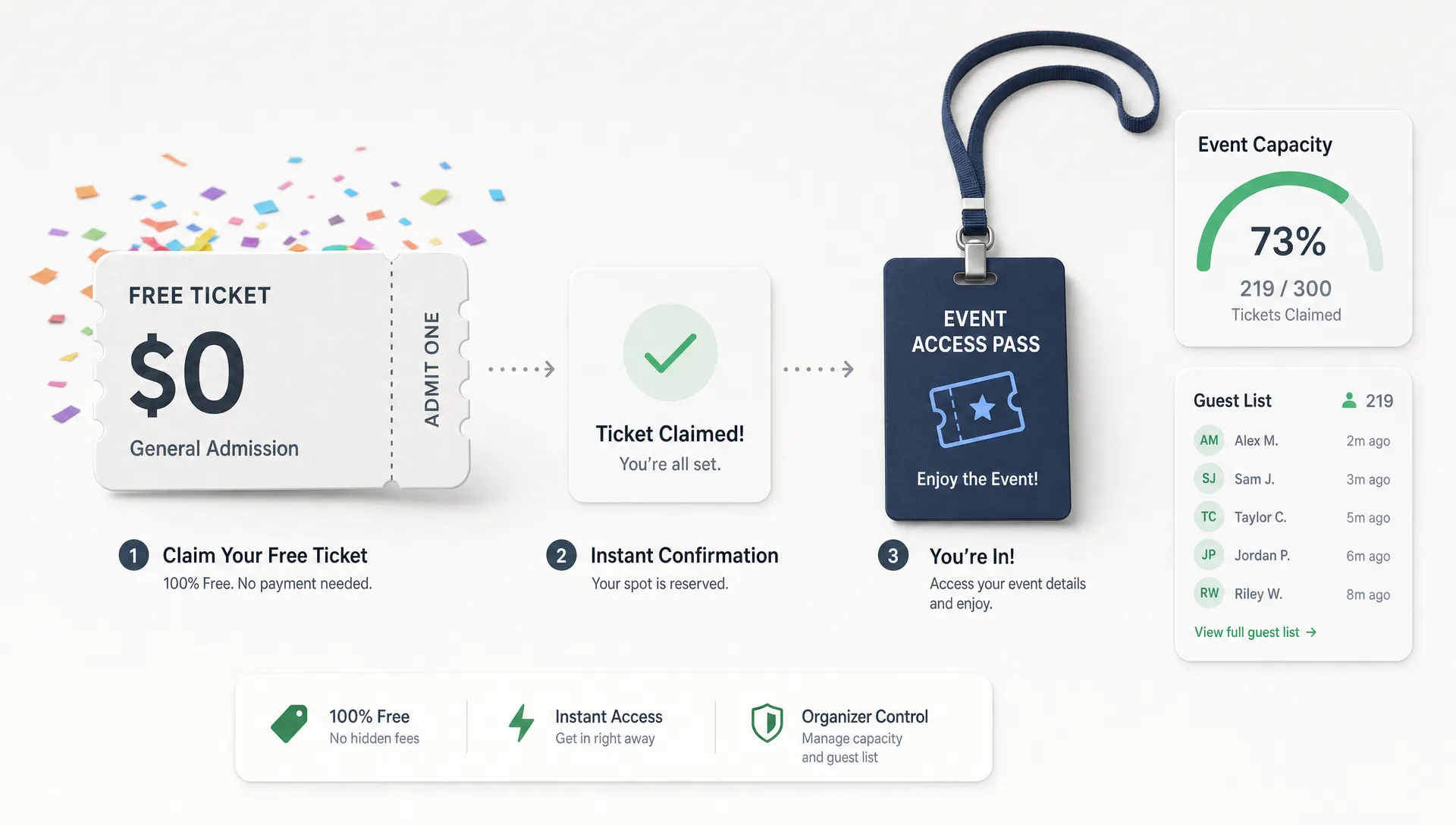
The goal is simple: create a free ticket for an event in a way that feels instant for attendees and still gives your team the control it needs behind the scenes.
Start by defining what “free ticket” means for your event
Before setting up the ticket, clarify the role it plays in your event strategy. A free general admission RSVP, a comp ticket for an artist guest, a sponsor allocation, and a free early-bird ticket all need different rules.
If you skip this step, you may end up with too many unqualified registrations, unclear capacity, or free tickets competing with your paid tiers. If you are still deciding whether free admission supports your event goals, it is worth reviewing when free ticketing makes sense for event organizers before you build your sales flow.
| Free ticket purpose | Best setup approach | Friction to avoid |
|---|---|---|
| Open community RSVP | Public free ticket with a clear capacity limit | Long questionnaires and unclear confirmation |
| Artist, crew, or VIP comp | Private free ticket, invite-only access, or promo-based allocation | Publicly visible free inventory that confuses buyers |
| Free early access | Limited free tier with a fixed sales window | Keeping free tickets open after paid demand starts |
| Sponsor or partner allocation | Separate ticket type with a trackable quantity | Manual spreadsheets that do not match the door list |
| Lead generation event | Minimal form fields tied to follow-up needs | Asking for information you will not actually use |
A free ticket should answer three questions: who can claim it, how many are available, and what happens after someone reserves one. Once those answers are clear, the setup becomes much easier.
Treat the free ticket like a real ticket, not a casual RSVP
The most common mistake is treating free attendance as informal. That may work for a small private gathering, but it creates problems as soon as you need a door list, attendee count, capacity control, or sponsor reporting.
A good free ticket should still have the basic structure of any paid ticket. It needs a clear name, a price of $0.00, an available quantity, sales dates, attendee confirmation, and a way for your team to verify admission at the door.
For example, “Free RSVP” is vague if your event also includes workshops, VIP access, or timed entry. A clearer ticket name might be “Free General Admission RSVP,” “Free Entry Before 10 PM,” or “Complimentary Artist Guest Pass.” The name should explain the access level without requiring attendees to read fine print.
This is especially important for music events, launch parties, pop-ups, and community nights where free tickets may sit next to paid upgrades. If attendees do not understand the difference, they may claim the wrong ticket or avoid buying the paid option they actually need.
Keep the claim process as short as possible
Free tickets are often claimed on mobile, from social posts, artist links, newsletters, or group chats. That means the decision window is short. If the process feels like work, people leave.
Checkout research from the Baymard Institute has repeatedly shown that avoidable checkout friction, including forced account creation and overly complex forms, contributes to abandonment in online transactions. Even when the price is zero, the same principle applies: every extra step gives the attendee a reason to stop.
To reduce friction, your free ticket flow should ask only for the information you actually need. For most events, that means name and email address. Phone number, company name, demographic questions, dietary preferences, and survey fields should only be required when they are directly relevant to the event experience.
If a ticket is free, the payment step should disappear entirely. Attendees should not have to enter card details, billing addresses, or payment information for a $0 ticket. They should select the ticket, provide required details, and receive confirmation quickly.
This is where the platform matters. A ticketing flow with no buyer registration removes one of the biggest barriers between interest and attendance. TixFlow is built around that kind of low-friction experience, and the same logic applies to paid checkout as well. If you want to go deeper on reducing buyer hesitation, this guide on how to simplify event payment flows for attendees covers the checkout principles that matter most.
Use capacity limits so free tickets do not create chaos
A free ticket should never mean unlimited access unless your venue, staffing, and event format can truly support unlimited attendance. Capacity limits protect the attendee experience and help your team plan with confidence.
Set a quantity for every free ticket type. If you are unsure about demand, start with a conservative allocation and release more later. This lets you measure interest without giving away more access than your event can handle.
For events with both free and paid options, capacity control also protects revenue. For example, you might offer 50 free community tickets, then shift demand toward general admission once that tier sells out. Or you might release free tickets only for early entry, while keeping later entry paid.
Flexible pricing, unlimited ticket tiers, and automated sales phases are useful here because they let you structure access without manually changing your event page all day. A free tier can open first, close at a set time, and make room for paid tiers or upgraded access as the event gets closer.
Make the event page answer objections before checkout
A low-friction ticket flow starts before the attendee selects a ticket. If the event page is unclear, people hesitate. If the page answers the obvious questions, claiming a free ticket feels safe and easy.
At minimum, your event page should make these details obvious:
- Date, start time, and expected end time
- Venue name and full location details
- Age restrictions, ID rules, or entry requirements
- What the free ticket includes and does not include
- Whether entry is guaranteed or subject to capacity
- Arrival time expectations, especially for free-before deadlines
- Refund, transfer, or cancellation policy if relevant
For free tickets, the biggest source of confusion is access. Does the ticket guarantee entry? Is it first come, first served? Does it include all areas of the event? Does the attendee need to arrive before a specific time?
Be direct. “Free RSVP guarantees entry until 9 PM, subject to venue capacity” is much better than “Free RSVP available.” If you are offering a free ticket as a limited incentive, the terms should be visible before checkout, not buried in an email.
Avoid no-shows without making the ticket harder to claim
Free tickets often come with higher no-show risk because there is no financial commitment. The solution is not to make the claim process painful. The solution is to create light commitment and smart communication.
Send a confirmation immediately after the ticket is claimed. Then send a reminder close to the event with the key details: arrival time, location, ticket access, and any entry requirements. For time-sensitive events, a same-day reminder can help convert casual interest into actual attendance.
Scarcity also helps. A clearly limited free allocation makes the ticket feel more valuable. If someone sees that free entry is limited, they are more likely to treat the reservation seriously.
You can also use phased releases. Instead of releasing all free tickets at once, open a first batch, watch claim rates, and release more if demand and capacity justify it. This keeps your guest list closer to real demand and gives your team more control.
Separate free access from discounts and comps
A free public ticket is not the same as a discount, a comp, or a guest list allocation. Mixing these together can make your reporting messy and your attendee experience confusing.
Use a public free ticket when you want anyone in your audience to claim access. Use promo codes when you want selected people to receive free or reduced-price access to an otherwise paid ticket. Use separate ticket tiers when you need to track different groups, such as sponsors, press, staff guests, or performers.
For organizers managing cash flow, this distinction matters. If every complimentary guest is mixed into one generic free ticket, you lose visibility into which partners, artists, or promotions are driving attendance. Smart promo codes and separate ticket tiers make it easier to understand what is actually happening.
This also helps prevent revenue leakage. If a paid ticket can be made free with a controlled promo code, you can comp the right people without opening a free option to everyone. If you are still structuring the access mix, this guide on choosing the right type of ticket for any event can help you decide when to use free tickets, paid tiers, VIP access, or limited releases.
Test the full attendee path before publishing
Before you share the event link, claim a test free ticket yourself. Do it on mobile, not just desktop. Most attendee friction becomes obvious when you go through the process like a buyer.
| Step to test | What to check | Low-friction standard |
|---|---|---|
| Event page | Can someone understand the offer in seconds? | Ticket name, date, venue, and access terms are clear |
| Ticket selection | Is the free option easy to identify? | The price and ticket benefits are obvious |
| Checkout form | Are only necessary fields required? | No account creation or irrelevant questions |
| Confirmation | Does the attendee receive proof quickly? | Confirmation arrives immediately with event details |
| Organizer view | Does the attendee appear in your list? | The guest list updates without manual work |
| Entry process | Can staff validate the ticket easily? | Door team can find or verify the attendee quickly |
Testing also protects your brand. For many attendees, the ticket flow is their first real interaction with your event. A smooth free ticket experience signals that the event itself will be organized and trustworthy.
Keep your team aligned on the door process
A free ticket flow is only complete when your entry team knows how to use it. If the door team does not understand the ticket types, attendees will feel the friction at the worst possible moment.
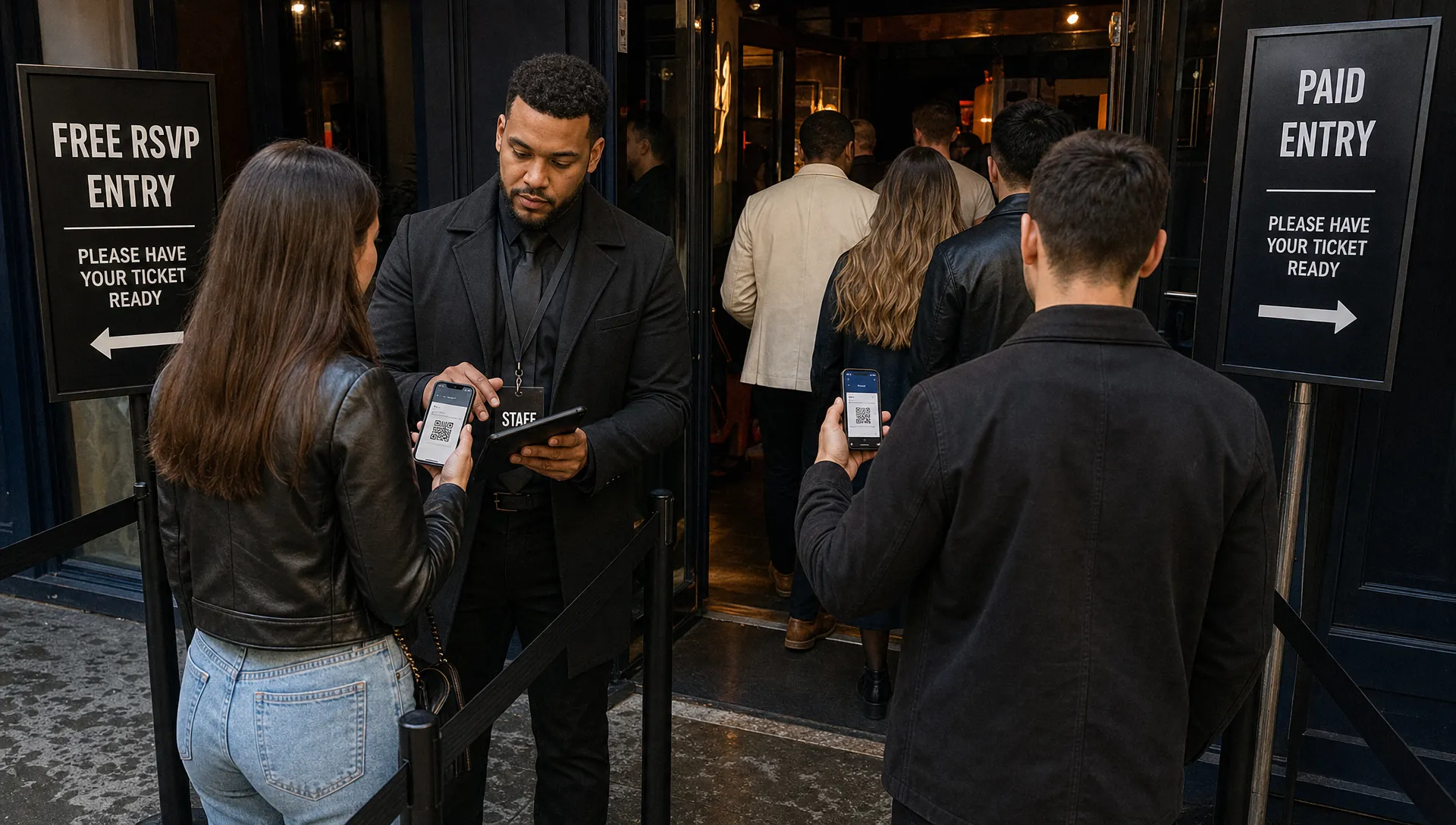
Before doors open, make sure staff know which free tickets are valid, whether free entry has a deadline, how to handle name mismatches, and what to do if the event reaches capacity. A digital guest list helps avoid printed lists, duplicated spreadsheets, and last-minute confusion.
This matters even more when you have multiple access types. A free RSVP, paid general admission ticket, artist guest pass, and VIP ticket may all look similar to attendees, but they need to be clear to staff.
Real-time sales control also helps during live operations. If demand changes, you may need to pause a free tier, release a small additional batch, or close sales before capacity becomes an issue. The less manual work required, the easier it is to keep the event moving.
Common mistakes to avoid when creating free event tickets
The best free ticket setup is simple, but it still needs discipline. Avoid these common mistakes:
- Leaving the free ticket quantity unlimited when your venue is not unlimited
- Asking for too much attendee information during checkout
- Making attendees create an account for a $0 ticket
- Using one generic free ticket for comps, sponsors, press, and public RSVPs
- Hiding important access rules until after checkout
- Forgetting to test the confirmation email and guest list sync
- Keeping free tickets available after you want paid demand to begin
Each mistake adds either attendee friction or organizer friction. The goal is to remove both.
Frequently Asked Questions
Can I create a free ticket for an event without making attendees register? Yes. Choose a ticketing flow that lets attendees claim a ticket without creating a buyer account. This keeps the process faster, especially for mobile traffic from social media or email campaigns.
What information should I collect for a free event ticket? Collect only what you need to run the event and communicate with attendees. For many events, name and email are enough. Add more fields only when they directly support entry, safety, personalization, or follow-up.
How do I reduce no-shows for free tickets? Use limited quantities, clear arrival rules, immediate confirmations, and timely reminders. You can also release free tickets in phases instead of opening all inventory at once.
Should I use a free ticket or a promo code? Use a public free ticket when anyone should be able to claim access. Use a promo code when only specific people should receive free or discounted access to a paid ticket.
Can free tickets hurt paid ticket sales? They can if the free option is too broad or poorly timed. Protect paid demand by limiting free inventory, defining access clearly, and using sales phases that move attendees toward paid tiers when appropriate.
Create free event tickets with less friction
A free ticket should feel effortless for attendees and controlled for organizers. That means clear ticket types, minimal checkout steps, capacity limits, instant confirmation, and a guest list your team can actually use.
TixFlow helps organizers build modern ticketing flows with no buyer registration, customizable event pages, unlimited ticket tiers, automated sales phases, smart promo codes, digital guest lists, real-time sales control, Stripe Connect integration, flat per-ticket fees, and instant payouts for paid sales.
If you want to offer free access without losing control of your event operations, start with a ticket flow that removes friction for attendees and keeps your team in command from launch to entry.