
Event Ticket Customer Service That Reduces Support Requests
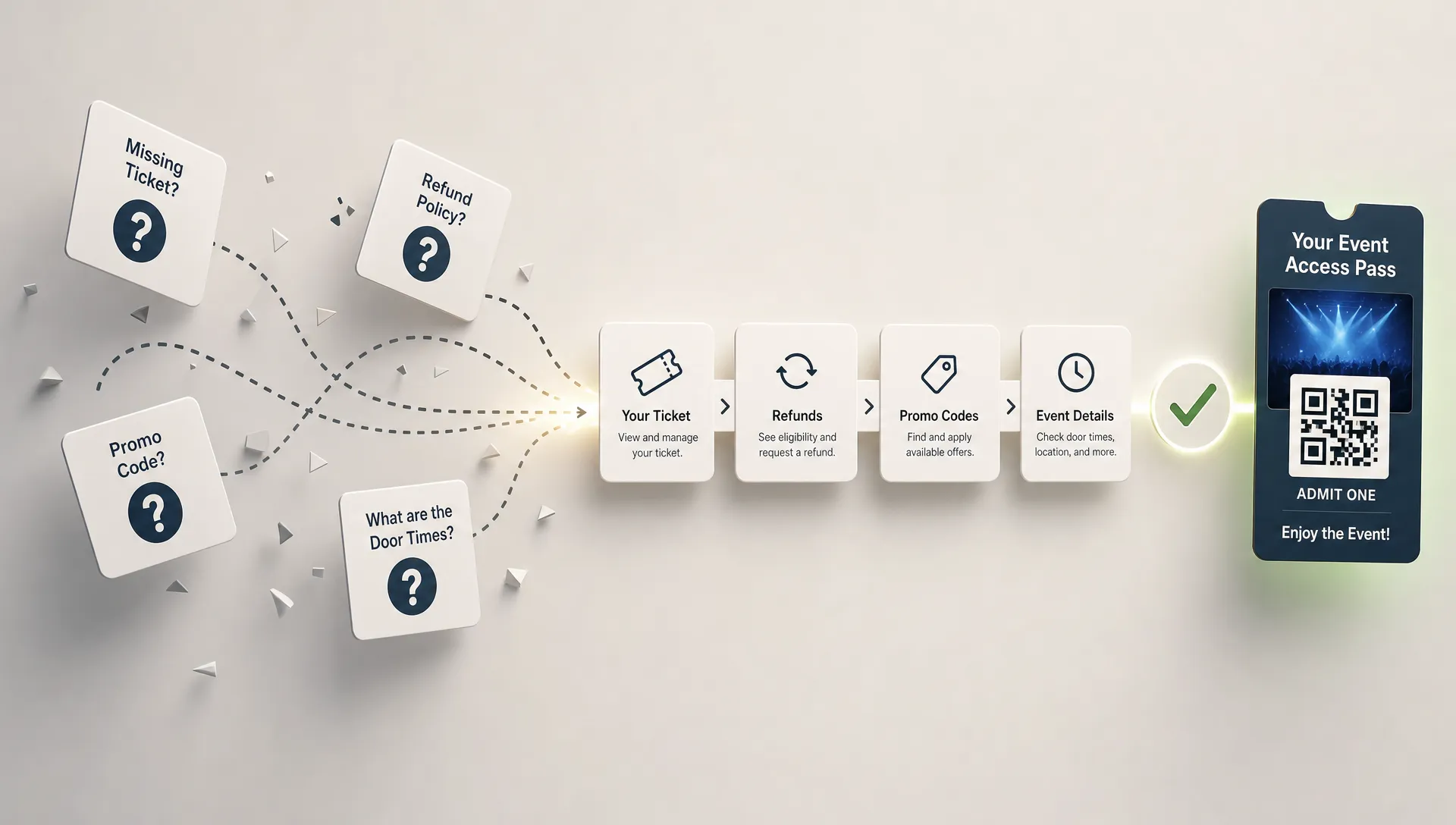
Good event ticket customer service is not measured by how many messages your team can answer in a night. It is measured by how many buyer questions never have to be asked.
For an event organizer, every preventable support request has a cost. Someone has to stop checking sales, coordinating talent, managing production or watching cash flow to answer another message about missing tickets, promo codes, door times or refund rules. For music producers and independent promoters, that support load often lands on the same people who are trying to sell the room out.
The fix is not to hide your contact email or make support harder to reach. The fix is to design your ticketing experience so buyers feel informed before they message you. Clear event pages, simple checkout, instant delivery, real-time ticket control and prepared support workflows can reduce repeat questions while making attendees more confident.
Start by Mapping the Requests Before Sales Open
Most ticket support requests are predictable. If you wait until the first launch rush to identify them, your team will answer the same question in five places: email, Instagram DMs, text messages, comments and the venue inbox.
Before your event page goes live, write down the questions buyers are likely to ask during three moments: before purchase, immediately after purchase and at the door. This gives you a customer service map you can build into the ticketing flow.
| Common request | What the buyer really needs | How to prevent it |
|---|---|---|
| I cannot find my ticket | Reassurance that the order worked | Instant confirmation, clear delivery instructions and a resend path |
| Which ticket should I buy | A plain explanation of tiers | Tier descriptions with dates, access rules and price differences |
| My promo code does not work | The code terms and expiry | Code instructions, limits and automated sales phases |
| Can I get a refund or transfer my ticket | A clear policy | Refund, transfer and name-change rules on the event page |
| What time should I arrive | Door timing and entry expectations | Door time, show time, cutoff rules and venue notes |
| Why did payment fail | A less confusing checkout | Mobile-friendly payment flow and visible pricing details |
This mapping exercise also helps you separate genuine edge cases from unclear communication. If 40 people ask where their ticket is, that is not a support problem. It is a delivery clarity problem.
Build the First Answer Into the Event Page
Your event page is the first customer service agent. It should not only sell the event. It should remove doubt at the exact moment a buyer is deciding whether to purchase.
A strong event page answers the questions that buyers usually send after leaving the page. Include the essentials close to the ticket selection area, not buried in a social caption or a separate post.
Useful details include:
- Venue name, address, room name and entrance instructions
- Date, door time, start time and expected end time
- Age restrictions, ID rules and security requirements
- Ticket tier differences, including what each tier includes
- Refund, transfer and name-change policy
- Accessibility information and contact route for special requests
- Ticket delivery method and what buyers should check after purchase
- Official contact channel for support questions
TixFlow supports customizable event pages, which matters because no two events need the same explanation. A warehouse show, seated conference, club night and multi-stage festival all create different questions. Your page should match the event reality instead of forcing every buyer through generic wording.
Your ticket structure also affects support volume. If tiers are confusing, buyers will ask for exceptions later. If your sales phases are vague, buyers will argue about price changes. For a broader operational view, these ticket management tips that keep events running smoothly can help you align ticket tiers, checkout and entry before the first order arrives.
Make Checkout Simple Enough That Buyers Do Not Need Help
Checkout is where support requests and abandoned purchases often begin. A buyer may be excited about your event, then hesitate because the payment flow asks for too much information, creates an account barrier or surprises them with unclear fees.
The Baymard Institute's checkout usability research has long documented how unnecessary checkout friction affects online purchasing behavior. Event ticketing has the same problem, with extra urgency because buyers may be on mobile, buying between messages or trying to grab a limited tier before it sells out.
For event ticket customer service, the best checkout is the one that does not generate questions such as:
- Do I need to create an account?
- Is this the final price?
- Did my order go through?
- Why am I being asked for this information?
- Can I buy quickly on my phone?
TixFlow's no buyer registration approach helps remove one common source of friction. Flat per-ticket fees can also make the price easier to understand, especially when organizers want to avoid buyer confusion around changing totals.
The checkout should ask only for what the organizer truly needs. If a buyer can pay, receive a ticket and understand the next step without creating a support thread, your event team saves time and the buyer feels more confident. For more on this part of the attendee journey, see how to simplify event payment flows for attendees.
Treat Ticket Delivery as a Customer Service Moment
The minute after purchase is one of the highest-anxiety moments in ticketing. The buyer has paid, but they may not yet trust that everything worked. If confirmation is slow, unclear or easy to miss, support requests start immediately.
Clear delivery reduces buyer anxiety. It also reduces the chance that your team spends launch night searching inboxes, screenshots and payment records.
A good ticket confirmation should include the buyer's event name, ticket type, order confirmation, delivery instructions, entry requirements and a simple contact path for problems. If tickets are digital, tell buyers what they need to show at entry. If tickets can be resent, explain how. If a ticket is tied to an email address, make that clear.
| Confirmation element | Why it matters for support |
|---|---|
| Recognizable sender name | Helps buyers find the ticket later |
| Clear event name in the subject | Reduces lost confirmation messages |
| Ticket type and quantity | Prevents questions about what was purchased |
| Entry instructions | Reduces day-of-event confusion |
| Support contact path | Keeps questions in one channel |
Fast ticket delivery is not only operational. It affects trust. A buyer who receives a clear ticket immediately is less likely to worry about fraud, double buying or contacting the organizer for proof. If this is a recurring issue for your events, the guide on how ticket to you delivery impacts buyer trust explores the post-checkout moment in more depth.
Turn FAQs Into a Support System, Not a Static Page
Many event FAQs fail because they are written once and forgotten. Better customer service comes from treating FAQs as a living support system that reflects real buyer behavior.
Start with your highest-volume questions from past events. If you do not have data, use the request map from earlier. Then write short answers in plain language. Avoid policies that sound legal but do not explain what a buyer should do next.
For example, a weak refund answer says all sales final. A stronger answer says tickets are non-refundable unless the event is canceled. If you can no longer attend, contact us before a specific cutoff to ask whether a name change is available. That wording does not promise flexibility you may not offer, but it tells buyers what is possible.
| Policy area | What to clarify | Support request it reduces |
|---|---|---|
| Refunds | When refunds are available and who to contact | Refund disputes and repeated DMs |
| Transfers | Whether tickets can be transferred or renamed | Last-minute entry confusion |
| Promo codes | Expiry, limits and eligible ticket tiers | Code not working messages |
| Entry | ID, age rules, bag policy and re-entry | Door arguments and venue calls |
| Accessibility | How to request help before arrival | Urgent day-of-event messages |
Your FAQ should also match your team's actual ability to respond. If you cannot handle individual seat changes, do not imply that you can. If you only answer support through email, do not tell buyers to message any social channel. Consistency is what turns customer service into a repeatable operation.
Use Real-Time Ticket Control to Prevent Confusing Sales Moments
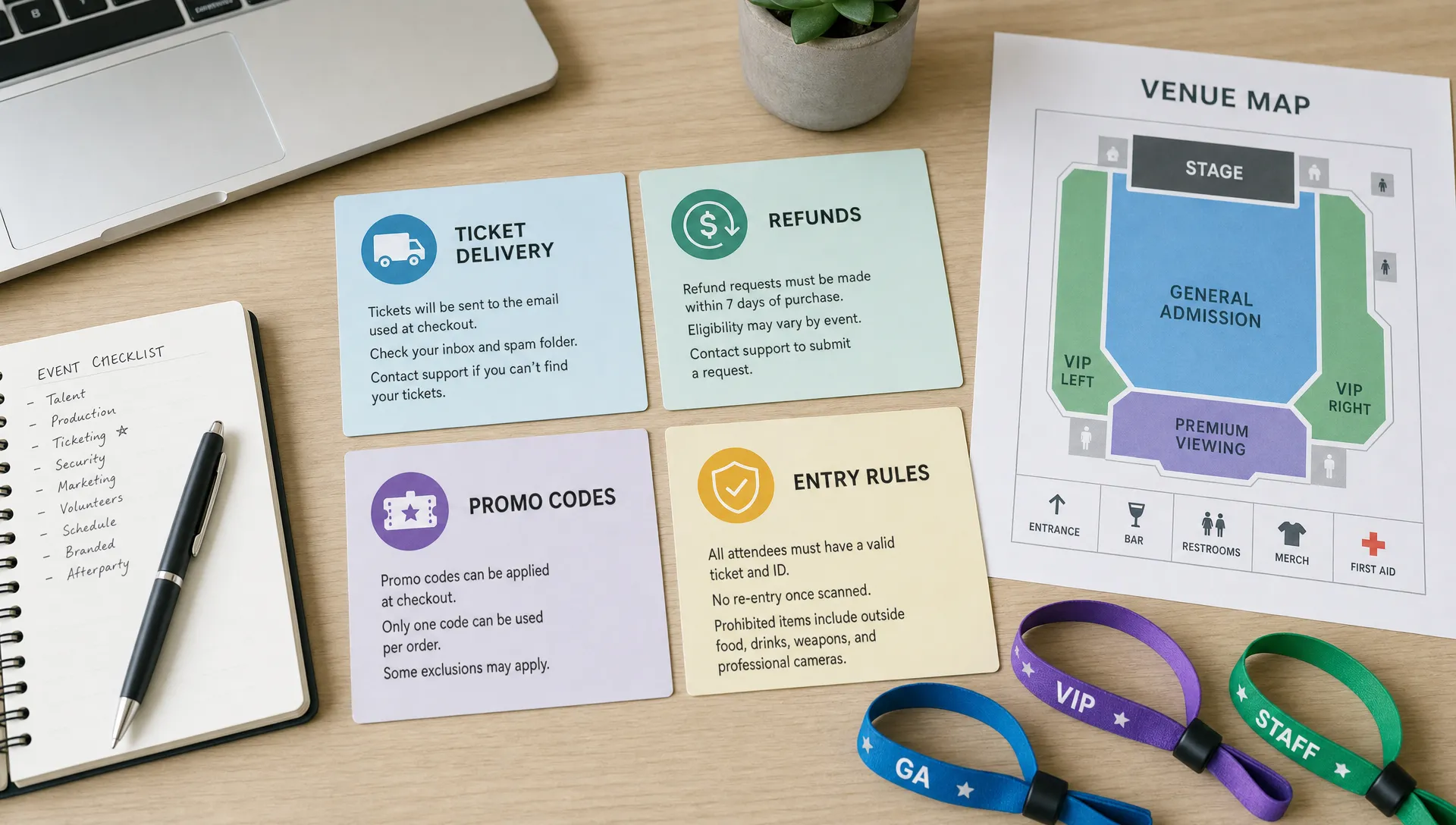
Support volume spikes when your published ticket status does not match what buyers see. This happens when a tier sells out but stays visible without context, a promo code expires without explanation or a price changes before your team updates the event copy.
Real-time sales control is a customer service feature, not just a back-office convenience. When your team can control ticket availability, pricing phases and promo rules quickly, buyers see fewer contradictions.
TixFlow includes real-time sales control, unlimited ticket tiers, automated sales phases and smart promo codes. Used well, these features can reduce the number of manual explanations your team has to send during a live campaign.
| Sales situation | Control action | Support impact |
|---|---|---|
| Early bird tier sells out | Move buyers automatically to the next available tier | Fewer messages asking for old pricing |
| Promo code is limited | Set clear code rules and expiry | Fewer invalid code complaints |
| VIP tickets need a cap | Limit quantity and label the tier clearly | Fewer access misunderstandings |
| Sales pause is needed | Update availability in real time | Fewer buyers purchasing the wrong ticket |
For cash-flow-focused organizers, this matters because confusion can slow sales and create refund pressure. When buyers understand the offer, they can purchase faster. When your team can adjust sales without messy workarounds, you spend less time cleaning up errors.
Prepare Entry Support Before the Door Opens
Some support requests cannot be eliminated. Tickets get forwarded, phones die, names are misspelled and people arrive with screenshots from friends. The goal is to make these exceptions manageable without blocking the line.
A digital guest list helps the door team resolve questions without depending on scattered spreadsheets or message threads. TixFlow's digital guest lists can support a cleaner entry workflow because the team can verify attendees from the same ticketing environment rather than reconstructing orders manually.
Before doors open, define how the team will handle common exceptions. Decide who can approve an entry issue, what proof is acceptable and when the issue should be escalated. A clear exception process protects both the buyer experience and the organizer's revenue.
For larger or high-volume events, separate the main entry flow from the problem-solving flow. One person should not be scanning tickets, answering refund questions, checking IDs and searching for missing orders at the same time. Even a small side table or dedicated staff member can keep the line moving.
Write Templates for the Questions You Still Expect
Reducing support requests does not mean eliminating support. It means your team is ready for the questions that remain.
Create short response templates for the most common scenarios. The goal is not to sound robotic. The goal is to keep answers accurate when your team is busy.
A missing ticket template might say:
Hi [Name], thanks for reaching out. Please check the inbox and spam folder for the email used at checkout. Search for the event name and your confirmation email. If you still cannot find it, reply with the email address used for purchase and we will help verify the order.
A promo code template might say:
Hi [Name], that code may be limited to specific ticket tiers or may have expired. Please make sure the code is entered exactly as shared. If it still does not apply, send us the code and the ticket tier you are trying to buy.
Keep templates in a shared document your team can access from phones. Assign one official tone for the event so answers do not vary wildly depending on who replies. This is especially useful for music events where support may come through artist teams, promoter pages, venue staff and production contacts.
Track Support Like You Track Sales
If you only track ticket revenue, you miss the operational signals that hurt your team. Support data tells you where buyers are confused and where your ticketing setup needs improvement.
A simple support contact rate is enough to start:
Support contact rate = unique support conversations divided by tickets sold x 100
Track that number by event, by sales phase and by request type. If one event has twice the usual contact rate, look for the cause. Was the event page unclear? Did the ticket email land in spam? Did a promo code get shared without rules? Did the venue change entry requirements late?
Useful categories include missing tickets, refund requests, promo code issues, payment confusion, access questions, venue questions, name changes and entry exceptions. Tagging messages manually in a shared inbox is fine at first. The point is to stop treating every request as a surprise.
Over time, support data improves your event playbook. If every late-night show gets questions about set times, add a timing policy to your page. If VIP ticket buyers ask what VIP includes, rewrite the tier description. If refunds spike after a lineup change, decide how that scenario should be handled before the next announcement.
A Simple Support Workflow for Launch Week
Customer service should be planned around the moments when questions are most likely to arrive. For many events, that means launch, major announcements, price changes, final reminders and door time.
Use a launch-week workflow like this:
- Before launch: Review the event page, ticket tiers, promo codes, refund policy, delivery instructions and support templates.
- At launch: Watch the first purchases closely and check whether buyers are asking the same question repeatedly.
- 24 hours after launch: Update event page copy if support messages reveal unclear wording.
- Before each sales phase change: Confirm tier labels, pricing, code rules and announcement copy.
- Final week: Send or post clear reminders about ticket access, door time, ID, venue rules and support contact.
- Day of event: Keep entry exceptions in one place and make sure the door team knows who can approve issues.
This workflow is simple, but it prevents a common mistake: treating support as a reaction after something goes wrong. The earlier you place answers into the buying journey, the fewer messages your team has to handle later.
Frequently Asked Questions
What is event ticket customer service? Event ticket customer service is the support system that helps buyers before purchase, after checkout and at entry. It includes event page information, checkout clarity, ticket delivery, refund policies, promo code help and door support.
How can organizers reduce ticket support requests? The most effective approach is to prevent confusion before it becomes a message. Use clear event pages, simple ticket tiers, no unnecessary checkout steps, instant confirmation, visible policies and prepared support templates.
Should buyers have to create an account to buy event tickets? For many events, forced registration adds friction and can increase checkout questions. A no-registration checkout can make purchasing faster, especially for mobile buyers who want to complete the order quickly.
What support questions should be answered on the event page? Answer questions about ticket types, pricing phases, venue details, door time, age restrictions, refund rules, transfers, accessibility and ticket delivery. If buyers usually ask it, the event page should probably answer it.
How does ticketing software affect customer service? Ticketing software affects customer service through checkout speed, payment clarity, ticket delivery, sales controls, promo code rules and guest list accuracy. Better ticketing workflows reduce the number of manual explanations your team needs to provide.
Reduce Preventable Ticket Questions With TixFlow
TixFlow is built for organizers who want fast sales, cleaner operations and more control over cash flow. With instant payouts, flat per-ticket fees, no buyer registration, customizable event pages, real-time sales control, unlimited ticket tiers, automated sales phases, smart promo codes, digital guest lists and Stripe Connect integration, your ticketing setup can answer more questions before your team has to.
If you want event ticket customer service that feels easier for buyers and lighter for your team, explore TixFlow and build a ticketing flow designed to reduce friction from checkout to entry.