

How to Sell Tickets With Stripe and Handle Payment Disputes
You can sell tickets with Stripe through a payment link, a custom checkout or a ticketing platform connected to Stripe. Taking the payment is only part of the job. You also need to deliver the right ticket, explain refund terms and keep records that help you respond if a buyer disputes a charge.
For event organizers, a chargeback can affect money already committed to artists, venues and production. Faster access to revenue helps cash flow, but it does not make a payment irreversible. This guide covers the setup decisions that matter before launch and the steps to follow when a dispute arrives.
Choose how you will sell tickets with Stripe
Stripe handles payment infrastructure. Your ticketing setup must also handle admission rights, capacity, ticket delivery and event communications. Those functions do not automatically appear just because you create a payment link.
| Setup | Suitable use | What you must account for |
|---|---|---|
| Stripe Payment Links | A straightforward payment page without custom development | Ticket issuance, capacity control and attendee records may need separate workflows |
| Custom Stripe integration | An event business with development resources and specific requirements | Payment confirmation, inventory, ticket delivery, security and ongoing maintenance |
| Stripe-connected ticketing platform | Organizers who want ticket sales and event operations in a connected workflow | Platform fees, payout conditions and responsibility for refunds and disputes |
Stripe Payment Links provides a hosted way to collect payments, but verify how each successful purchase becomes a usable ticket before launching.
TixFlow offers Stripe Connect integration alongside unlimited ticket tiers, automated sales phases, customizable event pages and digital guest lists. Its checkout does not require buyer registration. These features address ticketing operations, but you should still confirm how payment disputes are handled under your account setup.
1. Complete payment onboarding and establish responsibility
Before publishing your event, finish the required identity and business verification, connect the correct bank account and check for outstanding account requirements. A checkout that accepts payments is not proof that every payout requirement has been satisfied.
If you sell tickets with Stripe through a connected platform, establish who receives dispute notifications, who submits evidence and whose balance is debited. These responsibilities depend on the Connect configuration and your agreement with the platform, not simply on the presence of a Stripe logo.
Stripe explains the differences in its Connect dispute documentation. Ask your provider to clarify the arrangement before your first sale.
Also confirm the business name buyers will recognize on their statements. An unfamiliar descriptor can turn a legitimate purchase into an “I don’t recognize this charge” complaint. Where your setup permits it, use a recognizable descriptor and explain the expected statement name in the confirmation email.
2. Define exactly what the ticket promises
Your event page becomes part of the record of what you sold. Include the event date, time zone, venue, admission conditions and what each ticket tier includes. Separate confirmed attractions from anything still subject to confirmation.
For a show, clinic or workshop booked through an entertainment agency such as Entertainmens, confirm the agreed program before presenting it as a guaranteed ticket inclusion. Your supplier agreement and your promise to attendees are separate commitments.
Publish clear terms covering cancellation, postponement, material program changes and transfers. Make those terms accessible before payment and retain the version that applied to each purchase. A policy added after a complaint does not establish what the buyer accepted earlier.
Clear descriptions help you sell tickets with Stripe without creating avoidable disagreements about the purchase. For example, “general admission, standing room, doors at 7 p.m.” is more useful than “full event access” when seating is not included.
TixFlow’s guide to listing tickets without confusing buyers covers the presentation side in more detail. For dispute readiness, the additional task is preserving that information as it appeared when the order was placed.
3. Connect successful payments to reliable ticket delivery
A buyer reaching a success page is not enough to establish that your backend should issue a ticket. In a custom integration, use verified server-side payment events to determine when payment has succeeded. Some payment methods complete asynchronously, so the workflow must account for their status.
Your developer should also prevent repeated event notifications from issuing duplicate tickets. Capacity management needs its own safeguards so simultaneous purchases do not oversell the venue.
For a hosted ticketing platform, test the customer journey rather than assuming these details are covered exactly as you expect. Check the order confirmation, ticket delivery, support contact and treatment of unsuccessful payments using the provider’s supported testing process.
Before you sell tickets with Stripe to the public, verify that an order can be traced from its payment reference to its ticket record. That connection helps staff resolve delivery problems quickly and makes later dispute evidence easier to assemble.
Keep a clear distinction between payment success, ticket delivery and admission. They are separate events, and each answers a different question if a customer complains.
4. Build an order record you can actually use
For every purchase, retain the payment reference, order number, ticket type, event details, buyer contact information and applicable terms. Where available, preserve ticket delivery records, support messages and admission records too.
A guest list entry alone does not prove that someone attended. An admission record is stronger when it shows which ticket was checked in and when. Even then, attendance does not by itself establish that the cardholder authorized the original payment.
When you sell tickets with Stripe, collect evidence as part of normal operations rather than trying to reconstruct it after a chargeback. Give staff a consistent order reference to use in support conversations so payment, delivery and event-day records remain connected.
Keep personal data proportionate to the task. Do not collect full card details or security codes in emails, spreadsheets or support forms. Set retention and access rules that reflect applicable privacy obligations and the dispute timelines relevant to your account. Future-dated events may require records well beyond the purchase month.
5. Treat payouts as available cash, not final revenue
A payment reaching your bank account does not remove the possibility of a later refund or dispute. If you spend all advance ticket revenue on production, a cancellation or cluster of chargebacks can create a funding gap.
Build your event budget around net receipts after applicable processing and platform fees. Then keep a separate allowance for refunds, disputes and other contingencies. There is no universal reserve percentage: a small workshop and a large outdoor concert have different cancellation exposure and supplier commitments.
If you sell tickets with Stripe to fund advance deposits, map those commitments against both expected payouts and potential customer liabilities. Review the budget when the venue, lineup or schedule changes, not just when sales increase.
TixFlow offers instant payouts, but availability and timing remain subject to the applicable account setup and payment conditions. Confirm what is available to your business rather than assuming every sale can immediately reach your bank.
For a fuller cash-flow discussion, see how Stripe ticket sales affect access to event revenue. Keep payout speed and dispute exposure as separate planning questions.
How to respond when a payment dispute arrives
A refund request is a customer-service conversation. A formal payment dispute follows the payment network’s process and has a response deadline. Do not assume that replying to the buyer also responds to the dispute.
Read the reason and deadline first
Open the dispute through the relevant payment provider or platform interface. Confirm the transaction, disputed amount, reason and evidence deadline. Assign one person to own the response so several team members do not submit conflicting accounts.
Stripe’s guidance on responding to disputes explains the submission process. Use the deadline shown for the individual case rather than relying on a general number of days.
When you sell tickets with Stripe, your response should address the stated dispute reason. Proof of attendance may help with a claim that the service was not received, but it does not automatically answer an allegation that the card was used without permission.
Decide whether accepting the dispute is appropriate
Do not contest every case automatically. Check whether the customer was entitled to a refund, whether the event happened as advertised and whether your records support a response.
If the event was canceled and the buyer was owed a refund that you never processed, accepting the dispute may be appropriate. If a duplicate charge genuinely occurred, acknowledge it rather than submitting unrelated admission records.
For an open formal dispute, use the dispute workflow instead of attempting a separate refund on the same charge. Ask the provider how to resolve any related customer reimbursement without creating duplicate compensation.
Match your evidence to the claim
A useful submission is concise, chronological and specific to the transaction. Explain what the buyer purchased, what happened and how each attachment supports your response.
| Dispute reason | Records that may be relevant | Important limitation |
|---|---|---|
| Payment not authorized | Available authentication results, transaction details and relevant customer communications | Ticket delivery alone does not establish cardholder authorization |
| Service not received | Event details, ticket delivery records, admission records and customer messages | Delivery does not prove the event actually took place |
| Service not as described | The purchase-time listing, ticket inclusions and records of what was provided | A later-edited event page may not show the original promise |
| Refund not processed | Refund policy, refund confirmation and the timeline of communications | A policy does not override applicable consumer rights |
| Duplicate payment | Separate order references and evidence of distinct purchases | Two payment records alone do not explain why both were valid |
If you sell tickets with Stripe for recurring events, distinguish the disputed date from other purchases by the same customer. Similar order values and event names can otherwise make a response confusing.
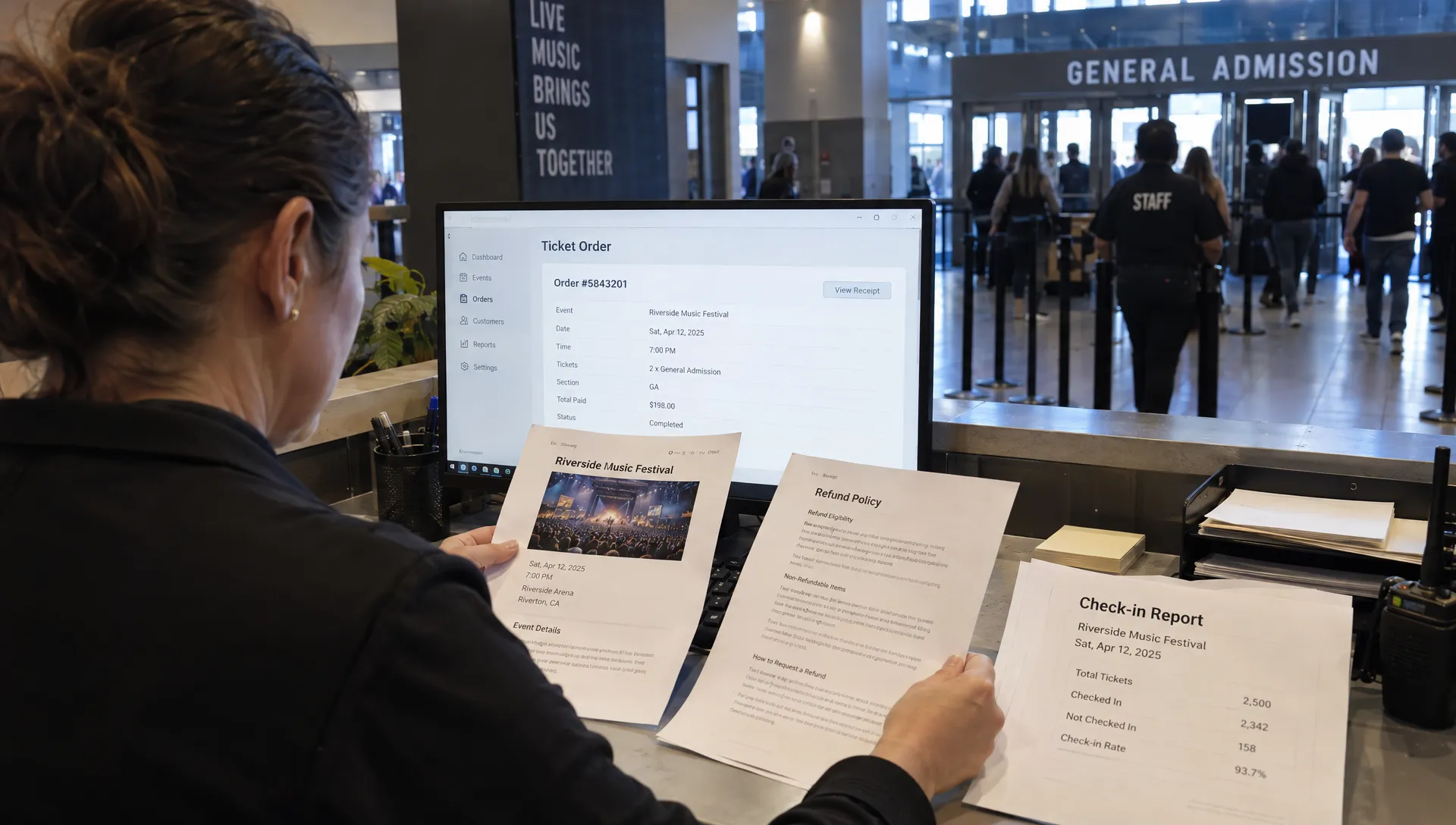
Submit a complete response and retain the outcome
Review the submission before finalizing it. Include relevant extracts rather than a large collection of unrelated screenshots. Make dates, amounts and order references legible, and avoid unsupported accusations about the buyer.
Do not assume you can keep supplementing the response after submission. Follow the provider’s instructions and treat the submission as your complete case.
The card issuer decides the outcome through the dispute process. A well-documented response helps explain your position, but it does not guarantee a win. Record the result and identify whether clearer ticket descriptions, better delivery records or faster support could prevent a similar case.
Reduce disputes without making checkout harder
Recognizable billing, accurate event information and responsive support address different sources of complaints. Give buyers an obvious way to report a missing ticket, ask about a schedule change or request a policy-based refund before they contact their bank.
If you sell tickets with Stripe for an event that changes after purchase, notify affected buyers directly. Explain what changed, what remains included and which options are available under your terms and applicable law. Keep a record of the notice and the response process.
Payment authentication also has a role. Stripe’s 3D Secure documentation explains how authentication works and when liability shift may apply. It can help with certain eligible fraud disputes, but it is not blanket protection against claims about canceled events or services not provided.
Finally, do not rely on an “all sales final” statement as your entire defense. Clear policies matter, but they do not eliminate statutory rights or card-network dispute rights.
Frequently asked questions
How much is the Stripe fee for a $1,000 ticket payment? If your applicable rate were 2.9% plus $0.30, the processing fee would be $29.30. This is an illustrative calculation, not a quote. Check your current pricing, payment method, card origin, currency conversion and any separate ticketing platform fees.
Can I sell tickets with Stripe without a ticketing platform? Yes. You can collect payment through Payment Links or a custom integration, but you still need a reliable method for issuing tickets, controlling capacity, delivering confirmations and managing admission. Choose based on the complete workflow, not payment collection alone.
Does a buyer withdrawing a dispute close the case automatically? Do not assume so. Follow the provider’s instructions and submit any required response before the deadline. If the buyer confirms withdrawal, retain that communication and provide it where relevant.
Does an instant payout protect me from chargebacks? No. Payout timing and payment finality are different. A payment can be disputed after funds have reached your bank, and the resulting debit or liability depends on your account and platform arrangement.
Launch with a payment workflow and a dispute plan
Before opening sales, confirm who handles disputes, test ticket delivery and preserve the terms buyers accept. During sales, keep order records connected and maintain enough liquidity to address refunds and chargebacks.
TixFlow combines Stripe Connect integration with ticket tiers, automated sales phases, digital guest lists and checkout without buyer registration. Evaluate those operational features alongside fees, payout conditions and dispute responsibilities so your ticketing setup supports both a smooth purchase and a manageable back office.