
How to Customize Tickets for a Stronger Event Brand
For many attendees, a ticket is the first paid interaction with your event. It confirms the decision, sets expectations and gives them something to save, share or show at the door. If that ticket feels generic, your brand gives up a small but valuable moment of attention.
To customize tickets well, think beyond adding a logo to a PDF. Strong ticket customization connects your visual identity, pricing strategy, checkout experience, attendee communication and entry operations. Done properly, it makes the buyer feel confident before the event and makes your team look more organized on event day.
This matters for club nights, festivals, workshops, conferences, private parties and producer-led shows. The format changes, but the goal is the same: every ticket should feel like it belongs to your event, not like it came from an anonymous template.
Why ticket customization is a brand decision
Your brand is not only what appears on a poster. It is the feeling people get when they move from seeing the event to buying a ticket to arriving at the venue. Tickets sit right in the middle of that journey.
A customized ticket can make an event feel more premium, more underground, more professional, more intimate or more community-driven. The details tell people what kind of experience they bought into. A minimal black ticket with sharp typography sends a different signal than a colorful, high-energy ticket for a daytime music event.
For organizers, ticket customization also supports practical goals. Clear tier names reduce confusion. Well-written ticket descriptions reduce support messages. Branded confirmation pages make buyers feel they are in the right place. Entry details help staff scan faster and answer fewer repeated questions.
| Ticket element | Brand impact | Operational impact |
|---|---|---|
| Event name and headline | Reinforces the event concept | Helps buyers recognize the right ticket quickly |
| Visual design | Creates a stronger memory of the event | Makes fraudulent or wrong tickets easier to spot |
| Ticket tier names | Shapes perceived value | Reduces questions about what is included |
| Checkout copy | Builds trust at the purchase moment | Lowers abandonment caused by uncertainty |
| Confirmation details | Keeps the experience consistent | Cuts down on pre-event support requests |
| Entry information | Sets expectations before arrival | Speeds up door and guest list workflows |
In other words, to customize tickets is to control the story and the process at the same time.
Start with the event promise before the design
Before choosing colors or layouts, define what the ticket needs to communicate. A strong event ticket starts with the same question as a strong event listing: what is the buyer really saying yes to?
For a music producer, that promise might be a curated sound, a special lineup, an intimate room or a one-night-only release party. For a business event, it might be access to a specific network, expert sessions or a more efficient way to meet buyers and partners. For a community event, it might be belonging, local culture or a shared cause.
Once the promise is clear, the design choices become easier. A late-night techno event may need dark colors, restrained copy and a ticket that feels exclusive. A creator workshop may need warm imagery, practical details and reassuring copy about what attendees will learn. A premium dinner event may need elegant typography, clear seating or arrival information and a more polished confirmation flow.
A simple brand kit helps keep ticket customization consistent across every touchpoint. It does not need to be complicated, but it should include:
- Event logo or wordmark
- Primary and secondary colors
- Font choices or typography style
- Image direction, such as artist photography, venue shots or abstract visuals
- Tone of voice for ticket names and descriptions
- Rules for sponsor or partner logos
Consistency matters because attendees often see your event in fragments. They might first notice a story post, then visit the ticket page later, then forward the confirmation email to a friend. If each touchpoint looks and sounds connected, the event feels more credible.
Customize ticket tiers around value, not just price
Ticket tiers are one of the most powerful ways to customize tickets because they shape how buyers compare options. A tier name like General Admission is functional, but it may not be enough when your event has multiple experiences, access windows or audience segments.
The key is to make every tier feel intentional. Early Bird should signal a limited reward for acting early. VIP should clearly explain what extra value the buyer receives. Group tickets should feel like an invitation to bring people together, not just a random discount. If the event has timed entry, backstage access, reserved seating or meet and greet options, the ticket names and descriptions need to make those differences obvious.
This is where many organizers either under-brand or overcomplicate. Under-branded tiers feel flat and interchangeable. Overcomplicated tiers slow down the purchase because buyers have to decode what each option means. If you are unsure how to structure the options, TixFlow has a useful guide on how ticket categories shape buyer choice and revenue that goes deeper into buyer psychology and tier design.
A good ticket tier usually answers three questions in plain language: who is it for, what does it include and why should the buyer choose it now? If the answer is not clear, rename the tier or rewrite the description before sending traffic to the page.
Make the ticket page feel like the event
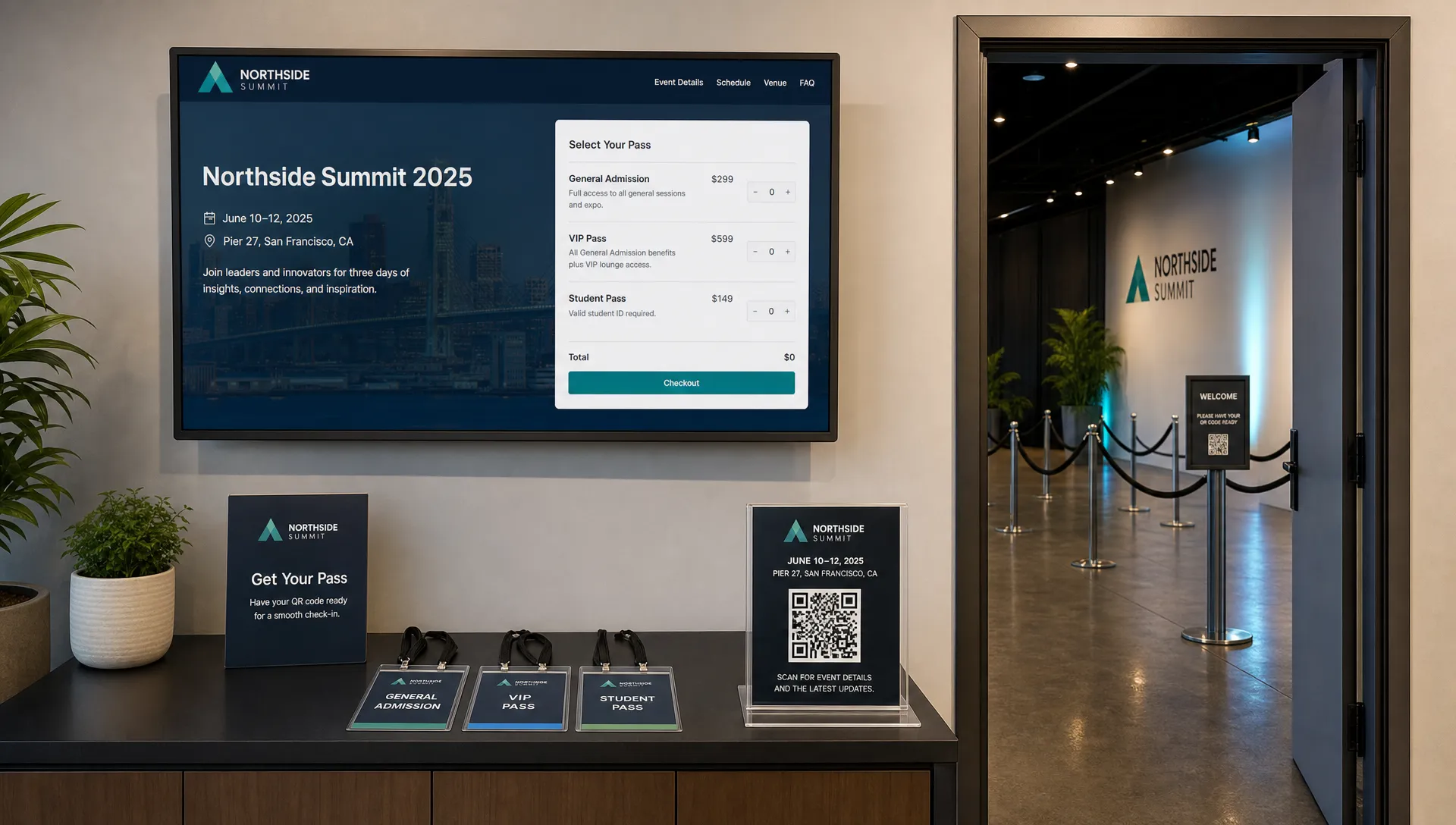
A customized ticket page should not feel like a detour away from your brand. The buyer clicked because they were interested in your event. If the page suddenly looks generic, slow or disconnected, you introduce doubt at the exact moment you need confidence.
Brand alignment on the ticket page includes the event image, layout, copy, colors, ticket ordering and checkout experience. It also includes what you choose to remove. For many events, forcing buyer registration before purchase adds friction. A low-friction checkout with no unnecessary account step keeps the focus on buying the ticket, not managing another login.
This is also where platform visibility matters. Organizers often spend weeks building the event identity, then hand the purchase moment to a ticketing interface that looks more like the provider than the event. If that problem sounds familiar, read TixFlow's article on why your brand matters more than the platform, which explains how invisible ticketing supports stronger brand ownership.
For the ticket page itself, prioritize clarity over decoration. Use the hero image to confirm the event mood. Put the date, time and venue near the top. Keep ticket names easy to scan. Make fees visible enough that buyers do not feel surprised. If you use sponsors, keep them secondary unless they are central to the event experience.
Use ticket content to reduce hesitation
A beautiful ticket that leaves buyers confused is not doing its job. The written content on your ticket page and ticket confirmation should remove uncertainty before it turns into a support request or abandoned checkout.
Start with the details that affect purchase confidence. Buyers need to know when the event is, where it is, what the ticket includes and whether there are conditions attached. That includes age limits, door times, refund policy, name matching, accessibility details, ID requirements and whether tickets can be transferred.
Do not hide important limitations in tiny copy. If a ticket is non-refundable, say so clearly. If VIP entry closes at a specific time, put that information in the tier description and confirmation. If a ticket includes one drink, a merch item or access to a separate area, make it explicit.
Clear content also helps your door team. A digital guest list is easier to manage when ticket types are named logically and entry notes are not vague. Staff should be able to understand the ticket at a glance, especially during peak arrival times.
Accessibility should be part of the brand experience too. If you customize colors, make sure text remains readable. The WCAG color contrast guidance is a practical reference for checking whether foreground and background colors provide enough contrast. Good design should make the ticket easier to use, not harder to read.
Customize pricing and sales phases to support cash flow
Ticket customization is not only visual. Pricing structure, sales timing and promotions all communicate something about your event brand.
Early access tiers can reward loyal followers. Presales can make an artist community feel valued. Last chance pricing can create urgency without sounding desperate. Promo codes can support partners, street teams, sponsors, fan clubs or creator communities while still giving you a way to track performance.
For organizers who care about cash flow, the operational side matters as much as the brand side. A ticketing setup with instant payouts, flat per-ticket fees and real-time sales control gives teams more confidence when planning production costs, venue deposits, artist payments and marketing spend. This is especially relevant for independent promoters and music producers, where upfront costs can arrive long before the event date.
TixFlow supports flexible pricing through unlimited ticket tiers, automated sales phases and smart promo codes. That means you can plan pricing around your audience and timeline instead of manually changing tickets every few days. The brand benefit is a cleaner buyer experience. The operational benefit is fewer last-minute edits for your team.
Here is a simple way to think about customization choices by goal:
| Organizer goal | Ticket customization choice | Why it helps |
|---|---|---|
| Sell earlier | Early Bird or presale tiers | Rewards fast buyers and validates demand sooner |
| Protect margins | Clear VIP or premium tiers | Gives high-intent buyers a reason to spend more |
| Track partners | Unique promo codes | Shows which channels are driving sales |
| Reduce support | Detailed tier descriptions | Answers common questions before purchase |
| Improve door flow | Digital guest lists and clear ticket labels | Helps staff check people in with fewer delays |
| Strengthen brand recall | Consistent design from page to confirmation | Makes the event feel more polished and memorable |
The best ticket strategy balances demand, clarity and operations. If a customization looks good but creates confusion for buyers or staff, simplify it.
Bring the brand into the post-purchase experience
Many organizers stop thinking about the ticket once the sale is complete. That is a missed opportunity. The confirmation experience is where excitement turns into commitment.
After purchase, the attendee may save the ticket, forward it to friends, check the venue address, revisit the lineup or look for arrival instructions. Every one of those actions can either reinforce your brand or expose gaps in your communication.
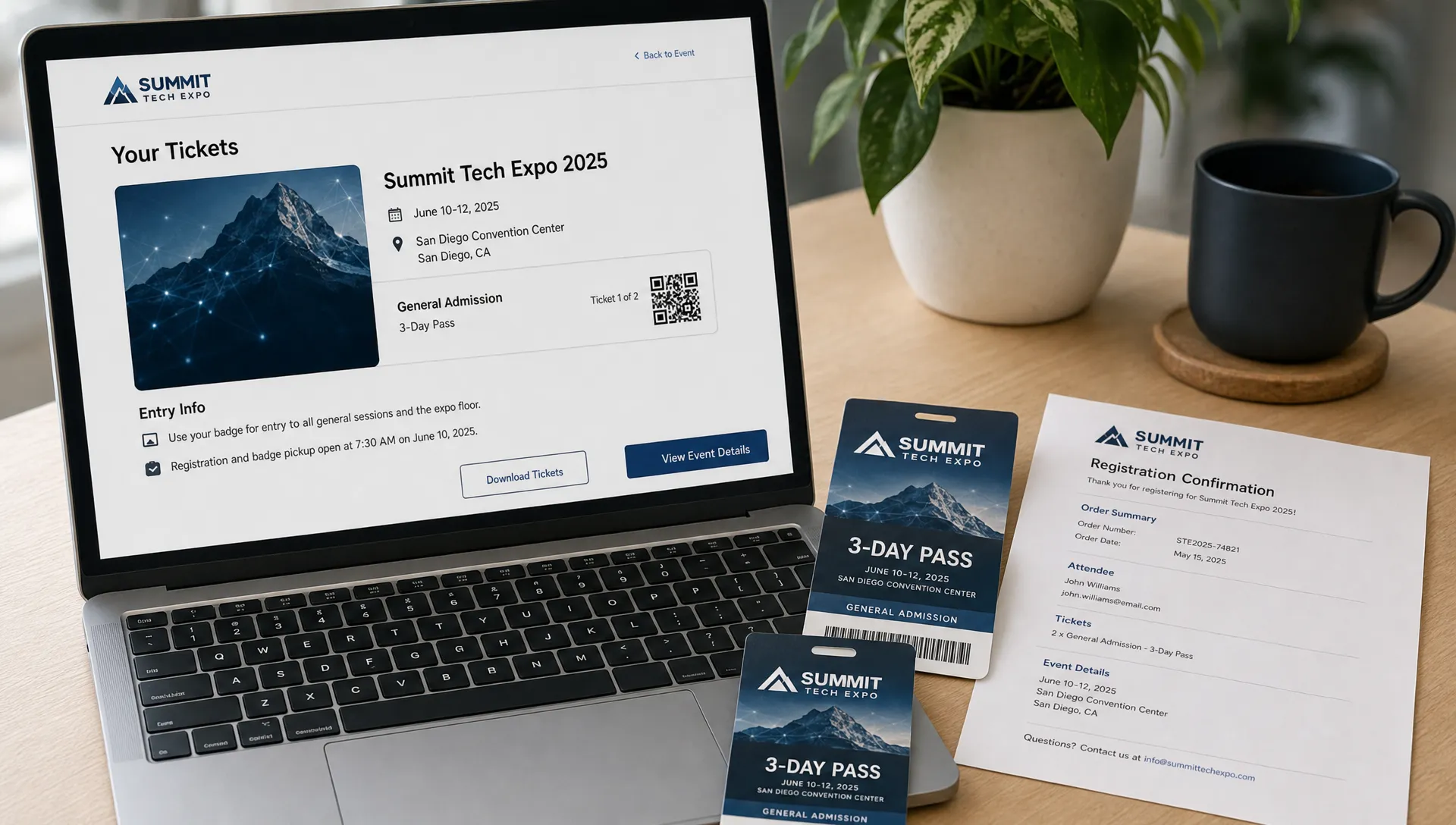
A strong post-purchase experience includes a confirmation page that matches the event, a digital ticket that is easy to find, clear entry instructions and ticket details that match the language used during checkout. If the event brand is premium, the confirmation should feel polished. If the event brand is high-energy and social, the confirmation can encourage sharing without making key entry details harder to find.
Digital tickets also give organizers more control over the entry experience. They can support faster check-in, cleaner guest list management and fewer printing issues. For more on the practical side, TixFlow has a separate guide on how online tickets improve checkout and entry.
Common mistakes when you customize tickets
Customization should make the buyer journey clearer, not busier. A few common mistakes can weaken the brand even when the design looks polished.
One mistake is treating the ticket as a poster. Posters are built to attract attention. Tickets are built to confirm access and communicate details. You can use the same visual system, but the ticket must remain readable.
Another mistake is using clever tier names without explanation. A name like Inner Circle may fit the brand, but buyers still need to know whether it means VIP entry, backstage access, reserved seating or something else. Creative naming works best when paired with plain descriptions.
Organizers also run into problems when every sales phase has a different visual identity. Early Bird, General Admission and Last Chance can have different pricing and urgency, but they should still feel like part of the same event.
Avoid these errors when customizing your ticket setup:
- Adding too many logos, badges or sponsor marks
- Using low-contrast text that looks good but is hard to read
- Creating tiers that overlap without a clear reason
- Hiding fees, restrictions or entry conditions
- Changing ticket names after people have already purchased
- Forgetting to brief door staff on what each ticket type means
The strongest ticket customization is usually disciplined. It gives every detail a role and removes anything that does not help the buyer or the team.
Ticket customization checklist for organizers
Before you publish your event, review the full ticket journey from the buyer's point of view. Do not only preview the event page. Test the flow from discovery to checkout to confirmation, then look at what staff will see at the door.
| Area to review | What to check | Good sign |
|---|---|---|
| Brand identity | Logo, colors, imagery and tone match the event | The page feels connected to your marketing |
| Ticket tiers | Names and descriptions explain value clearly | Buyers can choose without asking questions |
| Checkout flow | Steps are short and unnecessary registration is removed | Purchase feels fast and focused |
| Pricing | Fees, discounts and phase changes are understandable | Buyers are not surprised at checkout |
| Confirmation | Ticket details, address and entry notes are complete | Attendees know what to do next |
| Entry setup | Guest list labels match ticket names | Staff can check in attendees confidently |
It can also help to ask someone outside your team to buy a test ticket or walk through the page. If they pause, ask what confused them. Those small moments of friction are the best clues for what to improve before launch.
Frequently Asked Questions
What does it mean to customize tickets? To customize tickets means shaping the design, tier names, descriptions, checkout flow, confirmation details and entry information so they match your event brand and make the buyer journey clearer.
Is ticket customization only about adding a logo? No. A logo helps, but strong customization includes pricing structure, sales phases, copywriting, visual consistency, promo codes and the way ticket information appears to attendees and staff.
How many ticket tiers should an event have? Use as many as you need to communicate meaningful differences, but not so many that buyers hesitate. Most events work best when each tier has a clear purpose, such as early access, general admission, VIP, group entry or reserved access.
Can customized tickets help reduce support requests? Yes. Clear ticket names, detailed descriptions, visible policies and complete confirmation information answer many buyer questions before they become emails or direct messages.
What should music producers customize first? Music producers should start with the event identity, lineup promise, tier names and checkout experience. The ticket should feel connected to the sound, venue and audience while still making entry details easy to understand.
Customize tickets without adding operational drag
A stronger event brand does not need a complicated ticketing setup. The right platform should let you customize tickets, control sales and keep checkout simple without turning every change into admin work.
TixFlow is built for modern event organizers who want branded event pages, flexible pricing, real-time sales control, smart promo codes, automated sales phases, digital guest lists and no buyer registration. With instant payouts, flat per-ticket fees and Stripe Connect integration, it also supports the cash flow side of running events.
If your next event needs to feel sharper from the first click to the door scan, start by treating the ticket as part of the brand experience, not just proof of purchase.