

Create Tickets for an Event With Multi-Day Access Rules
When you create tickets for an event that runs across several days, the ticket must do more than confirm a purchase. It needs to tell your entry team which days someone can attend, whether they can leave and return and which areas they can enter.
A weekend pass that becomes unusable after Friday’s first scan is not configured correctly for Saturday. Neither is a Saturday ticket that opens the gate on Friday. Start with the access rules, then build the ticket options, sales setup and check-in process around them.
Separate ticket ownership from daily admission
A purchase record answers who bought a ticket. An access rule answers whether that ticket permits entry here and now. For a multi-day event, those are different questions.
Define the admission products before choosing prices or designing artwork. Here is an illustrative setup for a two-day music event:
| Ticket or add-on | Friday admission | Saturday admission | Additional rule |
|---|---|---|---|
| Friday general admission | Included | Not included | Valid during Friday’s admission window |
| Saturday general admission | Not included | Included | Valid during Saturday’s admission window |
| Weekend general admission | Included | Included | Separate admission eligibility for each day |
| Saturday VIP upgrade | Not included | Upgrade only | Requires valid Saturday or weekend admission |
An upgrade is not automatically an admission ticket. If a VIP add-on requires general admission, say so before checkout and make sure staff can verify both entitlements.
Also decide whether passes are personal or transferable. A shared order containing four weekend passes should normally produce four individual credentials, rather than one credential that ambiguously admits four people across two days.
Choose how to create tickets for an event with multi-day rules
A printable design can communicate dates and access levels, but it cannot independently track payments, remaining inventory or previous entries. Use a design tool for the visual credential, not as a substitute for admission records.
For a free gathering where you only need attendance estimates, an RSVP system with party-size tracking and capacity limits can be sufficient. Paid weekend passes, upgrades and day-specific admissions require a more detailed ticketing workflow.
TixFlow offers unlimited ticket tiers, automated sales phases, digital guest lists and checkout without buyer registration. These features support ticket sales and attendee administration. Before selecting any platform for a multi-day event, separately confirm how it handles date-specific access, repeat scans, multiple gates and connectivity failures.
If the required validation rules are unavailable, choose a supported alternative before launch, such as separately validated daily credentials. Do not assume that creating a ticket tier named “Weekend Pass” automatically configures weekend access.
Configure dates, inventory and individual credentials
Define admission windows, not just calendar dates
Before you create tickets for an event with overnight programming, specify when each operational day starts and ends. Friday’s program might run from Friday at 6 p.m. until Saturday at 2 a.m. A midnight expiration would reject legitimate late arrivals.
Record the event’s local time zone and distinguish three separate settings:
- Sales window: When buyers can purchase the ticket.
- Admission window: When that ticket permits entry.
- Program schedule: When performances or sessions take place.
An early-bird sales deadline should change availability or price, not the holder’s access rights. Similarly, a Saturday ticket sold on Thursday must remain valid for Saturday even though its purchase date is earlier.
Where daylight saving changes affect an overnight event, check how the system interprets local times. Put the attendee-facing admission window in plain language on the event page and confirmation.
Allocate each pass against every included day
A weekend pass consumes capacity on both Friday and Saturday, even if the buyer ultimately attends only one day.
Suppose your usable ticket allocation is 500 people on Friday and 700 on Saturday. Selling 200 weekend passes leaves room for at most 300 Friday-only tickets and 500 Saturday-only tickets, before any other admissions sharing those allocations.
When you create tickets for an event with overlapping passes, manage inventory by included day rather than treating every ticket tier as an independent stock pool. Otherwise, each tier can appear available while their combined entitlements exceed a day’s limit.
Include complimentary admissions, guest allocations and upgrades that grant additional entry in the same calculation. Upgrades that only change access areas should not create a second person in the overall admission count.
For a broader inventory framework, use capacity rules that prevent overselling. Multi-day events add another requirement: every included day needs its own capacity check.
Give every attendee an individual ticket record
Each admission credential needs a unique identifier connected to its purchased rights. A QR code is simply a way to present that identifier; the code’s appearance does not establish whether admission is valid.
For a weekend pass, the underlying record should distinguish Friday eligibility from Saturday eligibility. Friday’s successful entry must not erase Saturday’s unused admission.
Keep purchaser details separate from attendee details where your workflow supports it. This matters when one person buys several passes and the group arrives separately. Collect only the information your team needs for delivery, support and admission, then restrict staff access appropriately.
Make the access promise clear before payment
The same rules should appear on the event page, during ticket selection and in the confirmation. Do not leave the most consequential restriction in a long policy document.
When you create tickets for an event with several access options, use names that describe the entitlement: “Weekend GA: Friday + Saturday” is clearer than “Full Experience.” State whether workshops, camping, parking or VIP areas are included, excluded or sold separately.
Explain the re-entry policy before purchase. If attendees need a wristband to return, say where they receive it and what happens if it is lost. Publish any relevant ID requirements and the rules for transfers, day changes and refunds.
Show the total payable amount clearly. For cash-flow planning, distinguish gross sales from fees, refunds and funds you still need to deliver the event. Review payout terms separately from admission settings; receiving money does not establish that the access configuration is correct.
Deliver tickets that work beyond a phone screen
Send a confirmation that identifies the ticket type, valid days, venue, admission windows and where to find entry instructions. Make the date information readable without relying on colors alone.
A practical setup should accommodate mobile display, printable credentials and a staffed lookup process for attendees who lose access to their email or phone. Verify what your chosen system actually supports before promising a delivery format.
For multi-day passes, explain whether attendees reuse one credential or receive separate daily tickets. If credentials change after a transfer or upgrade, identify which version remains valid and invalidate replaced credentials through your ticketing process.
Keep printed backup lists out of public view and dispose of them securely after use. Accessibility and privacy are operational requirements, not finishing touches.
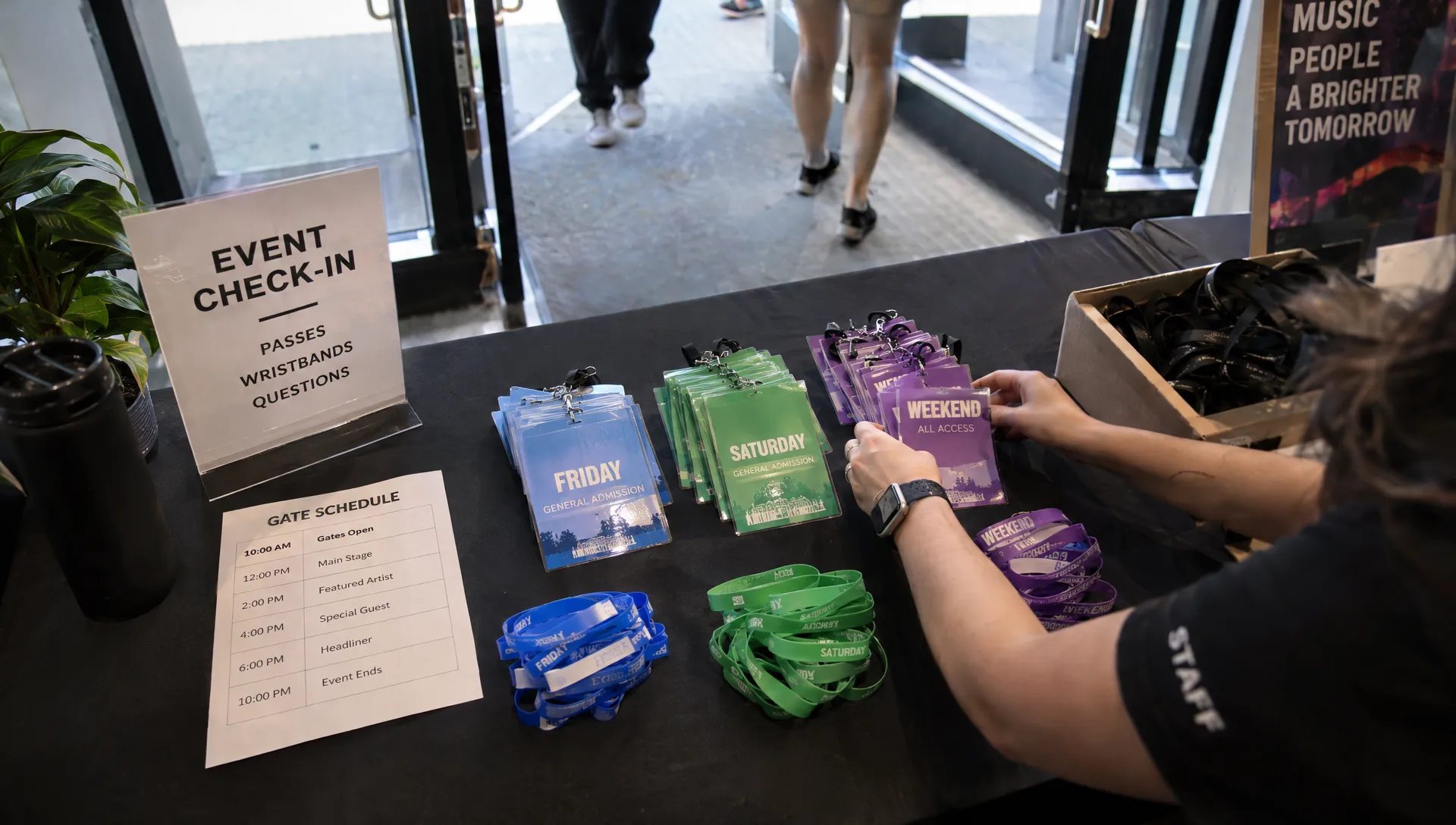
Validate access by day, gate and entry status
Check the current entitlement before recording entry
At each gate, validation should answer whether the credential exists, whether it grants access to this day and area and whether its current entry status permits admission.
A valid weekend pass arriving on Saturday should be checked against Saturday’s entitlement. A Friday-only ticket should be rejected with a useful explanation, not a vague error that forces staff to guess.
Shared validation across gates matters. If two entrances accept the same credential without checking a common current record, copied tickets can slip through. Ask how the system handles simultaneous scans, not just whether it displays a QR code. Our guide to secure digital ticket validation explains the underlying identifier and check-in workflow.
Treat re-entry as a separate policy
“One entry per day” and “unlimited re-entry” require different procedures. With no re-entry, a second scan for the same day should trigger review. With controlled re-entry, your team may need a recorded exit or a verified wristband before allowing someone back in.
When you create tickets for an event with weekend access, test both the legitimate next-day return and the prohibited same-day duplicate. They must not produce the same result.
A wristband can support admission, but it introduces its own rules. Decide whether it is issued once for the weekend or replaced daily, whether it can be removed and who can authorize a replacement.
Prepare for lost connectivity
Offline devices cannot reliably share new scan activity in real time. Two disconnected gates may each accept the same credential if neither knows what the other has admitted.
Prepare an outage procedure before doors open. Options include routing exceptions to a designated gate, using a controlled backup list and reconciling entries when connectivity returns. Confirm the actual offline capabilities of your tools rather than assuming an exported list prevents duplicate entry.
Handle upgrades and day changes without creating extra access
A Friday-to-weekend upgrade changes both admission rights and inventory. It adds Saturday access, so Saturday availability must be checked before the change is accepted.
Similarly, moving someone from Saturday to Friday should release the old allocation and reserve the new one. A refund should follow your published policy and update the affected credential’s status, not leave a usable ticket circulating after repayment.
Define who can approve exceptions and keep a record of changes. Door staff should not need to reconstruct an upgrade from a buyer’s email thread while a queue grows.
For partial refunds on weekend passes, establish the method before sales begin. Do not improvise a daily value at the gate, particularly when bundle pricing differs from the sum of single-day tickets.
Run a multi-day rehearsal before launch
Before you create tickets for an event and open public sales, test the entire journey with sample orders. Include a Friday ticket, a Saturday ticket, a weekend pass, a group purchase and an upgrade.
Try the cases most likely to break the setup: Friday admission after midnight, Saturday entry using a previously scanned weekend pass, a copied credential at another gate and an attendee without a working phone.
Also test an upgrade when the added day is sold out. The system or documented staff procedure should stop the change rather than silently exceed capacity.
Give your gate team a short decision guide covering valid entry, wrong day, already used, missing credential and supervisor review. Confirmations, ticket records and staff instructions should all describe the same rules.
Frequently asked questions
Can one QR code work for several event days? Yes, if the validation process checks separate daily entitlements behind that identifier. One successful scan must not permanently consume every included day. Confirm this behavior with your provider and test it before launch.
Can I create tickets for an event for free? You can design printable tickets with free tools, but design is separate from payment processing and admission management. Check export options, branding limits, privacy practices and any transaction fees before choosing a workflow.
Should a weekend pass cost less than two single-day tickets? That depends on your sales plan. A bundle discount can encourage commitment, but calculate its effect on net revenue and scarce daily capacity. Regardless of price, the pass still reserves admission on every included day.
Do I need separate tickets for each day? Not necessarily. One credential can be simpler for attendees when the system supports day-specific validation. Separate daily credentials can work too, provided delivery instructions and check-in procedures make their differences clear.
Build the sales setup around your access plan
Write down the daily entitlements, capacity allocations and re-entry policy before configuring ticket tiers. Then verify that your chosen admission workflow can enforce them.
Explore TixFlow for customizable event pages, unlimited ticket tiers, automated sales phases and flat per-ticket fees. Match those sales tools to a tested multi-day entry process so buyers receive exactly the access you promise.